



Quiet Mode.
We are happy to offer a setting to all customers to minimize interruptions to your workflows with Quiet Mode.
https://helpx.adobe.com/photoshop/using/preferences.html#enable-quiet-mode
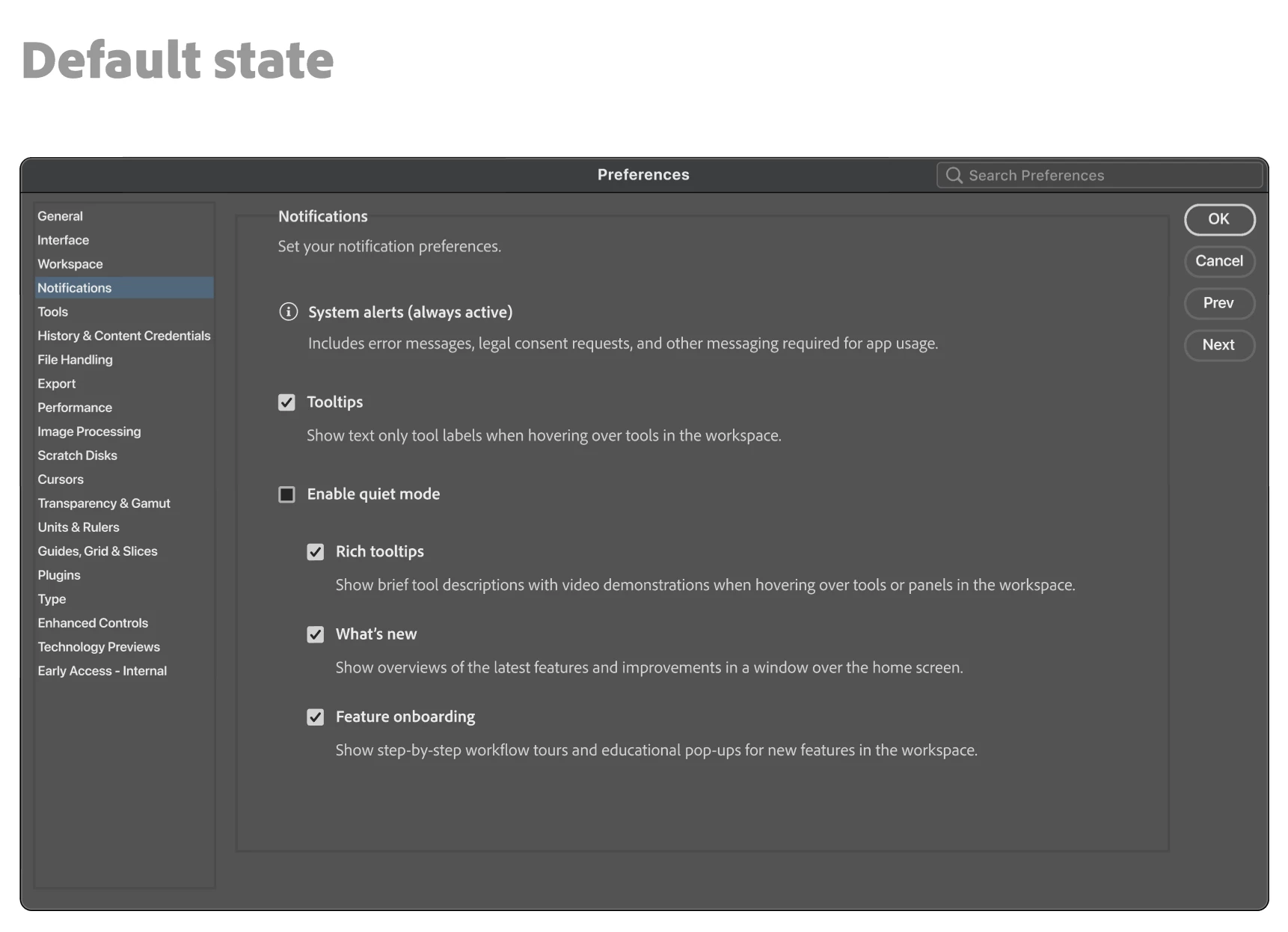
When you launch Photoshop, go to the top menu bar and click on Photoshop and go to Settings/Notifications. Here you will find the choices you can make on what to allow and what to pause. You can come back to this settings panel at any time to change your choices.
What happens when I turn ON Enable Quiet Mode?
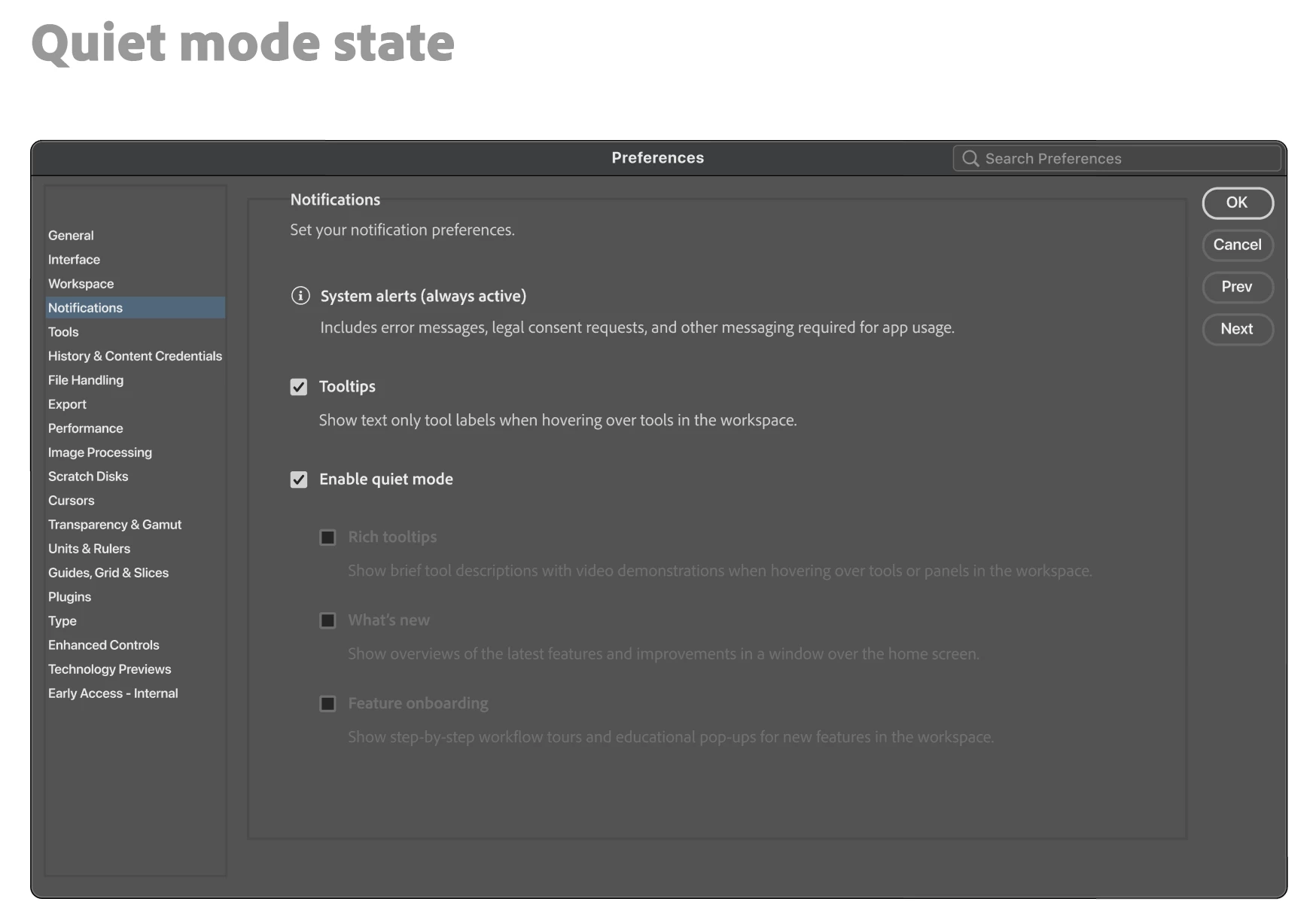
When you turn this setting on, all the notification types below it will be paused. You can also elect to not use the global Enable Quiet Mode tick box and instead, choose individual ones below it for specific kinds of notifications to be paused.
Certain notification types cannot be silenced as they are important for the use of the application.
We would love to hear your feedback on this and if you plan to use it. Please let us know.
Thanks,
Cory - Photoshop Product Manager


 AdChoices