
Participant
May 5, 2023
Question

Save for Web not saving optimized file

  • May 5, 2023
  • 2 replies
  • 656 views

When saving file shows the optimizes size to be 356k, when I preview it on browser it shoes the same size, but when I save it it saves as full jpg resolution ending up in a large file, on this exaples it ends up bein over 53MB
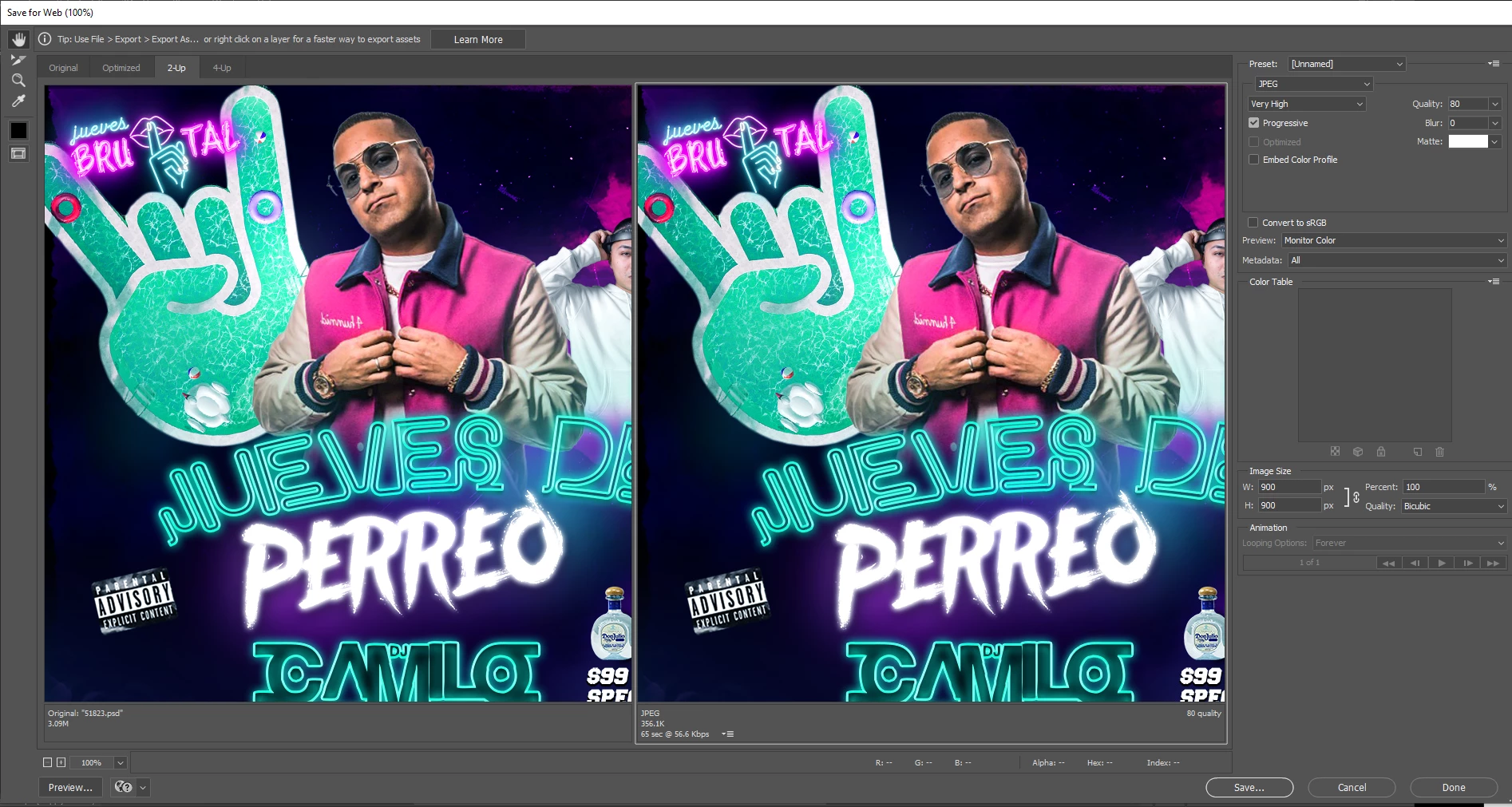
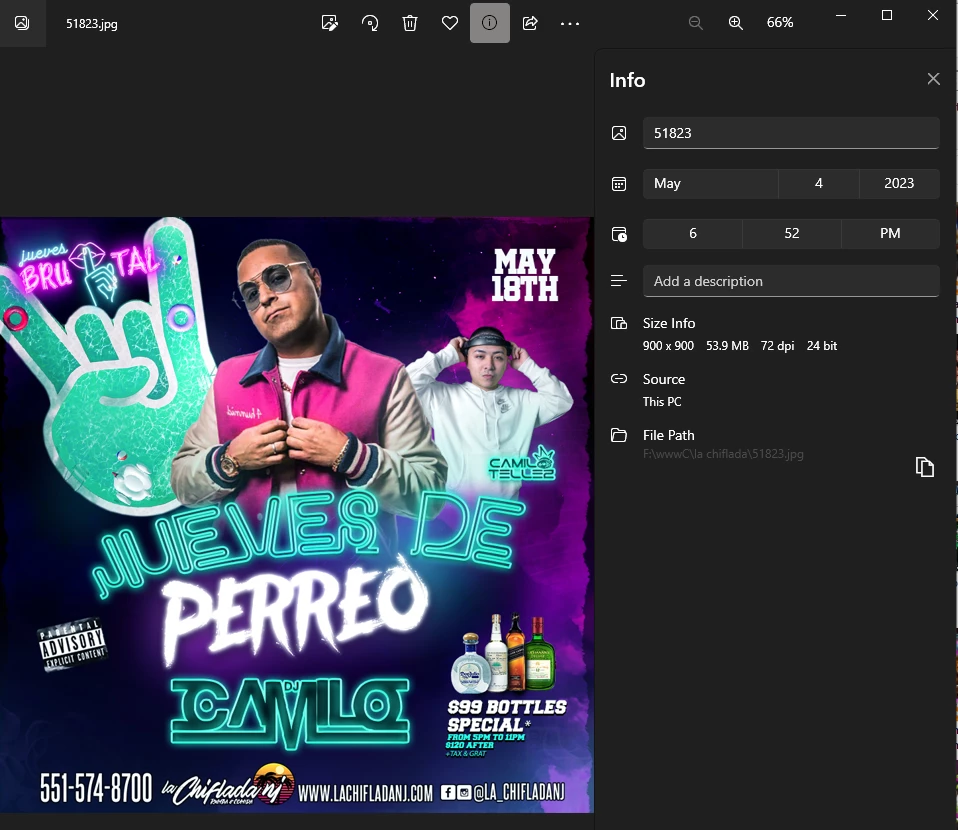
this error is on the lates photsjhop and on the beta 


This topic has been closed for replies.

2 replies

inHouseGraphics15135457
Participating Frequently
May 28, 2024

I'm just having this same issue today. Says it should be about 400-500kb but the final saved image ends up being 11mb. I've literally not changed any settings. 

iDAC
Participating Frequently
May 5, 2023

What's shakin geekj30376880!?
It sounds like there may be an issue with the Save for Web feature in Photoshop. Here are a few things you can try to troubleshoot the issue:

  • Check your export settings: Make sure you have selected the correct file format and compression settings when using Save for Web. You can try adjusting these settings to see if it affects the final file size.

  • Reset Photoshop preferences: Sometimes issues with Photoshop can be resolved by resetting your preferences. To do this, hold down the Alt, Ctrl, and Shift keys (Windows) or Option, Command, and Shift keys (Mac) while launching Photoshop. A dialog box will appear asking if you want to delete the settings file. Click "Yes" and Photoshop will launch with default preferences.

  • Try a different file format: If you continue to experience issues with Save for Web, you can try exporting your file using a different file format, such as JPEG or PNG, and see if that resolves the issue.

  • Update Photoshop: Make sure you have the latest version of Photoshop installed, as updates may include bug fixes for issues like this.

If none of these solutions work, or if I understood the question drop some more information on your situation and we will get to the bottom of it!
Highest regards from the Westcoast,

-iDAC