

Phil Pickering
Legend
July 1, 2022
Answered

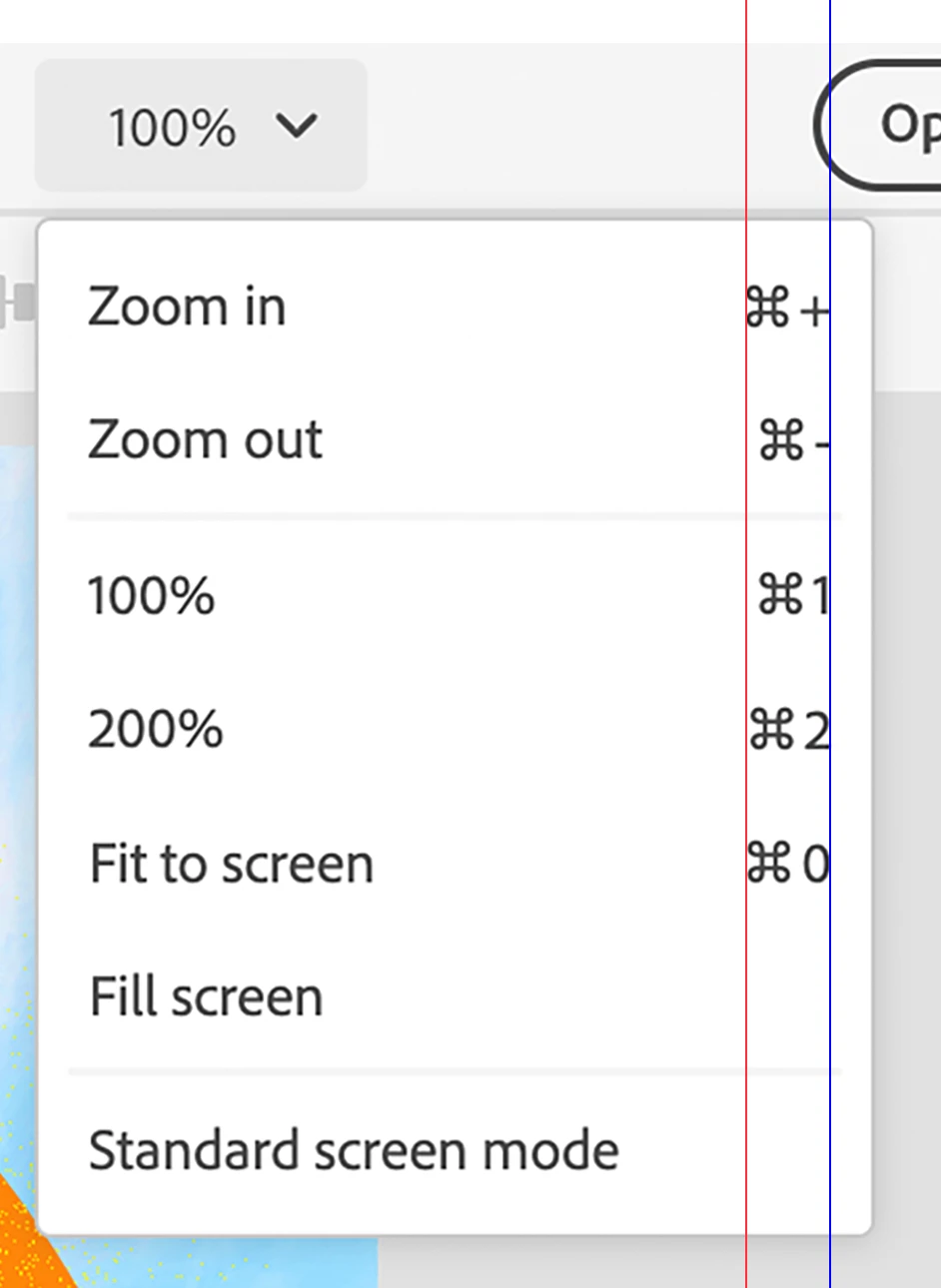
Zoom Options menu keyboard shortcuts are not aligned correctly

  • July 1, 2022
  • 2 replies
  • 285 views

Issue:

The Zoom Options menu keyboard shortcuts are not aligned correctly. See attached image where the red vertical line highlights the incorrect alignment.


  • Photoshop on the web (Beta) version: 202206.12.0
  • Hardware: MacBook Air (M1, 2020)
  • OS: macOS Monterey 12.4
  • Browsers: Microsoft EdgeVersion 103.0.1264.44 (Official build) (arm64) and Google Chrome Version 103.0.5060.53 (Official Build) (arm64)


Steps to reproduce:


  1. Open an existing Photoshop document, or create a new one.
  2. Click the down arrow next to the current Zoom level in the Header bar to open the Zoom Options menu.


Image:
This topic has been closed for replies.
Correct answer Pete.Green

This one looks to be according to design spec. No change will be made here. Thanks for the report though!

2 replies

Pete.Green
Community Manager
Pete.GreenCommunity ManagerCorrect answer
Community Manager
March 17, 2023

This one looks to be according to design spec. No change will be made here. Thanks for the report though!

Pete.Green
Community Manager
Community Manager
August 26, 2022

Sorry for the late response on this one @Phil Pickering, but thanks for the great bug report. 


Will pass this on to the team to investigate.


Regards,

Pete