

PhotoBoy
Inspiring
September 16, 2023
Answered

AP2024, why does the app give me this message?

  • September 16, 2023
  • 6 replies
  • 441 views

From my Ventura iMac I drug a folder of folders containing several thousand jpgs and psd files onto a SXINDE 1TB flash drive. It took awhile. So then I drug a jpg to my AP2024 app icon, Photoshop gives me the below message. All of the files on the flash drive get the same message. Is there a way to correct what is happening or is a flash drive a waste of money?
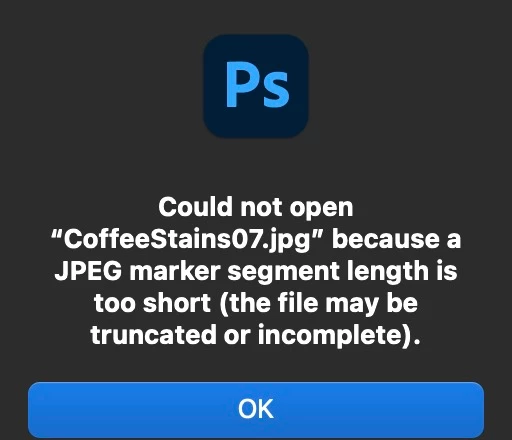
This topic has been closed for replies.
Correct answer PhotoBoy

Paid $20 for the 1TB Flash Drive.

After fooling w the flash drive and others, I solved my issues. Reformated the APSF format to macOS Extended Journaled. Realized that what made the process so slow was attempting to open picts from the drive. Stopped that. All the image files open perfectly now.

6 replies

J E L
Community Expert
Community Expert
September 17, 2023

Super, glad to hear you got it sorted out!

PhotoBoy
PhotoBoyAuthorCorrect answer
Inspiring
September 17, 2023

Paid $20 for the 1TB Flash Drive.

After fooling w the flash drive and others, I solved my issues. Reformated the APSF format to macOS Extended Journaled. Realized that what made the process so slow was attempting to open picts from the drive. Stopped that. All the image files open perfectly now.

Trying to Live Simply
J E L
Community Expert
Community Expert
September 16, 2023

@PhotoBoy, In addition to what @D Fosse said, a lot of these large-capacity flash drives are dodgy. I can't even find a business named SXINDE or what company makes SXINDE flash drives. Online reviews for that brand are not too favorable. I'm curious what you paid for it to find out how much of a waste of money it might be. For example, a 1TB SanDisk Ultra Dual Drive Luxe USB Type-C Flash Drive is $84.99 USD. And they are most reliable with a 30-Day Money-Back Guarantee and a 5-Year Limited Warranty. (I have no affiliation with SanDisk, but I've used their drives for years without any fails to date.) So I think it's probably just a faulty drive you got a hold of. If either JPG or PSD files on that drive don't open from within Photoshop (i.e., File > Open) then they likely aren't ever going to. At least you still have your originals to try with another drive!

D Fosse
Community Expert
Community Expert
September 16, 2023

Just the only thing I can think of. I can't explain it.

PhotoBoy
PhotoBoyAuthor
Inspiring
September 16, 2023

Why would being slow corrupt the entire file collection?

Trying to Live Simply
D Fosse
Community Expert
Community Expert
September 16, 2023

That message normally means either a corrupt file, or a file not written to correct jpeg specification.


My own experience is that USB flash drives are unbearably slow, much slower than the USB interface itself, so I never use them. Maybe that has something to do with the file corruption (which this looks like).