
Artifacts when converting an image to black and white
Hello everyone
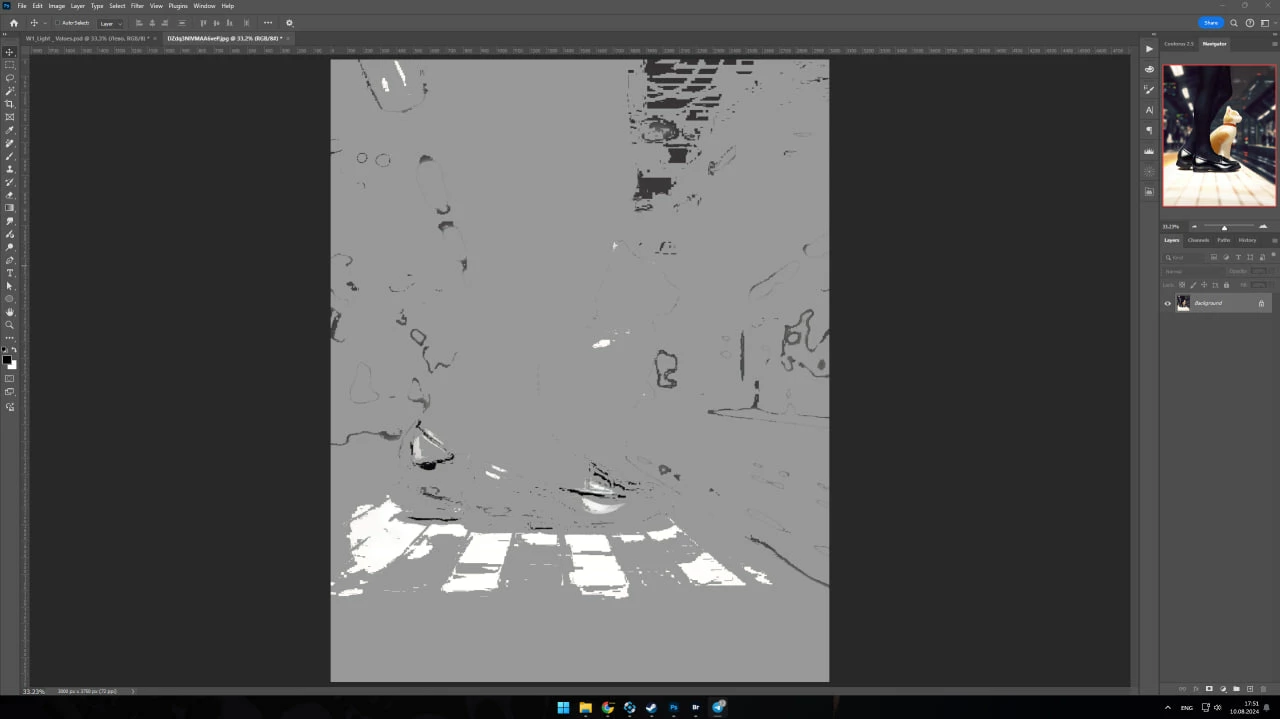
I recently encountered such a problem that when converting an image to black and white, such artifacts appear on the canvas (as in the screenshot). This problem began to appear 1-2 weeks ago. After the last update.
If you go back a step using the "history", then in the "navigator" the picture is displayed normally, but the canvas remains the same.
The problem does not always appear, but usually when using the command "ctrl+shift+u" and if you remove saturation through "Hue/Saturation". The image itself was uploaded to Photoshop using Bridge.
Usually, similar errors were removed by disabling GPU Compositing, but this time it did not save. I will be glad if someone knows how to solve this problem. Thanks!
 AdChoices