
peterk16579237
Participant
November 6, 2023
Answered

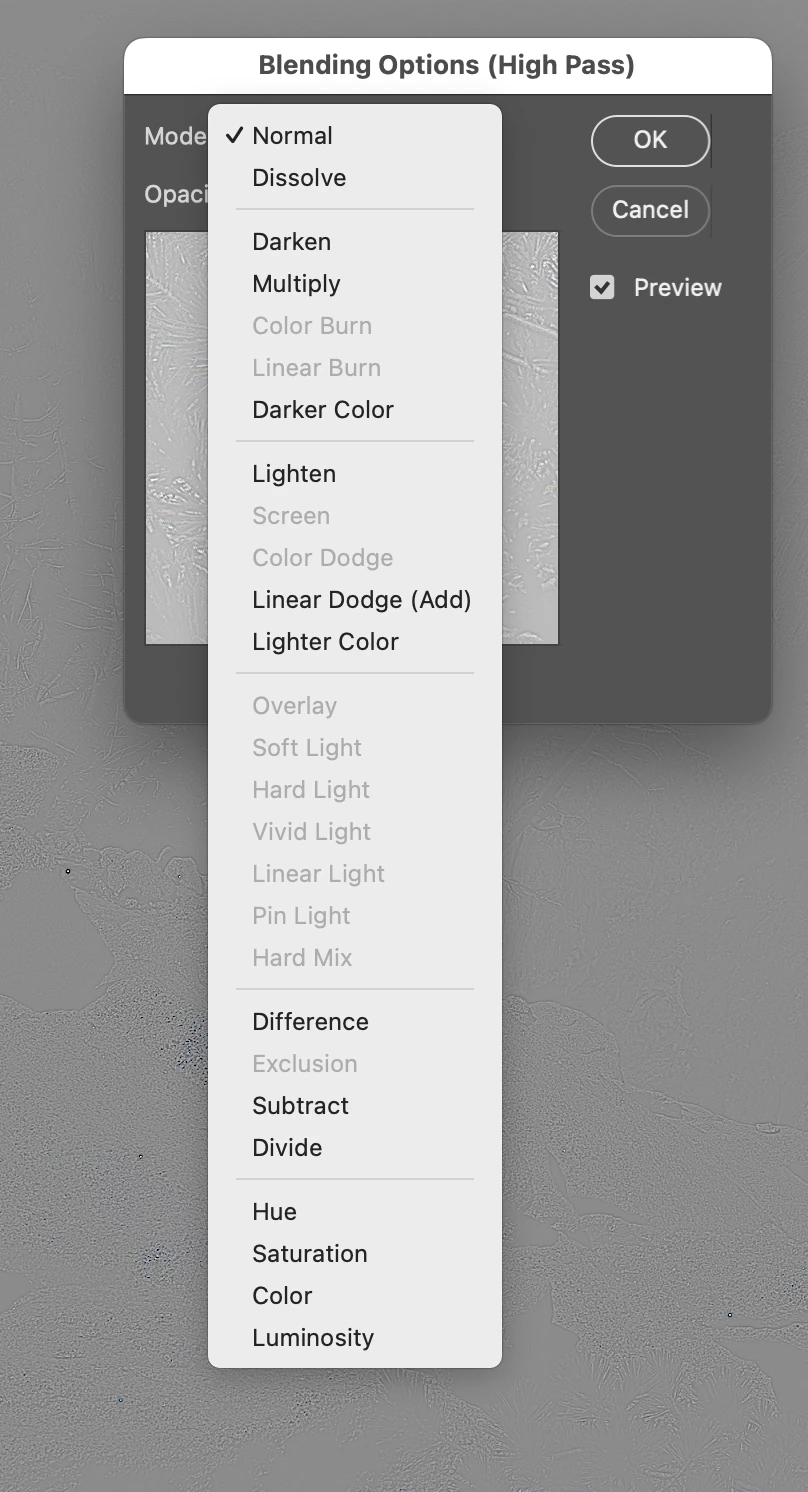
Blending Options (High Pass) the Overlay option is grayed out
  • November 6, 2023
  • 5 replies
  • 532 views

 Blending Options (High Pass) the Overlay and other options are grayed out, the layer is a smart object.  I'm not sure how to make available or what is going on.  I have uninstalled and reinstalled Photoshop (Using Photoshop 24.7.0 and later versions, macos Ventura 13.6.1) and it still does not work.

I'm not sure how to make available or what is going on.


This topic has been closed for replies.
Correct answer Stephen Marsh

It would appear that you are in a 32 bpc document where this blend mode isn't supported.

5 replies

Stephen Marsh
Community Expert
Community Expert
November 7, 2023

@peterk16579237 


You're welcome. Please mark my previous reply as a correct answer.


If you want to sharpen, there are other methods.

peterk16579237
Participant
November 7, 2023

Stephen,


Thankyou, I was unaware that 32bpc did not surport some blending options.

Stephen Marsh
Community Expert
Stephen MarshCommunity ExpertCorrect answer
Community Expert
November 6, 2023

It would appear that you are in a 32 bpc document where this blend mode isn't supported.

peterk16579237
Participant
November 6, 2023

Thanks fo your help.


Steps 1) Open psd file 2) Activate Background layer 3) create copy 4) Select Copy 5) Convert to Smart Object 6) Apply High Pass Filter 7) Edit Blending Filter icon, bring up Blending options (High Pass) dialog box 😎 Select Mode pull down.  Overlay Option not available. 

Ares Hovhannesyan
Community Expert
Community Expert
November 6, 2023

What are your steps in Ps? What is your layers structure?