
Participating Frequently
July 23, 2025

Bug in Photoshop iOS with select area "brush select"

  • July 23, 2025
  • 7 replies
  • 423 views

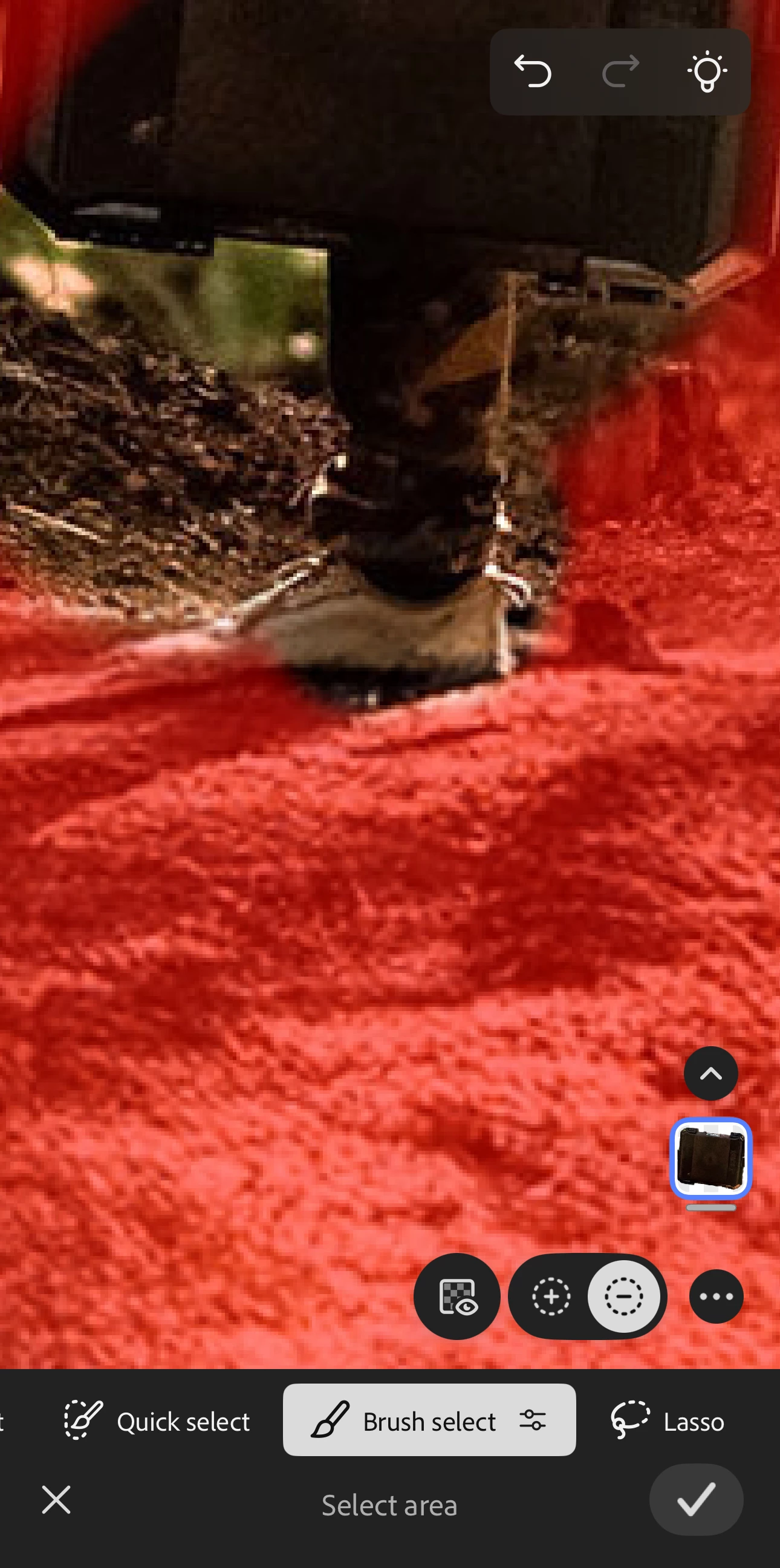
In the iOS app for Photoshop there is currently a bug where, when using the select area mode, using the "brush select" tool in "remove from selection" mode does not work and functions as "add to selection" only in both + and - modes.
 

7 replies

Anshul_Saini
Community Manager
Community Manager
October 14, 2025

Updating status.

Anshul_Saini
Community Manager
Community Manager
July 31, 2025

Updating status

cynicxiiiAuthor
Participating Frequently
July 28, 2025

Yes, it does look like the brush was set to erase inside the paint tool, and yes, toggling it back to brush instead of erase does correct the behavior in the remove from selection brush.

They must be negating each other on the back end so that's good to know until it is patched.

Thanks

Anshul_Saini
Community Manager
Community Manager
October 14, 2025

Hi @cynicxiii,


I tested this again with the latest Photoshop on iPhone build, and the issue appears to be fixed.


Please update to the most recent version from the App Store and let us know if you continue to experience the problem. Your earlier confirmation about the Eraser toggle helped the team identify the root cause, so thanks again for sharing those details.


Best,

Anshul Saini

cynicxiiiAuthor
Participating Frequently
July 25, 2025

Sorry, I'm not going to do that, but feel free to share it with your team or not. It doesn't matter to me either way. I just felt you should know about the bug.

Anshul_Saini
Community Manager
Community Manager
July 25, 2025

Thank you for letting us know, @cynicxiii. I completely understand your position.


I’ve already shared this with the product team, and I requested additional details to ensure we could reproduce the issue accurately and resolve it as quickly as possible. Your report is valuable, and even without the extra info, it will help guide the investigation.


If you notice any new patterns or have further observations, feel free to share them anytime. Thanks again for flagging this for us!


Best,

Anshul Saini

cynicxiiiAuthor
Participating Frequently
July 25, 2025

Version: 6.3.1 (20250710.638)

Anshul_Saini
Community Manager
Community Manager
July 25, 2025

Thanks for confirming the app version, @cynicxiii!


Before I share this with the product team, could you please try one more thing:

Make sure all your Photoshop documents are fully synced to the cloud. You can verify this here: https://adobe.ly/4514EnR

Once everything is safely synced, uninstall and reinstall the Photoshop app on your iPhone.


If the issue persists after reinstalling, could you share the sample PSD shown in your video with us? You can upload it to a file-sharing service like WeTransfer, Google Drive, or Dropbox and post the link here.


This will help our team investigate further.


Thanks so much for your patience and for helping us get to the root of this!


Best,
Anshul Saini

cynicxiiiAuthor
Participating Frequently
July 23, 2025
iPhone 14 Pro Max
iOS 18.5
Link to screen recording 

Steps to repeat:
  1. Go to the "Select Area" tool


  2. Select anything using any tool within "Select Area" (it doesn't matter what tool)


  3. Toggle the "Brush Select" mode and turn to (-) "Remove from selection"


  4. Try and use it to deselect any part of the selection, and it won't. It just treats it like "Add to selection" instead


Anshul_Saini
Community Manager
Community Manager
July 25, 2025

Hi @cynicxiii,


Thank you for sharing the details and steps to reproduce.

I wasn’t able to reproduce this on my end using Photoshop iOS v6.3.1 on an iPhone 15 Plus running iOS 18.5, so it might be device- or version-specific. Could you please confirm the exact Photoshop app version you’re currently using (found under App Settings > About).


Once we have this info, I can share it with the product team for deeper investigation. Thanks again for reporting this and for your patience while we work on narrowing it down!


Best,

Anshul Saini

Claire H.
Community Manager
Community Manager
July 23, 2025

Hi @cynicxiii, Thanks for reaching out! To better help you with this issue, we would like a few more details. Can you send your system info, a screen recording of your issue, and a numbered list of the exact steps needed to replicate the issue? Thanks! ^CH