
Participant
October 23, 2024

Color problem in printing

  • October 23, 2024
  • 4 replies
  • 227 views

Hi, I have the following problem, I work doing designs in Photoshop, related to vehicle wraps, then when sending to print, some panels or parts come out different color as seen in this photo:
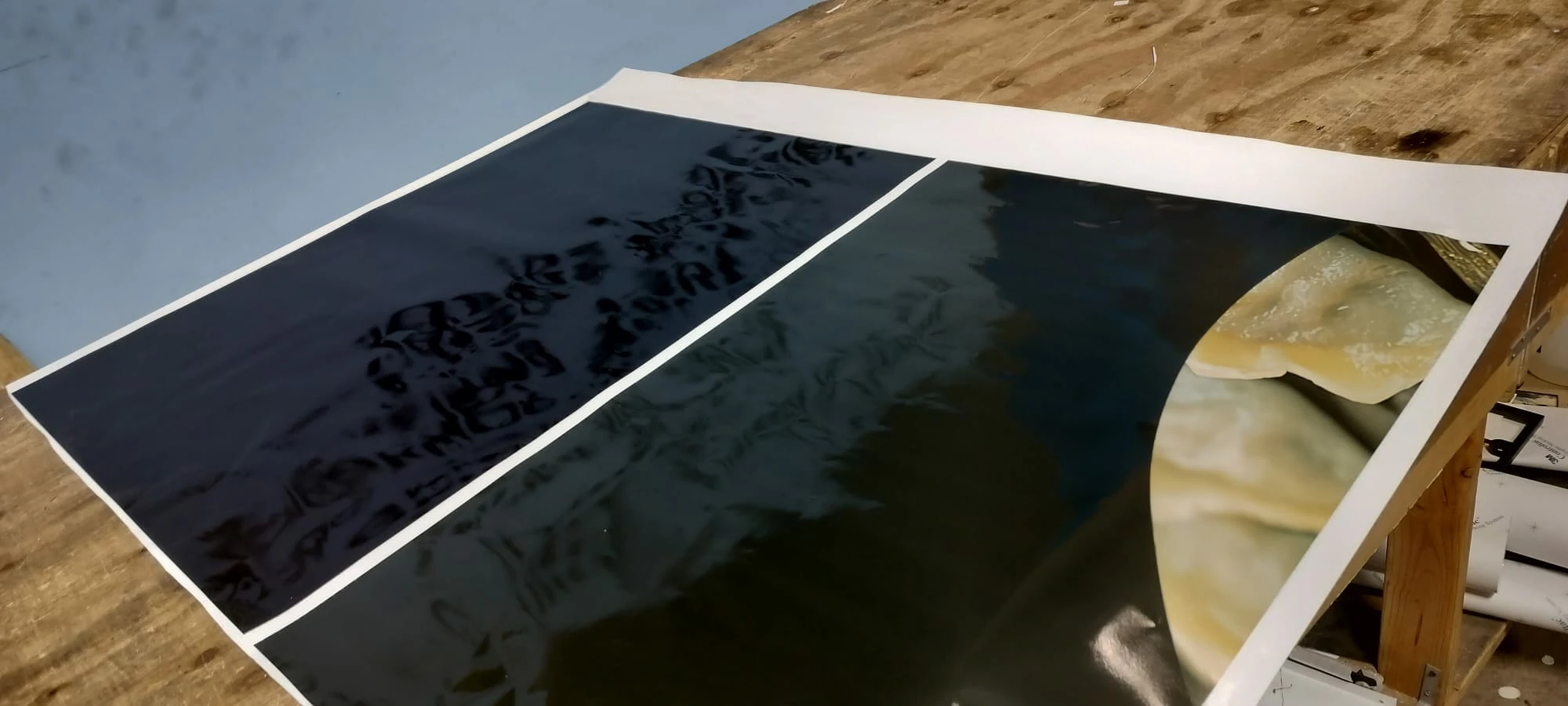
On the left is the correct color, but on the right it looks greenish.
and when reviewing the pdf it comes out with the same color both
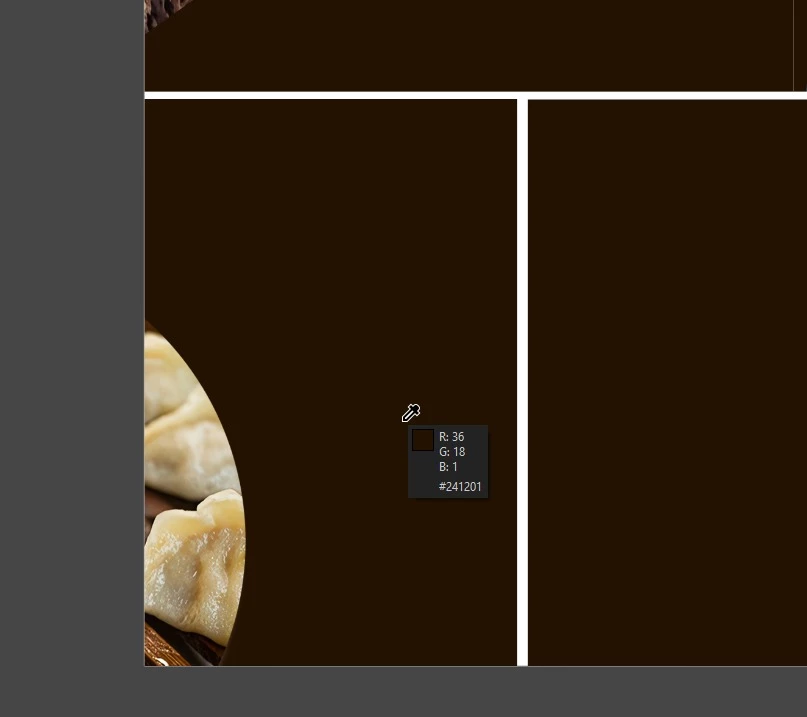
So I do not know if it is a problem of photoshop, the color format or if it has to do the plotter too, because out of 10 pdf, one or two always come out with this problem, and the others come out correct.

I leave the model of the plotter: Mimaki CJV150-130 and the version of Photoshop v25.12

4 replies

D Fosse
Community Expert
Community Expert
October 23, 2024

As long as the profile is embedded in all of them, there's no such thing as "hidden" flaws. You'd see it.


However - one thing I can think of is a monitor with poor shadow separation. Shadow color casts can be difficult to spot without a very good monitor.


Are they all from the same master file, or are they created separately? You can look at the histogram to check for shadow color casts.

davescm
Community Expert
Community Expert
October 23, 2024

If they look the same and have identical embedded profiles, then it is a question to ask the printer/printing company that you are sending the PDF to..


Or, if you are connected directly to the physical printer yourself and printing from Photoshop, check that in both cases: the media settings are the same in the print driver, Photoshop manages colours is chosen , print colour management inside the printer driver is off, and the correct print profile for your printer and media combination is selected. That should give consistent results.


Dave

Participant
October 23, 2024

the embedded color profile used is as follows:
sRGB IEC 61966 2.1

But if several panels are sent in the pdf, why do some come out well and others not if in theory they are embedded with the same profile?

D Fosse
Community Expert
Community Expert
October 23, 2024

Is there an embedded color profile? The profile is what defines the color.


In some cases, if going directly to press, a pdf doesn't have the actual profile embedded, but then there will always be an "output intent" that defines the color space. Either way, the given icc profile unambiguously defines the colors in the file.


Any deviation from that is the printer's responsibility.


I assume the printer runs a color managed process.