
Question
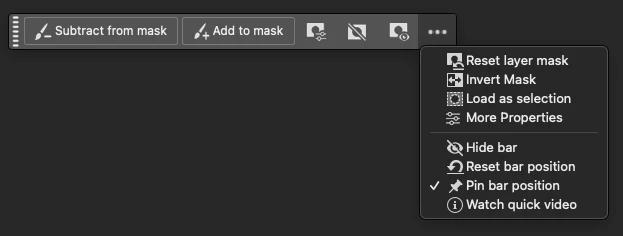
Contextual Task Bar Loses Pinned Position After Sleep
- App Version: Adobe Photoshop 26.6
- Platform/OS: macOS Sequoia 15.3.2 (MacBook Pro M2 Max)
Steps to Reproduce:
- Position the task bar to a custom location on the screen.
- Enable “Pin bar position” in the Contextual Task Bar.
- Put the computer to sleep.
- Wake the computer and reopen Photoshop.
Expected Result:
The task bar should remain at the position where it was pinned.
Actual Result:
The Contextual Task Bar shifts to a different position after waking from sleep, despite "Pin bar position" being enabled.
Why this matters:
This breaks the UI layout consistency and forces the user to reposition the bar every time.
 AdChoices