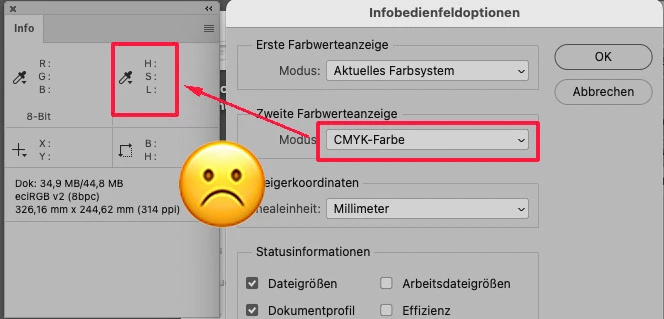
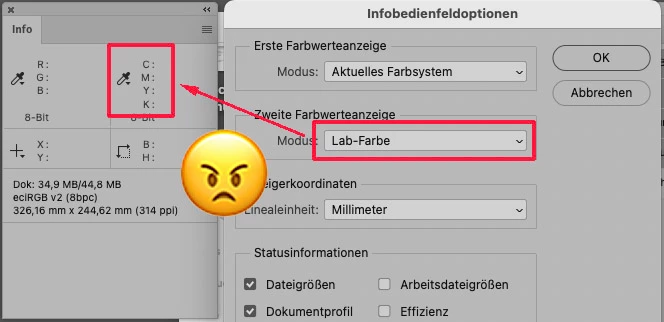
After updating to Photoshop version 26.4.1, info pannel does not show LAB readings when in other color mode. It is automacialy set to CMYK also when I reaply First / Second Color Readout under Info panel->Panel Options. It is a crucial setting when doing color correction / inspection.
There is a problem in the latest photoshop and in the BETA version. The Info panel options window does not work correctly. The total ink setting does not work. Also the CMYK option does not show. It shows in RGB all the time. Please fix this because we cannot work. Best regards

 AdChoices