
Participant
October 22, 2024

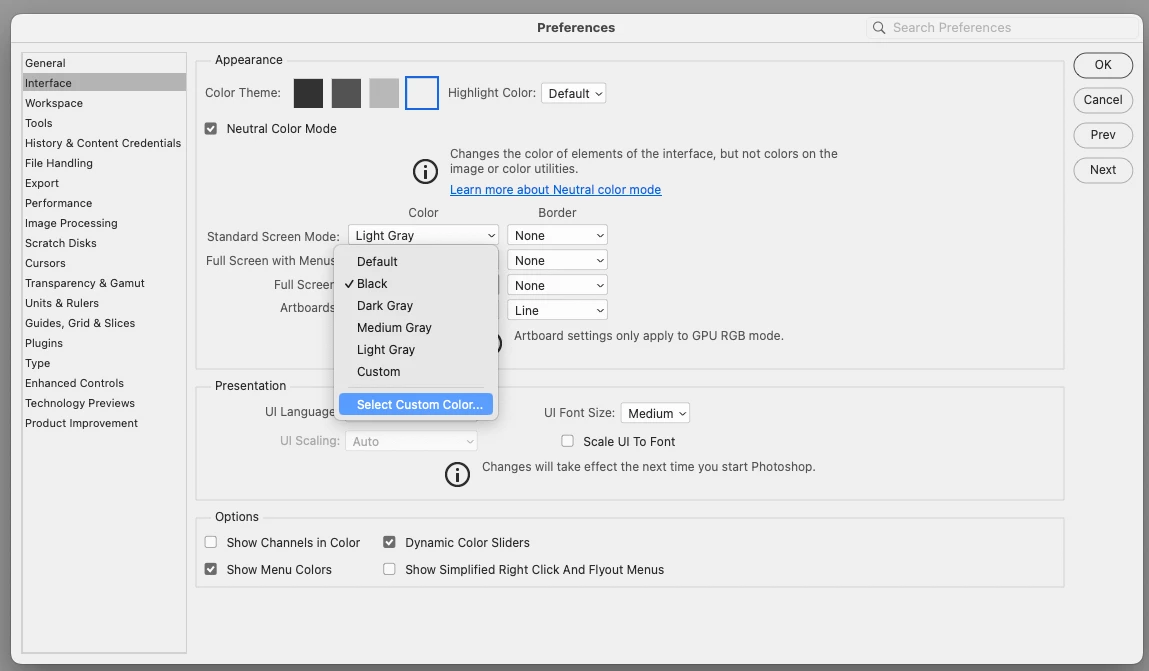
Not able to select a custom color in the preferences / interface window Photoshop 2025

  • October 22, 2024
  • 4 replies
  • 430 views

Prior to Photoshop 2025 selecting a custom color (white) in the Preferences / Interface window was to simply click on select a Custon Color and a color selector would pop up. With Photoshop 2025 / Mac nothing pops up. Has the process changed?
4 replies

Conrad_C
Community Expert
Community Expert
October 22, 2024
quote

It still works when right-clicking in the workspace backdrop - which is where I've always done this anyway; so I would never have noticed this.

By @D Fosse 


That’s the same reason I never noticed this, at least for the workspace backdrop…I always right-click. So right-clicking is a workaround for the backdrop, for now.


Mac users, if secondary click is not enabled for your current Mac input device, Control-click the backdrop. 

D Fosse
Community Expert
Community Expert
October 22, 2024

Actually that whole rolldown is dead, nothing happens with any of the options.


It still works when right-clicking in the workspace backdrop - which is where I've always done this anyway; so I would never have noticed this.

davescm
Community Expert
Community Expert
October 22, 2024

Same in Windows 11 with v26.0.0

I've moved this to bugs, removed the Mac reference from the title and tagged it as Windows and Mac.


Dave

Conrad_C
Community Expert
Community Expert
October 22, 2024

I just tried this and got the same thing (Select Custom Color does nothing in all four pop-up menus there), so a moderator should consider moving this thread to the Bugs forum.


Photoshop 26.0.0

macOS 14.7