

Kris Hunt
Legend
December 21, 2020

P: Command-Option-0 keyboard shortcut is broken

  • December 21, 2020
  • 7 replies
  • 1263 views

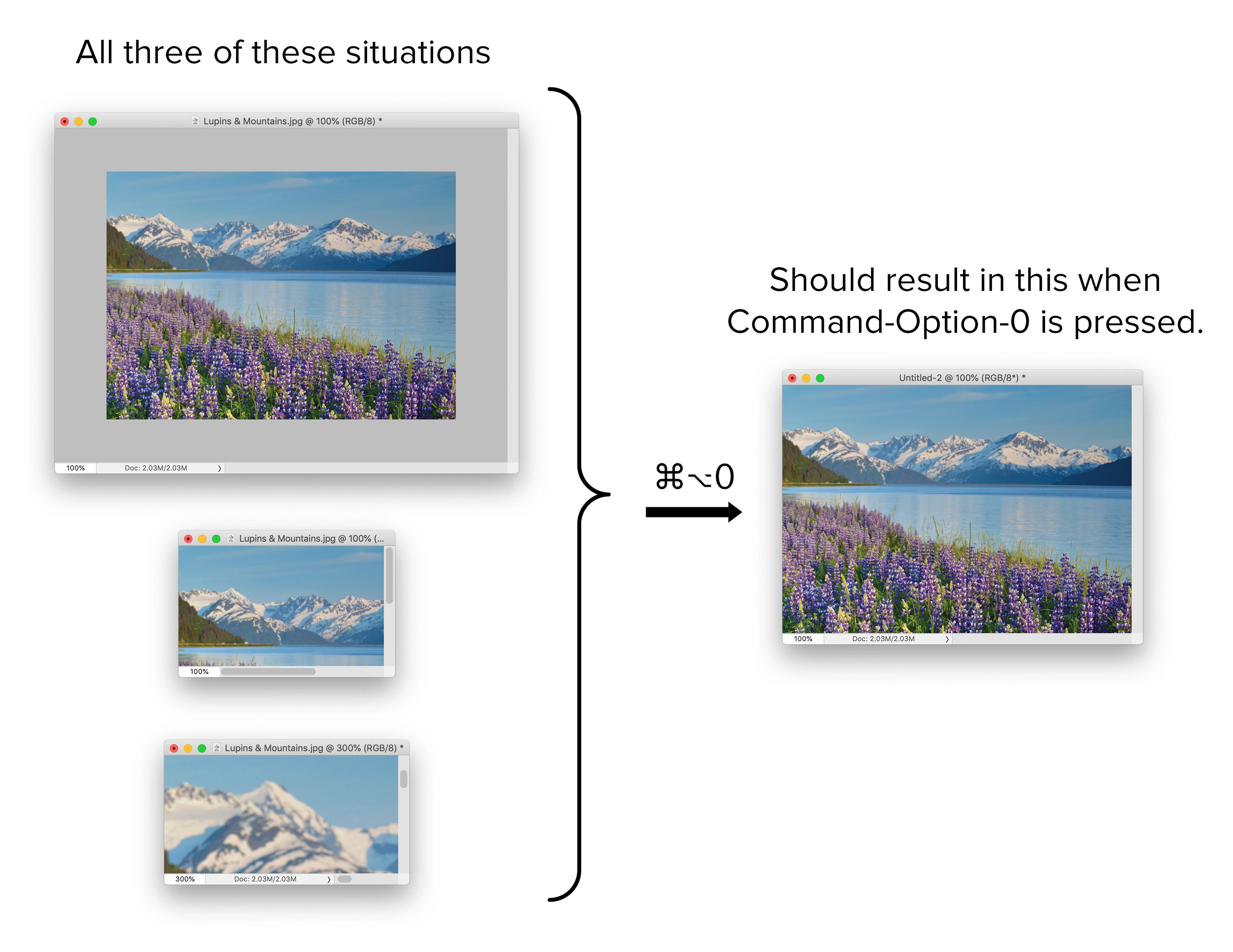
I just upgraded from Photoshop CC 2019 to Photoshop 2021, and I found a bug. When you hit Command-Option-0, the image should zoom to 100% and resize the window so the entire image is visible (unless the image is so large that it can't be contained on the monitor), regardless of the current magnification. If your image is zoomed to 100% but 1) the window is larger than the image so that the Artboard shows, or 2) the window is smaller than the image so that scrollbars are present, Photoshop does nothing. In the example below, all three situations should result in the same thing; instead, only the bottom situation works properly. Please fix this.
 

This topic has been closed for replies.

7 replies

CShubert
Community Manager
Community Manager
April 26, 2022
Participating Frequently
April 26, 2022

It was working in Photoshop 22.3.0, but just upgraded to 23.3.1 and it is not working again.


Kris Hunt
Kris HuntAuthor
Legend
April 1, 2021

This appears to be fixed in Photoshop 22.3.0. Thank you!

Kris Hunt
Kris HuntAuthor
Legend
February 9, 2021

It is already checked; no difference either way.

Jeff Arola
Community Expert
Community Expert
February 9, 2021

See if you get different results by checking Resize Windows to Fit in the Zoom Tool options

Kris Hunt
Kris HuntAuthor
Legend
February 9, 2021

Still broken in 22.2.

Legend
December 22, 2020

I've asked engineering to take a look.