
Participant
May 22, 2025

P: Importing Adjustment Presets is not Working in PS 26.7
  • May 22, 2025
  • 8 replies
  • 938 views

This bug referenced here is happening in Photoshop 26.7. 

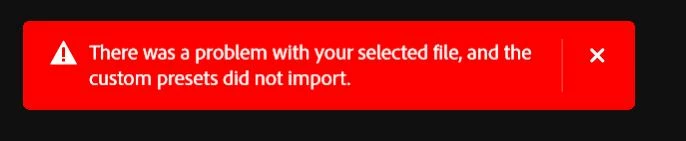
As mentioned in that thread, the bug occurs with presets that were created and functioning in earlier verisons (26.6.1) and presets that were created and exported in the latest 26.7. Each import attempt results in the error message in red: 

"There was a problem with your selected file, and the custom presets did not import."


Would love a workaround beyond dialing back to 26.6.1 or a general ETA on a bug fix update! TIA! 

8 replies

Participating Frequently
July 31, 2025

I've the same error, was running 26.7 and just updated to 26.9, Still not fixed for me.


I've tried Anna McNaught Adjustment Presets and another from PhotoshopCAFE. Both were imported into earlier version of photoshop without error.

CShubert
Community Manager
Community Manager
July 7, 2025

This issue has been fixed with the recent update.


Thanks,

Cory - Photoshop Product Manager

austina65991608
Participant
June 23, 2025

I ended up changing my boot drive from hdd to m2 because I realized I should have done that in the first place, and after redownloading photoshop the psap file loaded successfully. So problem solved for me

Participating Frequently
June 19, 2025

There was an update and I now use the new version which works fine so perhaps it is a Mac to PC problem 

austina65991608
Participant
June 18, 2025

Hey there, I'm having the same issue with 26.7. I'm trying to import my adjustment presets onto a new computer so I don't think I have the ability to try an older version. My presets were made on a Mac but the new machine is a PC, maybe that's part of the problem? Has there been any update?

CShubert
Community Manager
Community Manager
May 27, 2025

Thank you @LifelongUser will have the team look into this.


Thanks,

Cory - Photoshop Product Manager

Participant
May 22, 2025

Sure thing! Thanks! 

Participating Frequently
May 24, 2025

I cannot import Adjustment Presets into photshop 2025. A red warnig box appears. I am running Windows 11. I have the latest Photoshop. I have tried starting it twice but nothing works.

Participating Frequently
May 25, 2025

@Gusray 


A link to those presets would be helpful.  We could test the files directly that way.

How far do you get?  Does the File Explorer window open?  Or do you see the warning dialog before that happens?

What exactly does the warning box say?  Show us a screen shot if you are able (Use the Windows Snipping Tool)


Mine is looking for .psap files.  Is the format you are trying to import?


Are you able to Export All Custom Presets?


You need to provide a lot more information (i.e. clues) before people can offer constructive advice.


I have just gone back to a previous version of Photoshop and it is working now. Thanks for all the advice it is appreciated.

CMass
Legend
May 22, 2025

Hey @LifelongUser

Thank you for including a link to the previously reported bug in Photoshop Beta. I'm reaching out to the team and will reach out if we need more details. 


^CM