
Participating Frequently
December 5, 2015

P: (Limited support) of drag and drop opening new images

  • December 5, 2015
  • 10 replies
  • 373 views

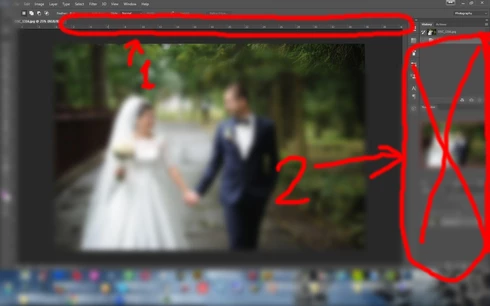
Photoshop CC 2015.1 - Now I can't open new images using drag-and-drop on usual photoshop area (zone 2 on screenshot), possibly to use very small zone 1. It's just my personal PC problem, or anybody have some bug?
This topic has been closed for replies.

10 replies

Legend
January 25, 2018
This was fixed a while ago. Let us know if you're still having trouble with the current releases of Photoshop and Illustrator.
SG...
Adobe Employee
Adobe Employee
December 7, 2015
Hi,

We are currently investigating solutions to this problem.

Sorry,
steve
Participant
December 7, 2015
Indeed something has changed as the original post says, I used to drag files from firefox along with files from my documents folders directly into Photoshop layers area (just like depicted on his image) but after updating to 2015.1 I cannot do it anymore.

I mainly do it for opening dragged images as a "new file" instead of adding it to my current window.

Dragging a file directly on the canvas area works as usual, placing your file on your current window.

Now, after doing some experimentation, I just find that the "area" where I can still do as I used to, has shrink to the area depicted in green on my Image:

Participant
December 7, 2015
Indeed something has changed as the original post says, I used to drag files from firefox along with files from my documents folders directly into Photoshop layers area (just like depicted on his image) but after updating to 2015.1 I cannot do it anymore.

I mainly do it for opening dragged images as a "new file" instead of adding it to my current window.

Dragging a file directly on the canvas area works as usual, placing your file on your current window.

Now, after doing some experimentation, I just find that the "area" where I can still do as I used to, has shrink to the area depicted in green on my Image:

Inspiring
December 6, 2015
Same here. Win10 64 bit, PS 2015.1 64bit
Drag n drop doesn't work with Explorer oder SpeedCommander that I am using.
Before the November update everything worked well.
Participating Frequently
December 5, 2015
Dragging from explorer work only in 32-bit Photoshop CC 2014.
In Photoshop CC 2015.1 it doesn't work (on my PC), but few days ago all was fine - until I have updated Photoshop. About drag-and-drop - I have opened image, and wish to open a few more in new tabs. Usually I drag image into Navigator panel, or layers, or history - and on previous versions of Photoshop CC 2015 all work as expect, but now - not work.
Inspiring
December 5, 2015
Does dragging from Finder/Explorer work as you expect?

You should be able to drag from outside into the document area or into a tab.
But I don't see where you could drag from outside the app and into the layers palette even in previous versions.
Participating Frequently
December 5, 2015
with windows explorer results the same; in Photoshop CC 2014 2.2. 32 bit all works fine, but mostly I use new CC 2015 (because it 64 bit)
Participating Frequently
December 5, 2015
From FastStone Image Viewer 5.5
Inspiring
December 5, 2015
Where are you dragging from?