Known Participant
February 22, 2024

P: PS v25.5&25.6 Missing ALT keyboard shortcuts in panels

  • February 22, 2024
  • 40 replies
  • 5398 views

I updated from Photoshop 25.4 to 25.5 on my Windows 11 PC running the latest patches and I noticed that many keyboard shortcuts using the ALT-key are now gone in editing panels, for instance Image Resize and Image Canvas.


ALT keyboard shortcuts have become something of a hidden feature in Photoshop, because they're only visibile when hold the ALT key pressed down. But when you know this trick it becomes possible to use the keyboard to access options in the PS pull-down menu and change numerical values; it can really speed up your workflow compared to using a mouse.  I only need three key presses to change any option in amy PS panel. Memorize those and you can speed through PS using just the keyboard.


The problem is that the ALT hotkeys that have numerical input fields (like Width and Height in the Canvas Size panel), are gone in Photoshop 25.5 and 25.5.1. Needless to say it worked fine in 25.4 and every other Photoshop version released in the past 20 years.


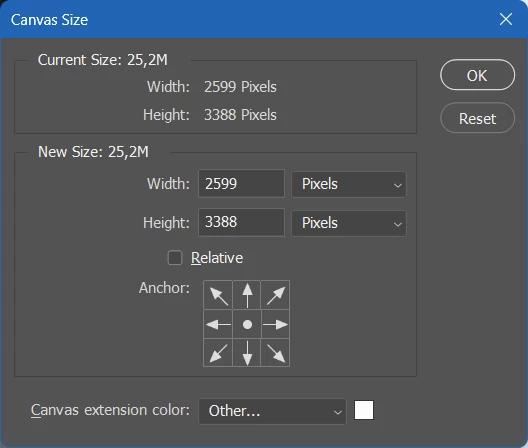
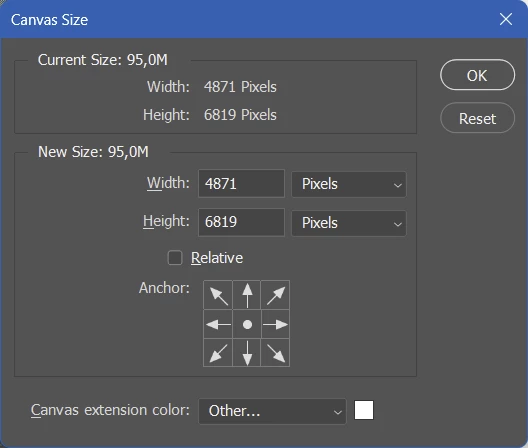
Take these two screenshot of the Canvas Size panel (image top = PS 25.5, image bottom = PS 25.4). If you hold the ALT key you should not just see the Cancel button change to Reset, but the first letters of options like Width, Height, Relative and Canvas Extension color should now be underlined to indicate that you can press ALT plus an underlined letter to move the keyboard focus to those options.


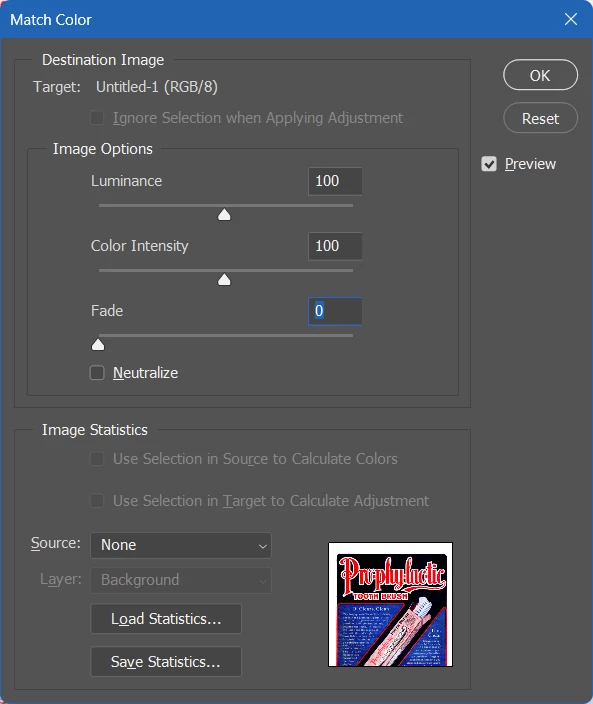
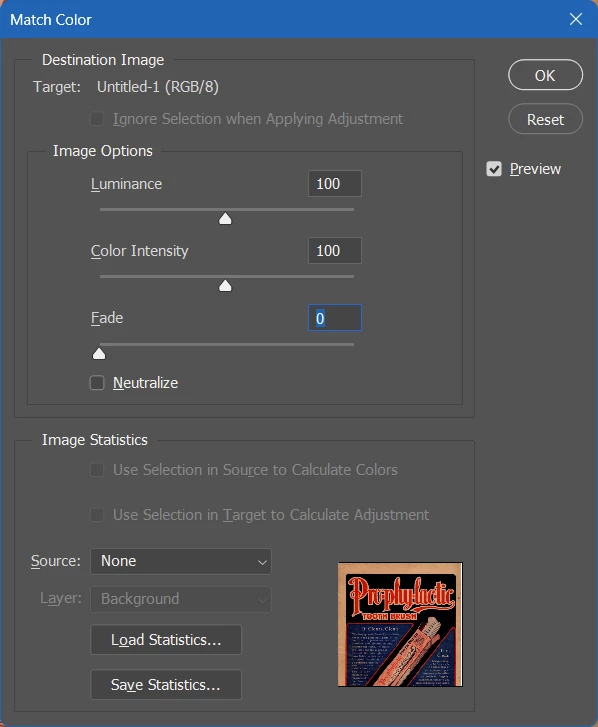
The same thing is happening in the Image Size panel. (image top = PS 25.5, image bottom = PS 25.4). In the latest PS version the ALT keyboard shortcuts for Luminance, Color Intensity and Fade don't work anymore.


Only a few people have acknowledged this issue in my previous posting. I'm trying again with a better structured post hoping that others can confirm this buy so that this bug will reach the Adobe devs. I rely a lot on ALT keyboard shortcuts in my Photoshop workflow and I'm really unhappy about this bug. The good news is that's incredibly easy to reproduce, the bad news is that probably not that many people even know these ALT keyboard shortcuts exist in the Windows version of Photoshop.

This topic has been closed for replies.

40 replies

Sawiro Takoni
Known Participant
June 12, 2024

Let's wait for Photoshop 32.5.2 (release september 2045).


That will fix it.

Known Participant
June 12, 2024

Photoshop 25.9.1 came out with "minor bug fixes". But the ALT keyboard shortcuts bug still hasn't been fixed.

Sawiro Takoni
Known Participant
June 10, 2024

I feat they don't care.


Maybe I will upgrade to the latest release and fix the problem myself with a tool like Autohotkey.


See https://www.autohotkey.com/docs/v2/ - but come one Adobe, give us back our hotkeys!

michaljanata
Inspiring
June 10, 2024

Still any news about fixing broken shortcuts?

Sawiro Takoni
Known Participant
May 23, 2024

Maybe the shortcuts are part of a new subscription model?


Want shortcuts like in the classic '90s?


Make use of Photoshop CC Pro+ for less than $ 10,- a month (15 shortcuts included) or $ 15,- a month (25 shortcuts included).


You can even subscribe to Photoshop CC Pro+ AI edition, with shortcuts suggested by cloud AI!


Just joking, please restore the shortcuts.


I use Photoshop since version 2 or 3, it didn't even have layers back than. And to be honest : I can work without layers, but I can't without shortcuts.

Known Participant
May 23, 2024

Damn ... still not fixed ...This is a bit worrying ... I hope this is not going to be one of those things that are NEVER going to be fixed. I'll never upgrade to any new version as long as this bug is there.

Sawiro Takoni
Known Participant
May 22, 2024

I downgraded to 25.4, since I can't work without shortcust.


All those new "AI" things are (maybe) nice to have, but without shortcuts, the software becomes useless.

michaljanata
Inspiring
May 22, 2024

I have just tried to update to 25.9 and it is still NOT FIXED! Adobe, are you serious?

michaljanata
Inspiring
May 21, 2024

Hey @Sameer K, how is going investigation and fixing this bug?

Sawiro Takoni
Known Participant
May 4, 2024

For the record (pun intended) my screencapture is an animated GIF (but stops playing after one time).


This is my first post since 35 years of being a Photoshop user, and I can't seem to edit my previous message?


So here's the caputure, with a loop;