


Question
Photoshop 2024 (ps ver 25.12) 32 Bits/Channel Levels /Curves truncated
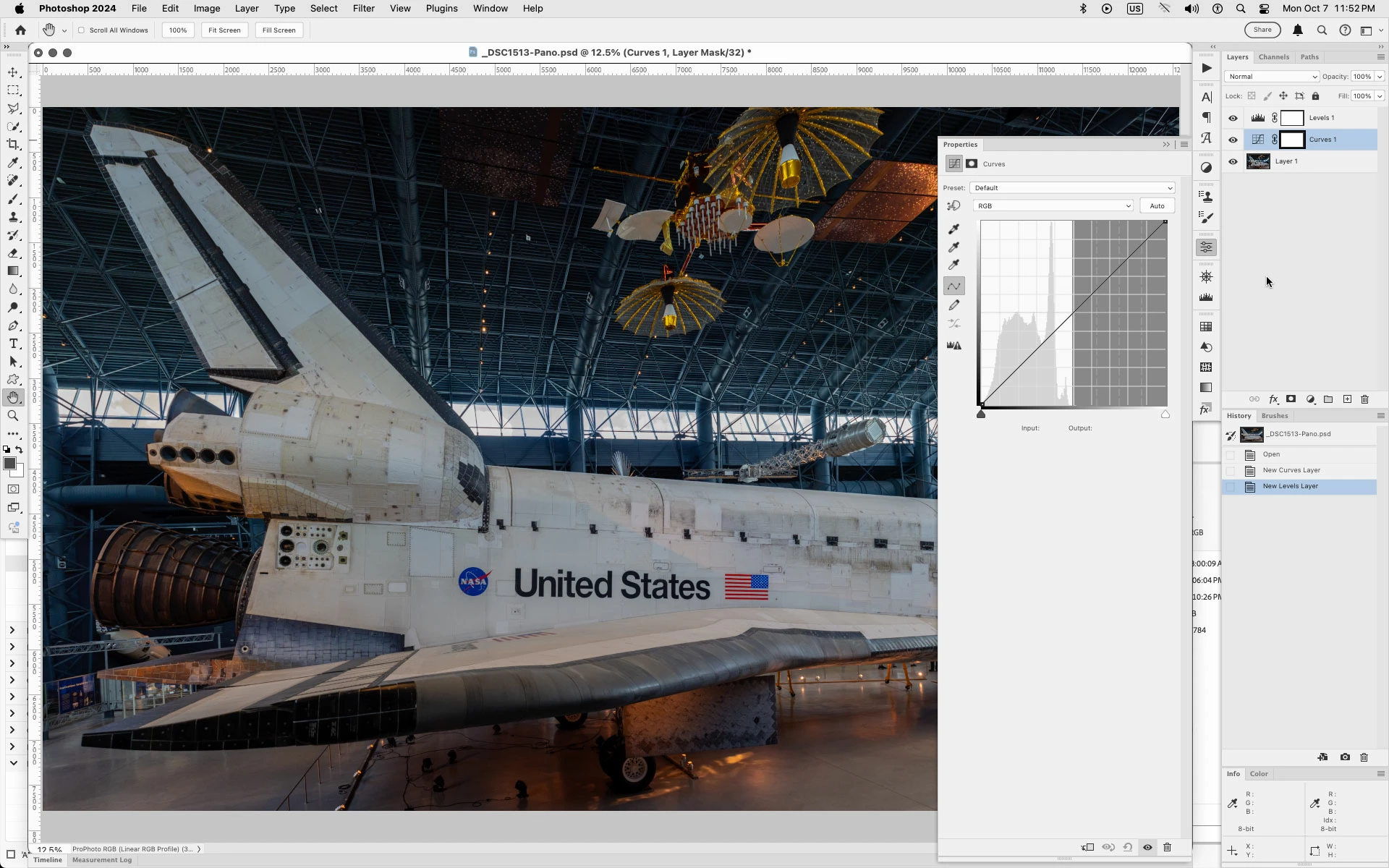
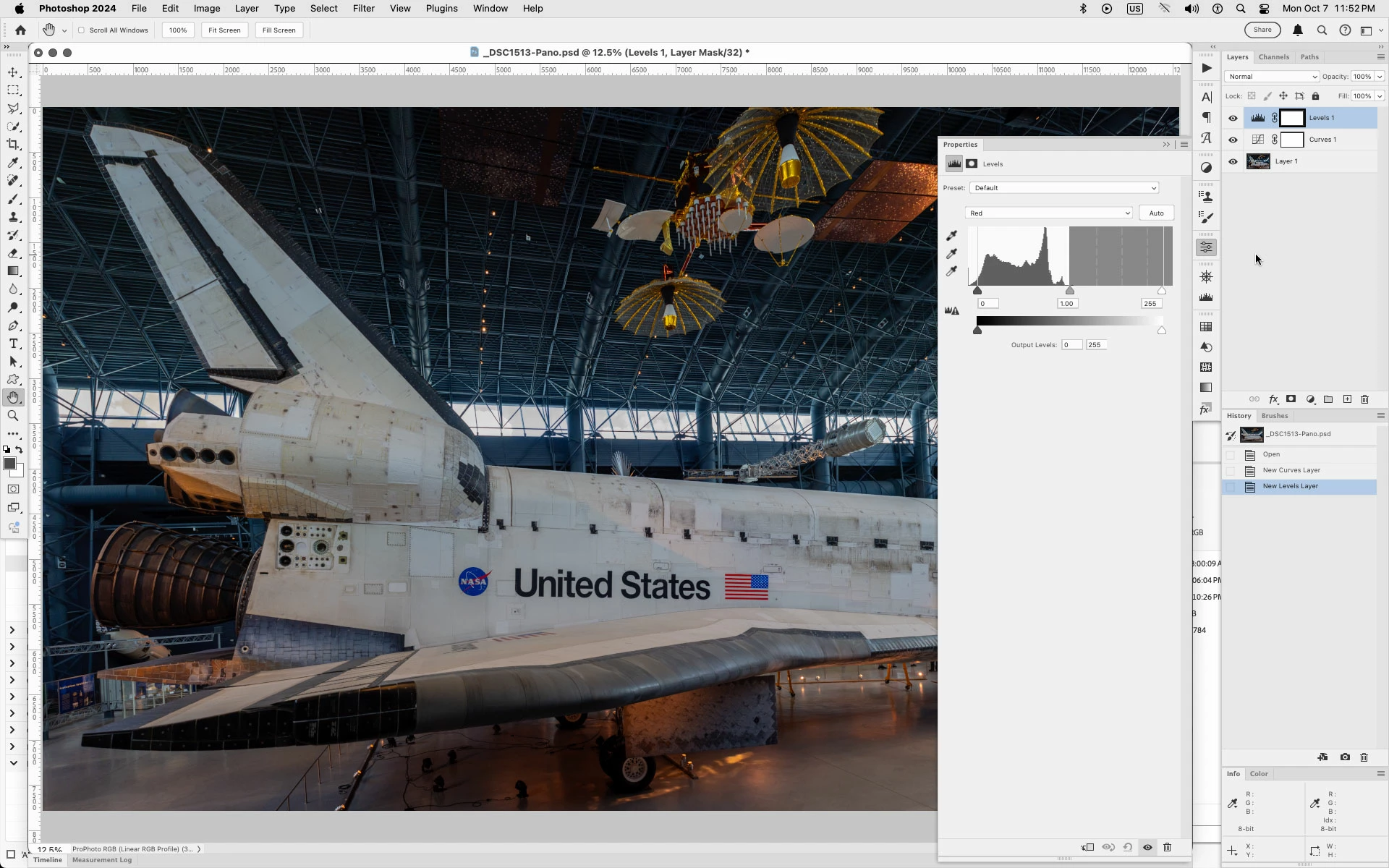
In Photoshop 2024 (ps 25.12) on both Mac and Windows with a 32 Bits/Channel document in RGB Color Mode, when using either an Curves or Levels Adjustment Layer the right half of the histogram is grey and seems that the histogram is truncated to the left side of the histogram display.
For Curves its the RGB and the Red, Green and Blue channels.
With Levels it's just the Red, Green and Blue channels.
Same goes for Image>Adjustments Curves or Levels.
Curves
Levels
 AdChoices