Grant P.
Participant
September 15, 2022
Question

Photoshop 23.5.1 does not load

  • September 15, 2022
  • 7 replies
  • 413 views

I just updated my Photoshop yesterday late morning and from there on it is not working! I have tried to uninstall the current version and the app altogether. The error I received is attached below.
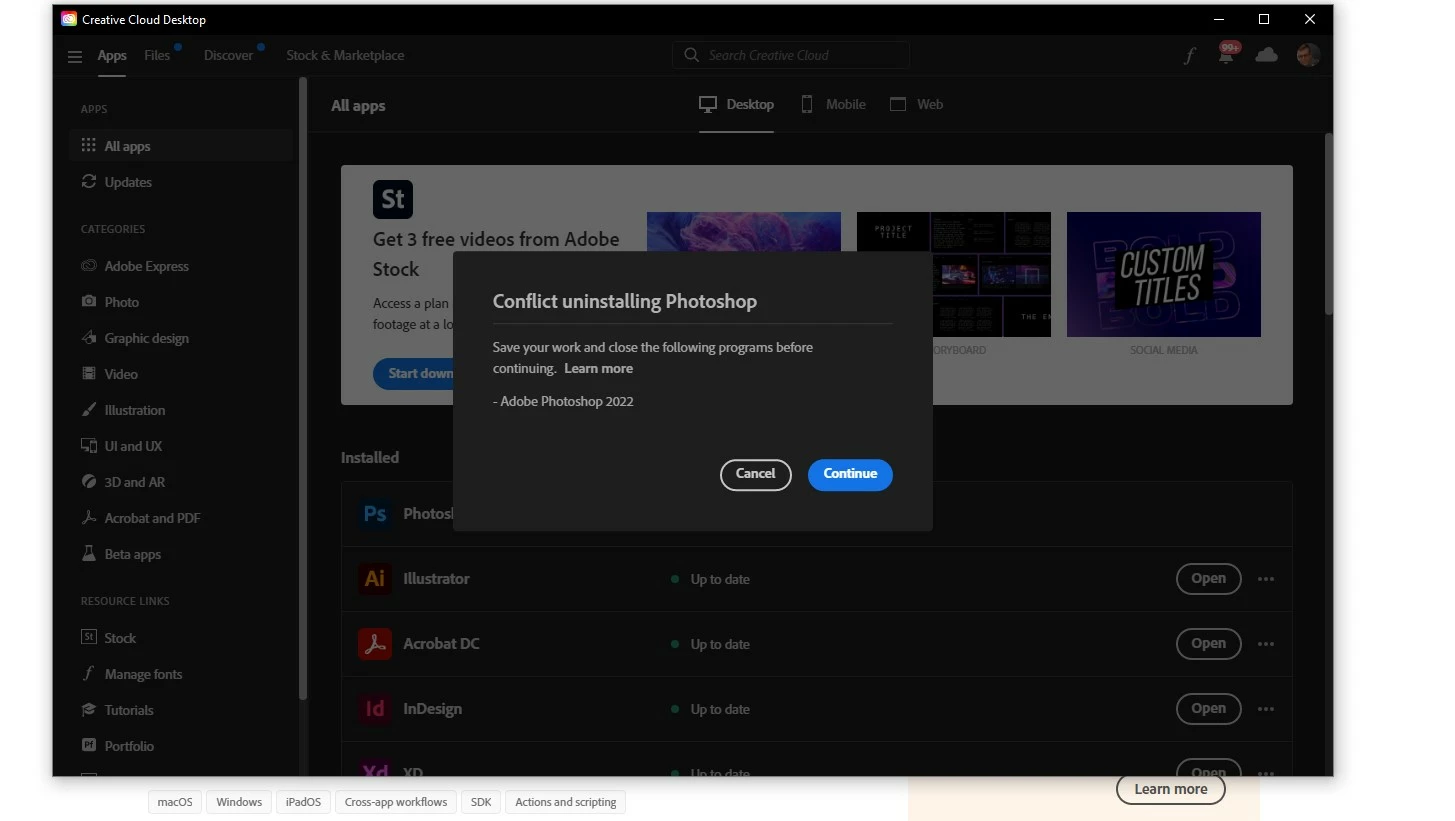
This topic has been closed for replies.

7 replies

CShubert
Community Manager
Community Manager
September 15, 2022

Thank you @Grant P. have you done a computer reboot and then tried the CC cleaner and install?


Thank you,

Grant P.
Grant P.Author
Participant
September 15, 2022

I just tried this method and it states it cannot uninstall as i have over cc applications running in the background. I currently have no CC apps running. Please advise

CShubert
Community Manager
Community Manager
September 15, 2022

Yes @Grant P. you mention that you tried to uninstal Ps, so let's go higher and do a clean install of CC, then install Ps and see if we can get you back up and running.


Thank you,

Grant P.
Grant P.Author
Participant
September 15, 2022

so simply uninstall and reinstall the creative cloud application?

@mj
Community Expert
Community Expert
September 15, 2022

Hi @Grant P. ,

Did you come right with the suggestions put forward?

Do we need to dig deeper?

Best

mj

CShubert
Community Manager
Community Manager
September 15, 2022

Hi @Grant P. sorry to hear this. It is possible something became corrupt in the update. A full Creative Cloud wipe and install should fix this.


https://helpx.adobe.com/creative-cloud/kb/cc-cleaner-tool-installation-problems.html


It may help if we could see your Photoshop System Info. Launch Photoshop, and select Help >System Info...and copy/paste the text in a reply.  


Thank you,


Thank you


marliton
Community Expert
Community Expert
September 15, 2022

Hi. Just make sure the actual Photoshop version is close. If it's closed, reset the computer and try again.


Marlon Ceballos
