





Photoshop turns 35 and AI Generative guidelines violation
35 years ago John Knoll gave the first public demonstrations of Photoshop with this image:
(See: https://www.youtube.com/watch?v=Tda7jCwvSzg)
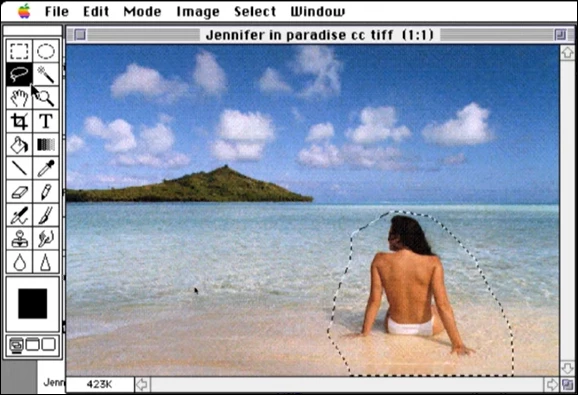
To celebrate Photoshop's 35th anniversary, I asked Firefly to create an image of a woman sitting on the beach of a lagoon in a swimsuit with her back bare, which it refused to do on the grounds of “Guidelines violation”.
Out of spite, I asked it for an image of a woman in a swimsuit, thinking I could tweak it in Photoshop with Generative Fill, using the prompt "remove".
But again I couldn't because of Guidelines violation:

The most disconcerting thing is that I was still able to do it with the Photoshop's “Remove” tool…
The final image was posted in the Adobe FEBRUARY CHALLENGE - Photoshop turns 35! without shocking anyone. Which isn't surprising, since it's hard to understand what's shocking about seeing a bare back on a beach, even a woman's back.

Why does one Photoshop's tool allow you to do what another forbids?
What is the meaning and logic of these “guidelines”?
What makes our machines think that morals have regressed so much in 35 years?
This isn't the first time I've come across such nonsense with Photoshop or Firefly, so please improve it as soon as possible.
Thank you.
 AdChoices