Participant
September 8, 2022
Question

PIXEL CRASH
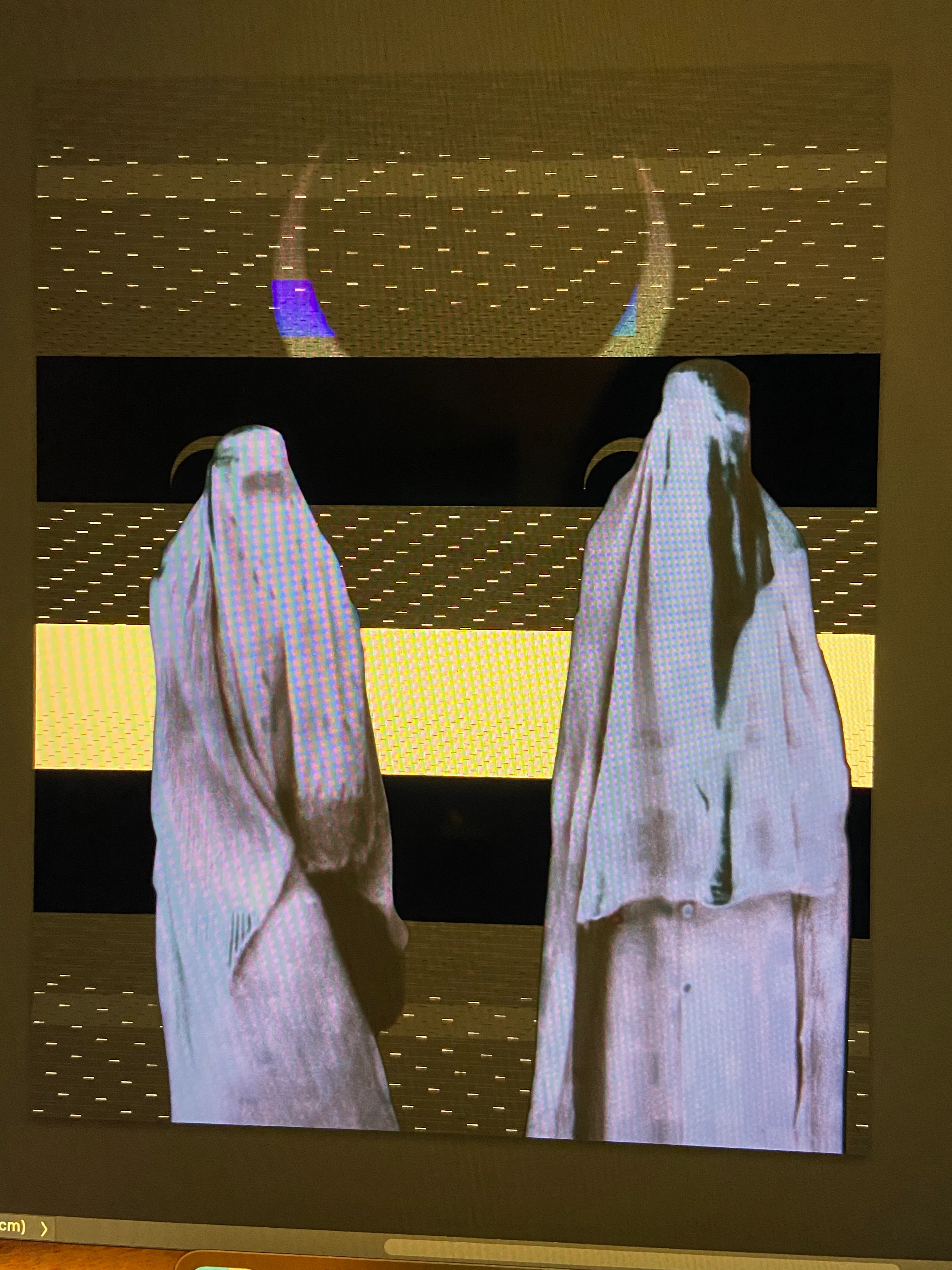
  • September 8, 2022
  • 2 replies
  • 153 views

Why does this happen? This pixel glitch happens randomly and once this happens the whole project is screwed. Every layer gets bugged and I can't even restore it to original when this happens. 

This topic has been closed for replies.

2 replies

CShubert
Community Manager
Community Manager
September 9, 2022

Hi @defaultpfozyzwtzsxg so sorry to hear this. Would it be possible to share this file with the team to look at? You can send it to shubert@adobe.com


Let's make sure we're in a default state and there are no stale settings somewhere: 

Restore your preferences using this manual method:  

https://helpx.adobe.com/photoshop/using/preferences.html#Manually 

Does it work correctly? 

If that doesn't solve it, you can quit Photoshop and put the Settings folder back. 


It may help if we could see your Photoshop System Info. Launch Photoshop, and select Help >System Info...and copy/paste the text in a reply.  


Thank you,

Ranjisha Sengupta
Legend
September 9, 2022

Hi there, 


Thanks for reaching out. Which version of Photoshop and macOS are you using? Does this happen with particular file types? 

Since when did you notice this issue? 

Go to Photoshop's Preferences > Performance, uncheck Use Graphics Processor, and restart Photoshop. Does this work?

You can try to reset the preferences of Photoshop using the steps mentioned here: https://helpx.adobe.com/photoshop/using/preferences.html#reset_preferences.

Please back up your settings prior to resetting the preferences.

You can check https://helpx.adobe.com/photoshop/using/preferences.html#BackupPhotoshoppreferences.


Let us know how it goes.


Thanks! 

Ranjisha