Participant
March 7, 2025
Answered

Video file not opening (Photoshop 2025)

  • March 7, 2025
  • 3 replies
  • 1886 views

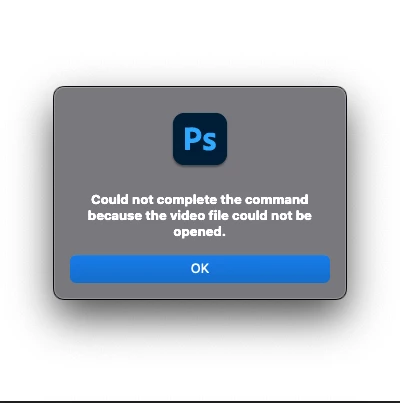
After moving to a new M4 Macbook Pro I can't open video files any more. Tried multiple formats and coding. Every time I get the same message "Could not complete the command because the video file could not be opened." The installation is clean, both the MacOS (15.1) and the Photoshop (26.4.1). The same files just a week ago was opening perfectly fine on my old Macbook. 


Any idea what I'm doing wrong?
Correct answer nikunj.m

Hi, thanks for reaching out! 

Would you mind telling us the file format of the video and if you were able to open videos from the same source in Photoshop previously? Where is the file saved?

Since this is a new Macbook, try giving Full Disk Access to Photoshop along with permissions to access Files and Folders using the steps mentioned here: https://adobe.ly/3Dztp0G


Let us know how it goes! 
Thanks,
Nikunj

3 replies

Inspiring
March 7, 2025

Hi MatZelek


Hope you are doing fine


It sounds like a compatibility issue with Photoshop 2025on your new M4 Macbook Pro. Try using these troubleshooting steps:


1) Check Photoshop video support - Ensure Photoshop supports the specific codec of your video files.


2) Enable Rosetta (if applicable) - Some apps may require Rosetta to run properly on M-series Macs.


3) Grant Full disk access - Go to system settings > Privacy and security > Full disk access and add Photoshop to ensure it has permission to access files.


4) Reset Photoshop Preferences - Hold cmd + option + shift while launching Photoshop, then confirm the reset.


5) Reinstall Photoshop - If none of the above steps work then uninstall and reinstall Photoshop.


If the issue still not resolved, then check for Adobe Support for potential compatibility fixes.

MatZelekAuthor
Participant
March 7, 2025

Wow, thanks a lot. I was trying to open the file directly from the Downloads folder. Checked the Photoshop permissions and with some reason the "Downloads" was turned off. I've tested it and the files open with no issue. Thanks again!

nikunj.m
Community Manager
Community Manager
March 7, 2025

Glad that helped! Feel free to reach out again if you need help with anything else. 


Thanks,
Nikunj

nikunj.m
Community Manager
nikunj.mCommunity ManagerCorrect answer
Community Manager
March 7, 2025

Hi, thanks for reaching out! 

Would you mind telling us the file format of the video and if you were able to open videos from the same source in Photoshop previously? Where is the file saved?

Since this is a new Macbook, try giving Full Disk Access to Photoshop along with permissions to access Files and Folders using the steps mentioned here: https://adobe.ly/3Dztp0G


Let us know how it goes! 
Thanks,
Nikunj