Participant
August 4, 2024

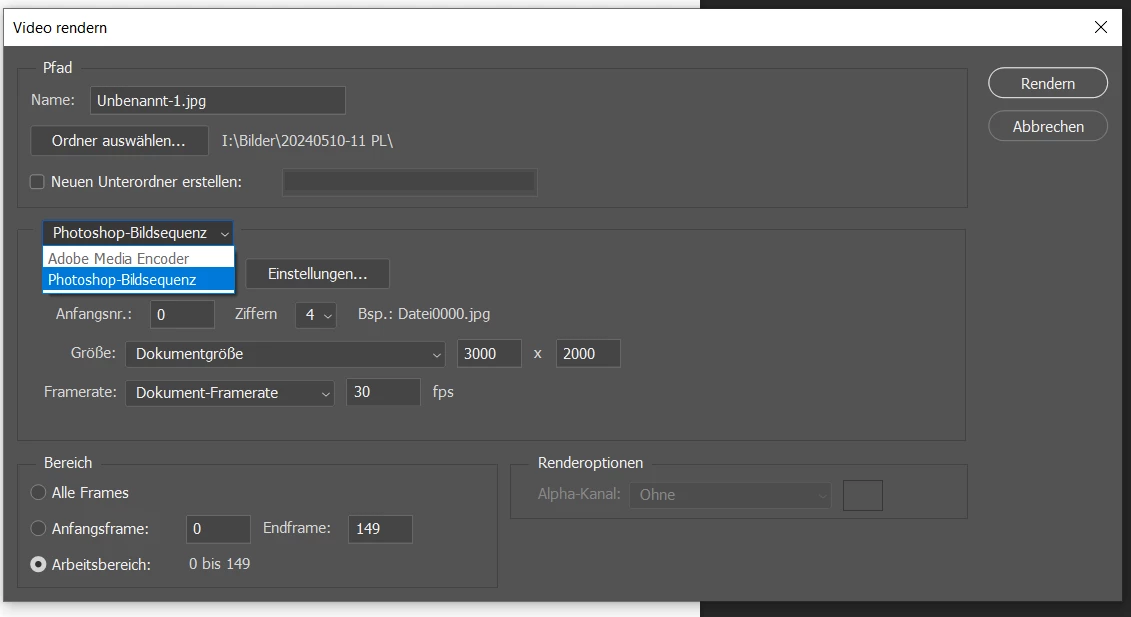
Video layers option disabled, Adobe Media Encoder disabled

  • August 4, 2024
  • 5 replies
  • 634 views

I have created videos using Photoshop for the past 8 years or so (Windows 10). Never had any issues. Until today.


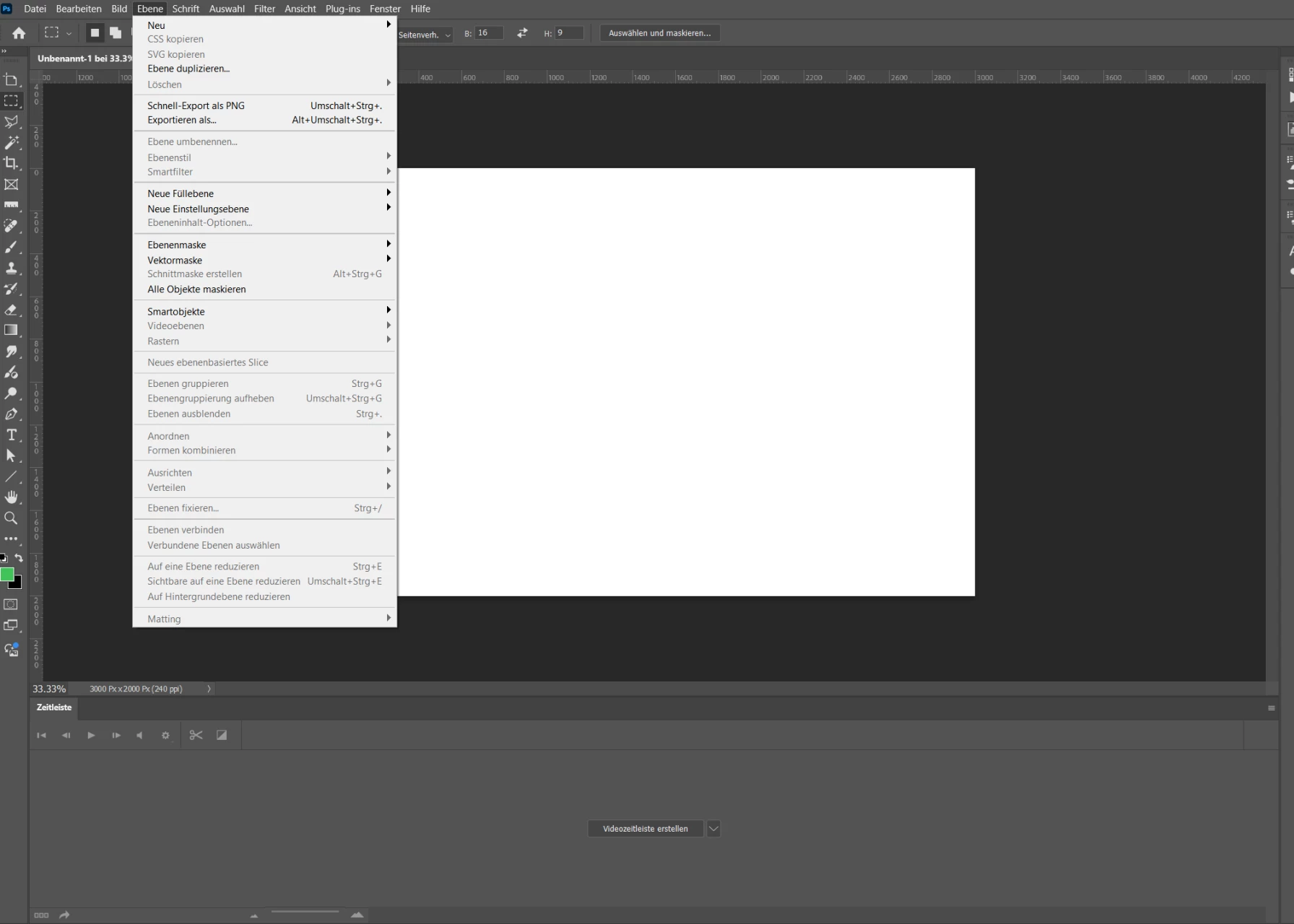
First I noticed I could no longer render videos as the option Adobe Media Encoder is disabled in the render video dialog. Then I updated to version 25.11. Now even the option to add video layers is disabled (i wanted to add a new video layer from file).


I can still add time lines via the motion view, but, when I try to render a video, the Adobe Media Encoder option is disabled like before. The last time I rendered a video was end of May. Then everything worked just fine.


Why are those options no longer available?


5 replies

Flowgun
Inspiring
November 1, 2025

maybe it has something to do you're the processor not supporting AVX2 instructions? I know that since Adobe Premiere 23.6 or so, Premiere no longer works on my computer as these instructions are now required for Premiere.

Participant
September 9, 2024

Just to add to this thread, I'm using Windows 10 and I'm facing exactly the same issue described here. PS version is 25.11.0 and the "Adobe Media Encoder" is greyed out. I've also attempted resetting preferences. I do have a case open with Adobe so if it's resolved, I'll update this thread.

Participant
August 10, 2024

So what can I do now? It seems I can no longer create videos using PS? And no one can help me fix this? Any recommendations?

Participant
August 4, 2024

Thanks. I did do a "reset preferences on startup". Was that correct? That did not change anything though.
I have Photoshop 25.1 still installed on my laptop. All is well there.


Here is the full screen shot. The document is in RGB 8-bit mode.


davescm
Community Expert
Community Expert
August 4, 2024

There are a few grayed out items in your Layers menu.

Have you tried any trouble shooting steps so far, e.g. resetting preferences, which can be corrupted if Photoshop does not close down correctly?

I addition, it would be useful to confirm the image mode and bit depth as well as see the layers panel in your screenshot.


Dave