

3D Paint and Channels
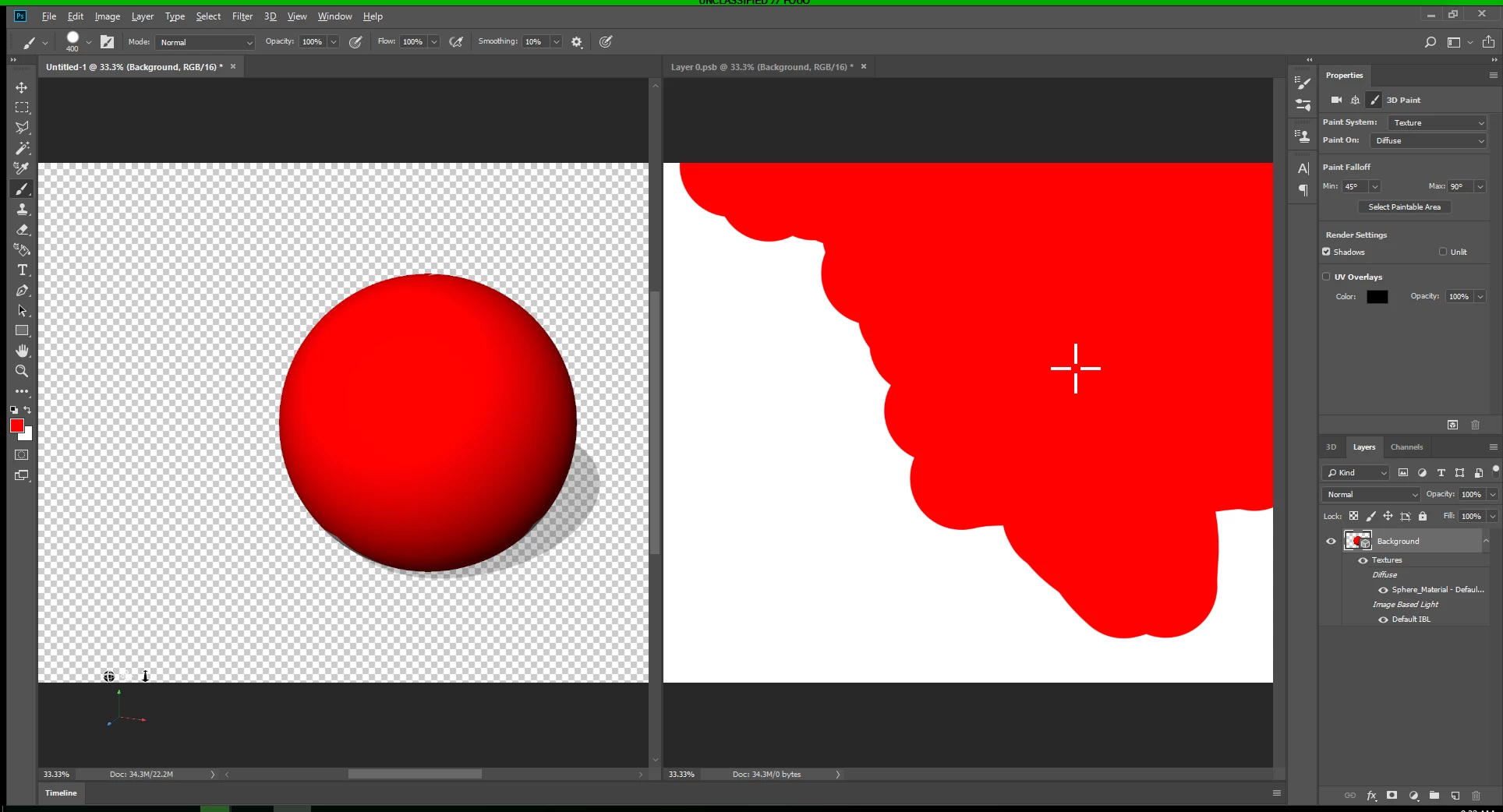
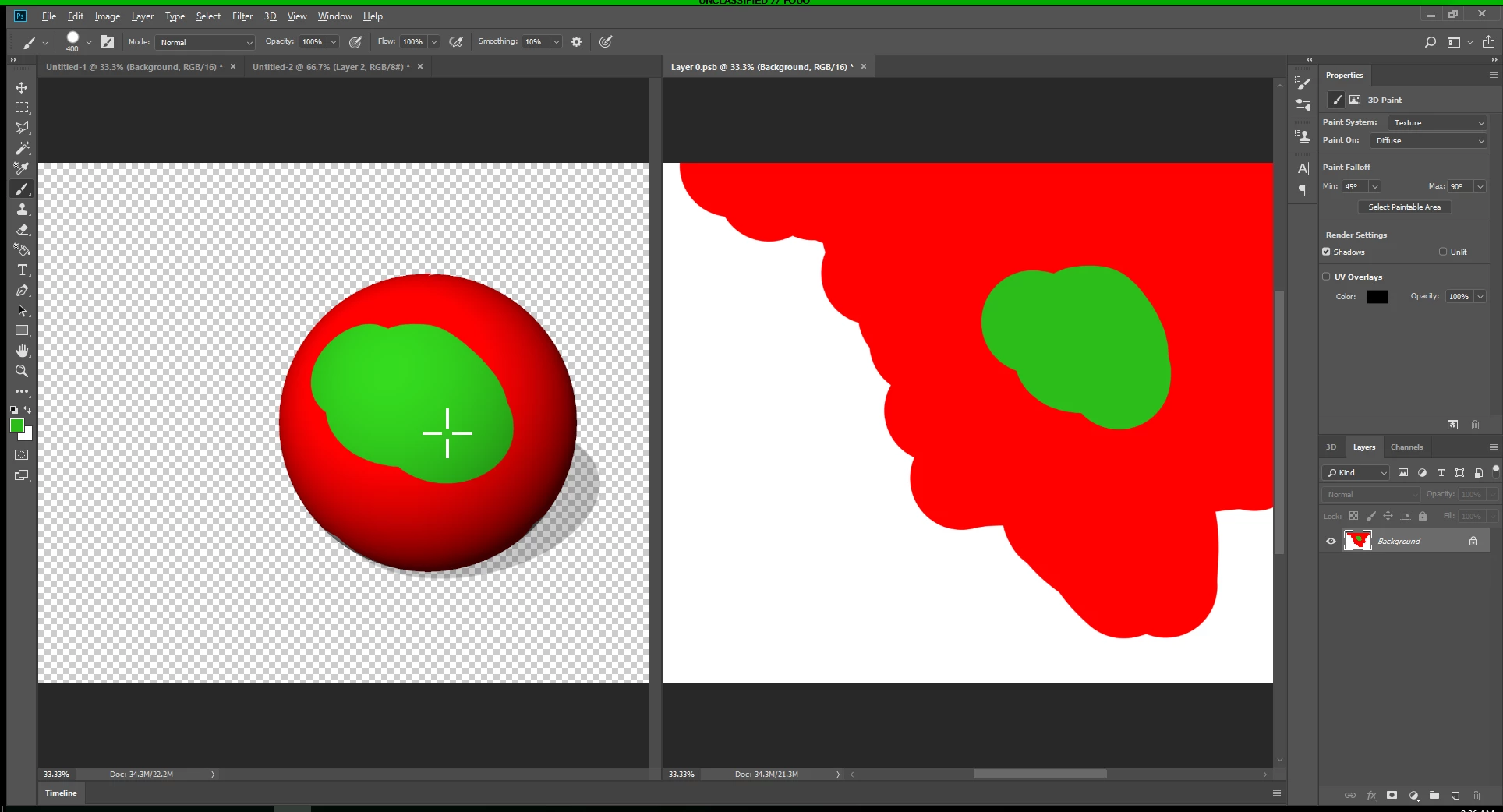
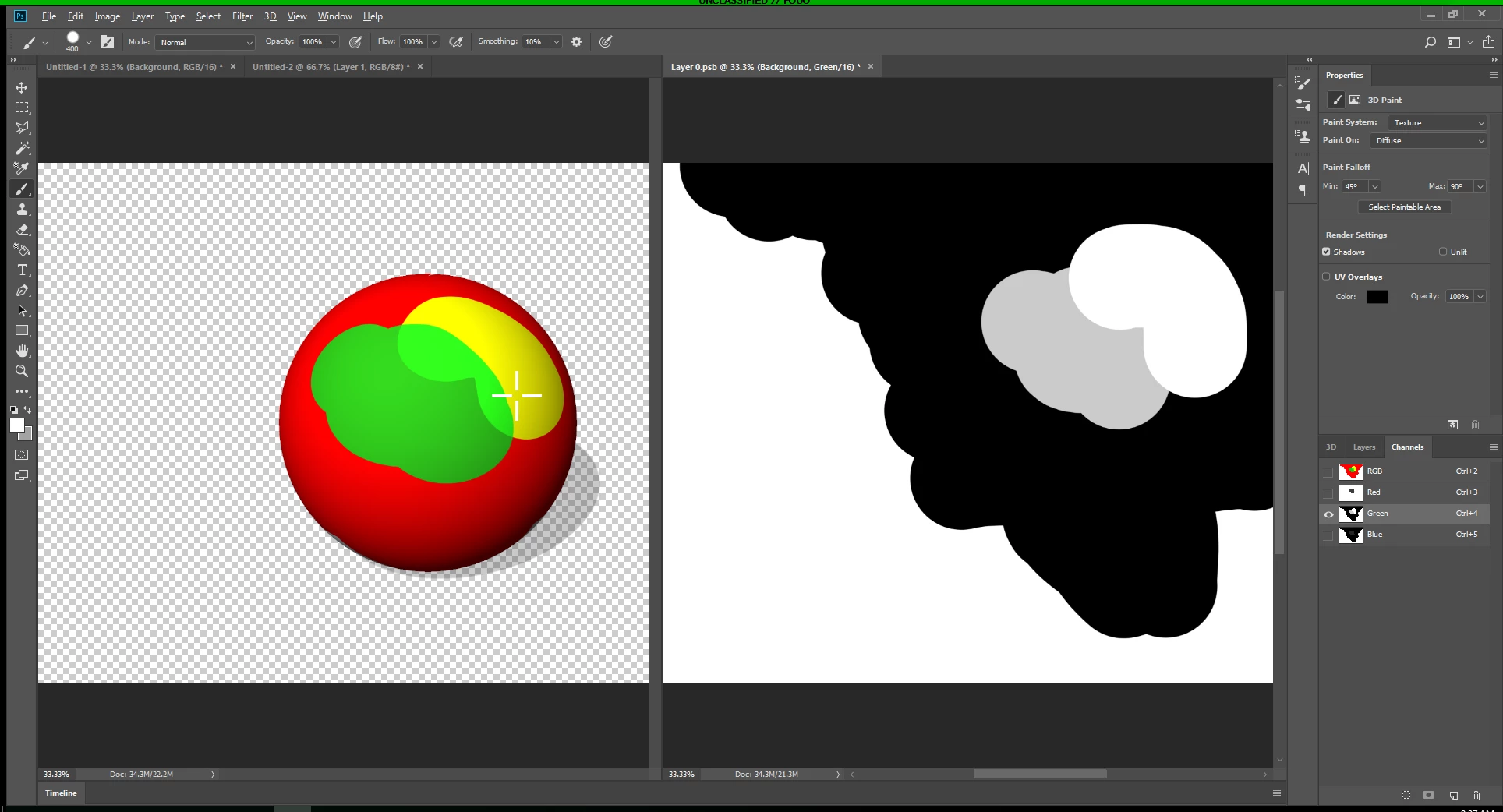
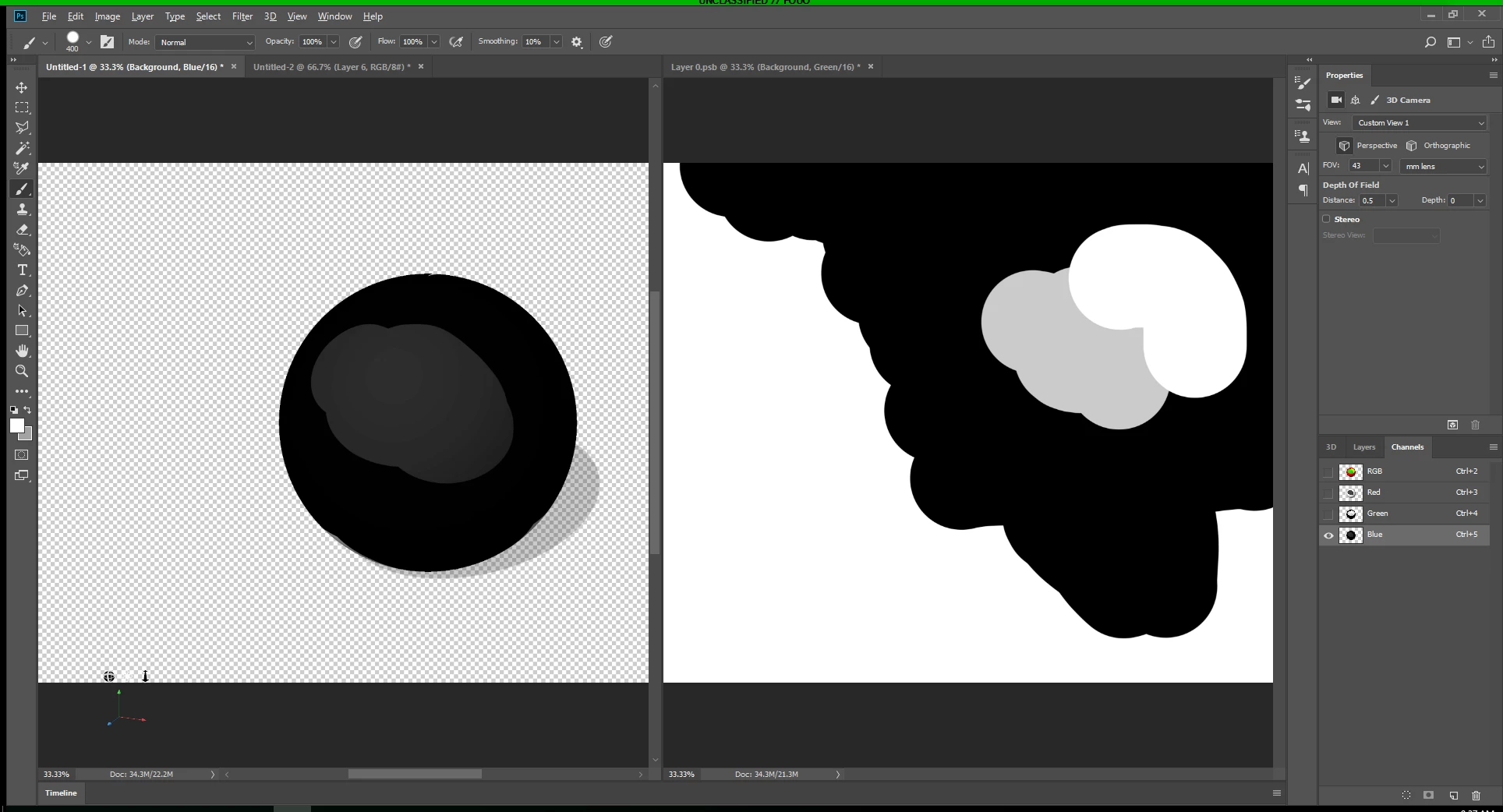
For some reason on my setup, I'm not able to 3D Paint directly to one of the Target Texture's RGB Channels. These images show some steps I'm following to demonstrate this.
1. I can paint on the 3D Object's RGB Composite and the texture clearly updates.
2. I can paint on the Texture's RGB Composite and the 3D Model updates.
3. I can paint on the Texture's Green Channel and the 3D Model updates.
4. I can not paint on the 3D Model's Blue (or any) Channel and neither the 3D Model nor the Texture update.... nothing happens.
It seems like a fairly straight forward approach, but something in my setup is not allowing this feature to be available. I've tried changing 3D Paint system from Projection to Texture with no effect. I've also tried different RGB Modes from 8bit, 16bit, and 32bit. Have also tried creating new layers for both the 3D object and the Target Texture.
 AdChoices