
Participant
January 28, 2021
Answered

3D-PDF export to dark

  • January 28, 2021
  • 3 replies
  • 1419 views

Hello, I have a problem exporting the 3D layer to 3D PDF. The object should be without shadow. in two cases it worked, but I don't know why. Although I use identical settings, the next 3D objects always have a shadow. What am I doing wrong? The 3D object is created with Blender 2.9. I use Photoshop 2021
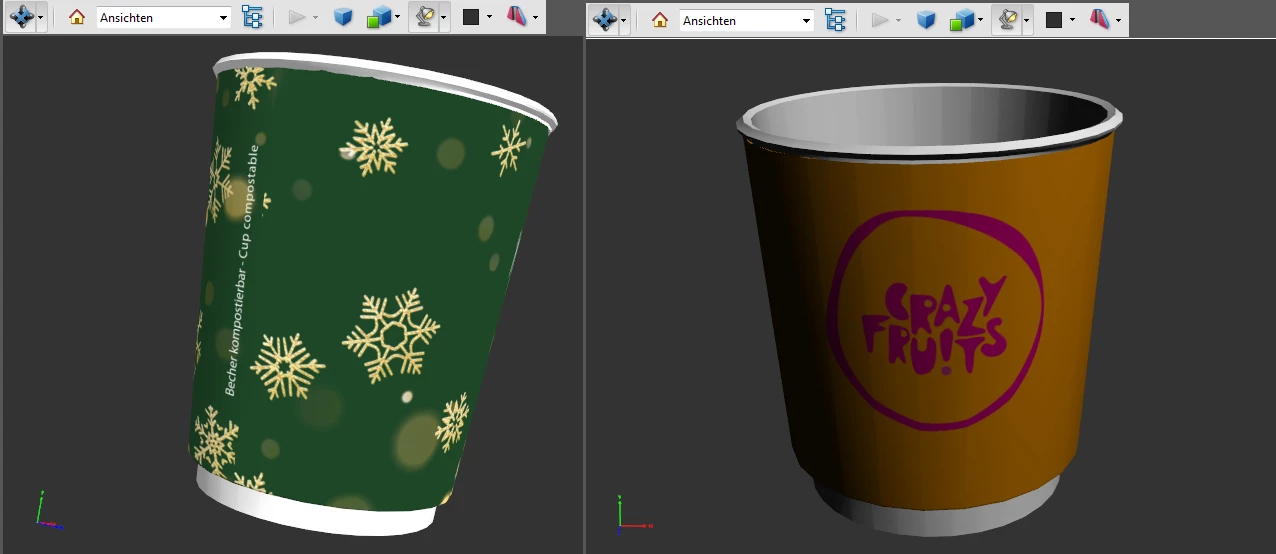
 also how can i get a smoother 3D Object? its ver rough...
This topic has been closed for replies.
Correct answer Ussnorway7605025

I'm with Dave, sorry but adding glow to a cup makes no sence at all mate... it also makes your rendor much more complex which adds extra time


why are you adding glow... is it because your cup looks dark without it?

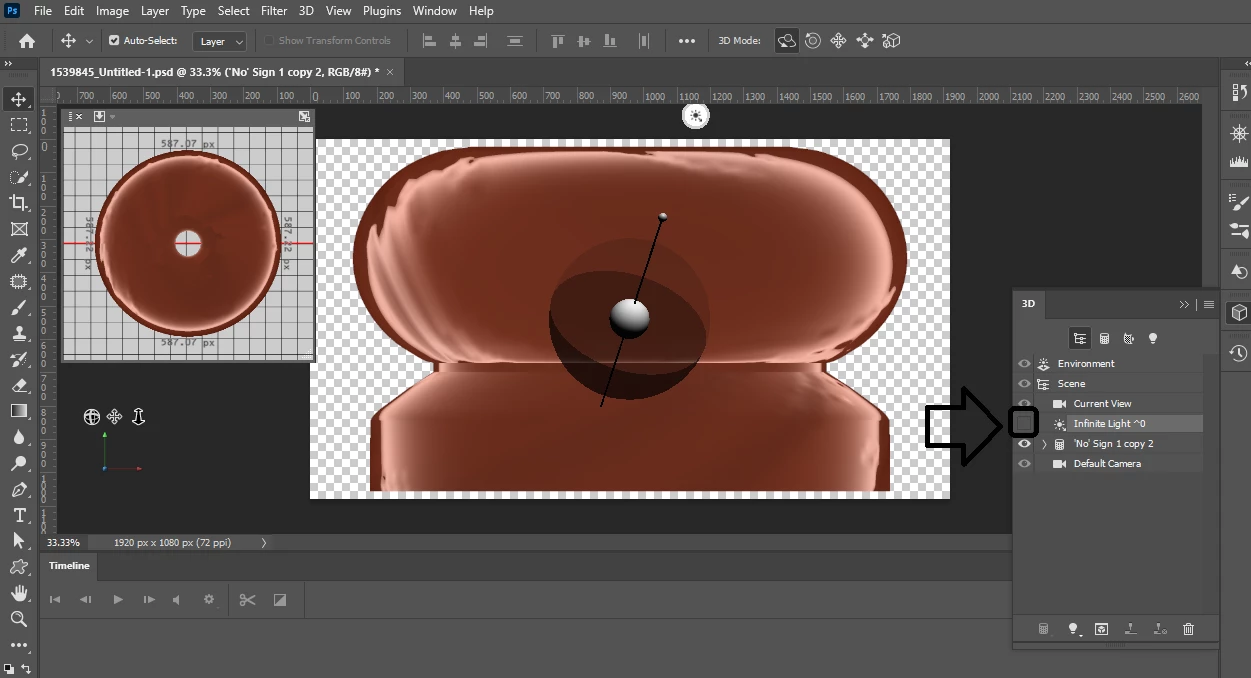
again; turn off the directional light i.e, poke the small eye box next to the light and the shadow it makes will go away... then increase the environmental light to make your cup less dark


3 replies

Ussnorway7605025
Ussnorway7605025Correct answer
Legend
January 30, 2021

I'm with Dave, sorry but adding glow to a cup makes no sence at all mate... it also makes your rendor much more complex which adds extra time


why are you adding glow... is it because your cup looks dark without it?

again; turn off the directional light i.e, poke the small eye box next to the light and the shadow it makes will go away... then increase the environmental light to make your cup less dark


Participant
February 5, 2021

Thank you all for the hints. still need to learn alot. i got to work it 🙂


davescm
Community Expert
Community Expert
January 29, 2021

Hi

Ussnorway is correct. For the shadow differences look at the lighting set up in Photoshop.


The stepped appearance on curves being different in different applications is due to the way smoothing is handled.

All models are made up of flat faces and they are made to look smooth by the rendering engine (both preview and final rendering). Hence the setting in Blender for smooth or flat surfaces. However you cannot rely on that smoothing being carried between applications. In addition, even with smoothing, sometimes shadows can emphasise the actual faces and various render engines (not Photoshop and certainly not a PDF viewer) have the ability to adjust the shadow calculations to be less physically accurate, but to give smoother shadows on low polygon models.

The only real way to guarantee the low poly artifacts do not show in different applications is to make a higher polygon model by subdividing the mesh several times. Of course that immediately increases the memory required and the render times. As in all things 3D, it is a trade off.


Dave


Dave

Participant
January 29, 2021

Hello and first of all many thanks for the tips. I managed to get the first green cup (all the others should look like this, only in different sizes) with the following settings:


The question is, why don't the same settings work for the next cup? Anyhow unlogical. Hmmmmm... Also already tired out to export u3d with Meshlab or DAZ studio. But also always got a too dark shadow in turnable 3D-Pdf file.

davescm
Community Expert
Community Expert
January 29, 2021

Your material settings don't make a lot of sense.

You are using glow - which emits light. A cup would not emit light

You have metalness set at intermediate values. Normally the metal value would be set to 0 for non metals (your cup) and 100% for metals.


The lighting position matters - you are using the Photoshop IBL which can be rotated between scenes.


Dave


Ussnorway7605025
Legend
January 29, 2021

there are different types of shadows

I'll make my cup in Adobe Dimension for this example

  • shadow on the ground from the cup is model shadow
  • shadow on the cup itself is enviromental... if you turn off the light to remove this shadow then up the surround light so your cup is not dark

also be aware that 3D pdf is old an only Jpg so add a colour background or the client will see white, black and gray at random


p.s, yes Photoshop auto turns the lights back on now... it can be a pain