ScooterD76
Legend
September 12, 2018
Answered

3D Render settings- Where are they in 2018?

  • September 12, 2018
  • 2 replies
  • 5512 views

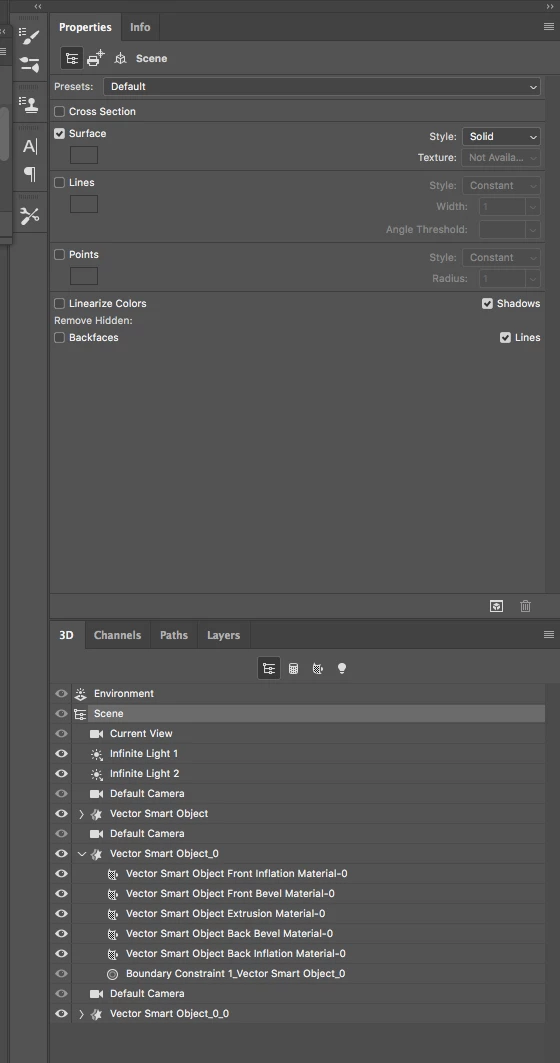
Having a little trouble finding the advanced render settings. following the steps, but I'm not seeing any options, or am i even on the right panel... What am i missing ???


Customize render settings


  • At the top of the 3D panel, click the Scene button .


  •  

    To the right of the Render Settings menu, click Edit.


  •  

    (Optional) To see the effect of new settings as you make changes, select Preview. Or, deselect this option to slightly improve performance.


This topic has been closed for replies.
Correct answer davescm

Hi

The panels changed quite considerably between Photoshop CS5 and CS6. Unfortunately the documentation has still not kept up and has references to the old panels.

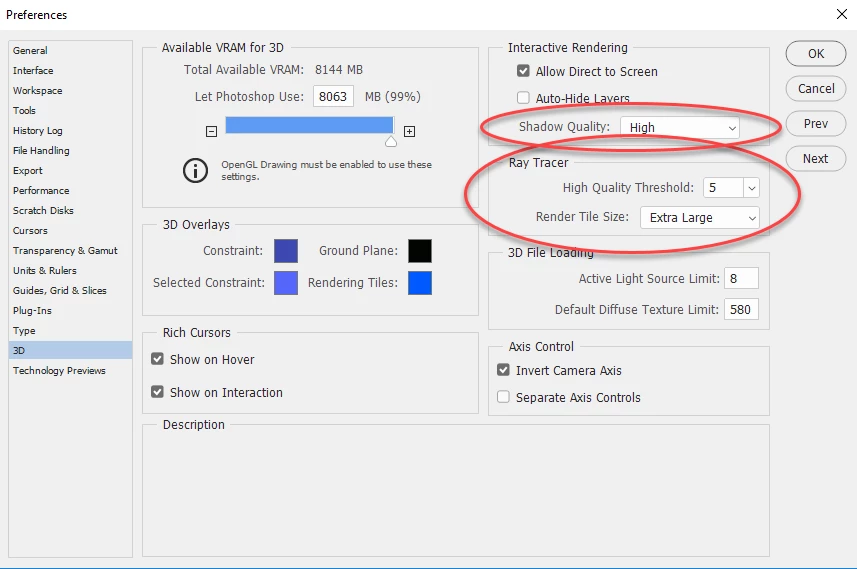
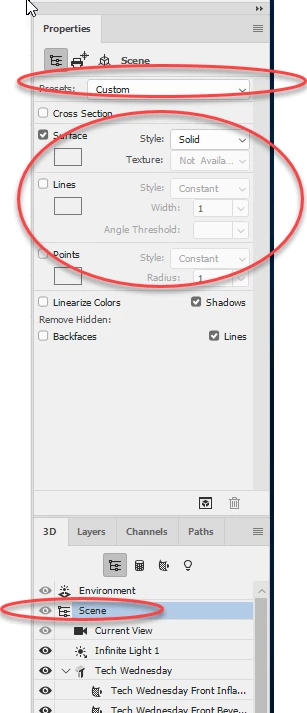
So since CS6 (and in all the CC versions) the render settings are split between :

Preferences (In Preferences >3D ):

3D Scene Properties
Surface /Line styles and Presets:

Is there any particular setting/ mode you are looking for?

Dave

2 replies

davescm
Community Expert
davescmCommunity ExpertCorrect answer
Community Expert
September 12, 2018

Hi

The panels changed quite considerably between Photoshop CS5 and CS6. Unfortunately the documentation has still not kept up and has references to the old panels.

So since CS6 (and in all the CC versions) the render settings are split between :

Preferences (In Preferences >3D ):

3D Scene Properties
Surface /Line styles and Presets:

Is there any particular setting/ mode you are looking for?

Dave

ScooterD76
Legend
September 12, 2018

That about covers it... Thanks

JJMack
Community Expert
Community Expert
September 12, 2018

It is very frustrating that Adobe Photoshop guide has sections that document how Photoshop worked 7 version ago. IMO Adobe should put more effort into updating documentation and fixing bugs.

JJMack
Chuck Uebele
Community Expert
Community Expert
September 12, 2018

I think they are in the normal preferences: