
3d text wont render transparency
I've been trying to render these 3d text files to display with the proper transparency for about 4 hours now but every time I render, they come out with a solid fill. I've tried every possible thing I can imagine: rendering each file as a smart object, rendering the scene vs. rendering individual layers, only rendering the layer with the transparency, rendering in 3d mode, rendering in essentials mode. I removed all of the backgrounds. I converted them back into layers from smart objects before rendering. Nothing fixes the problem.
I've attached a photo of the main project file that contains both versions (the smart object version and the 3d layer version) of each text element.
After rendering the smart object:
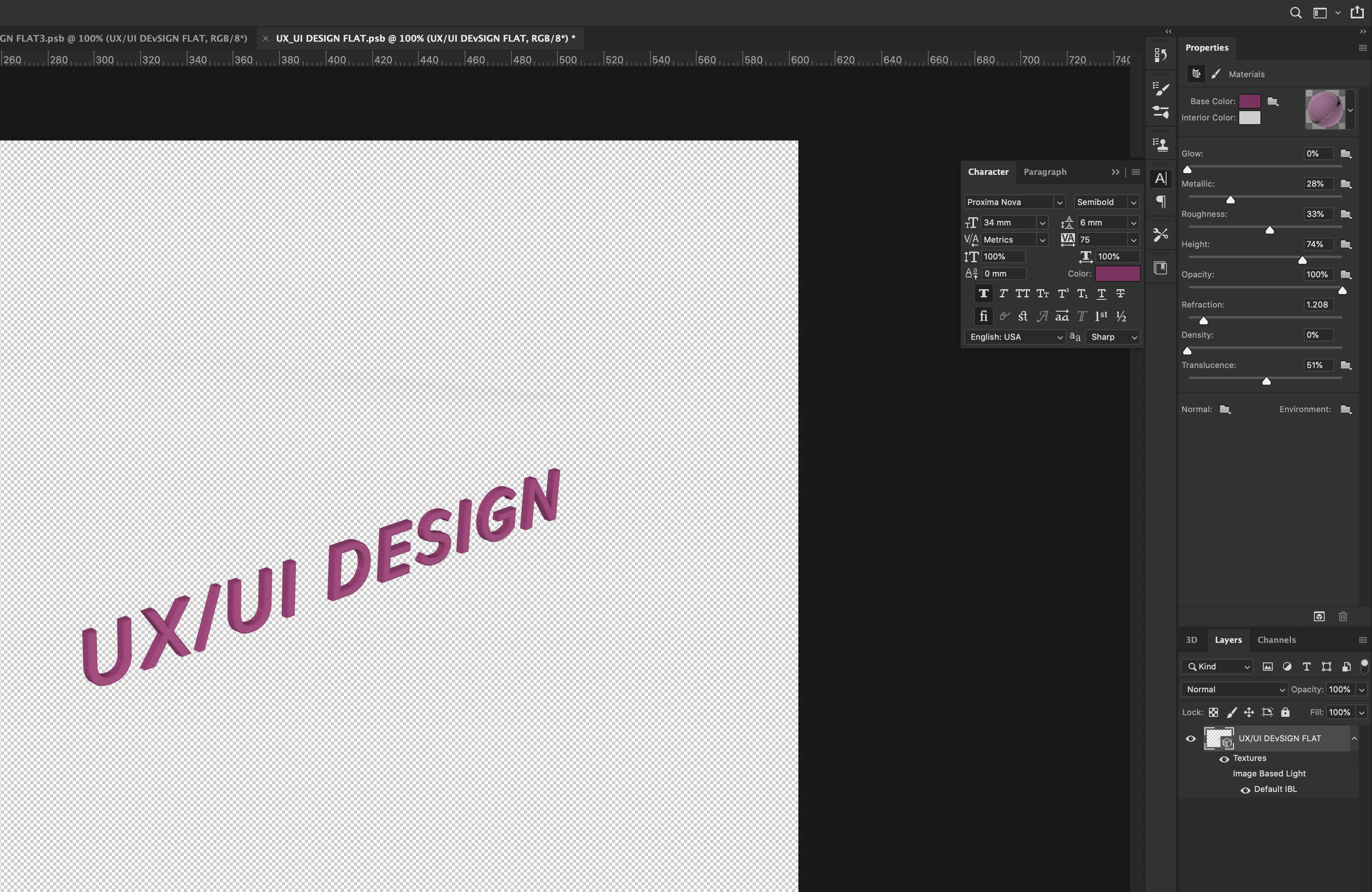
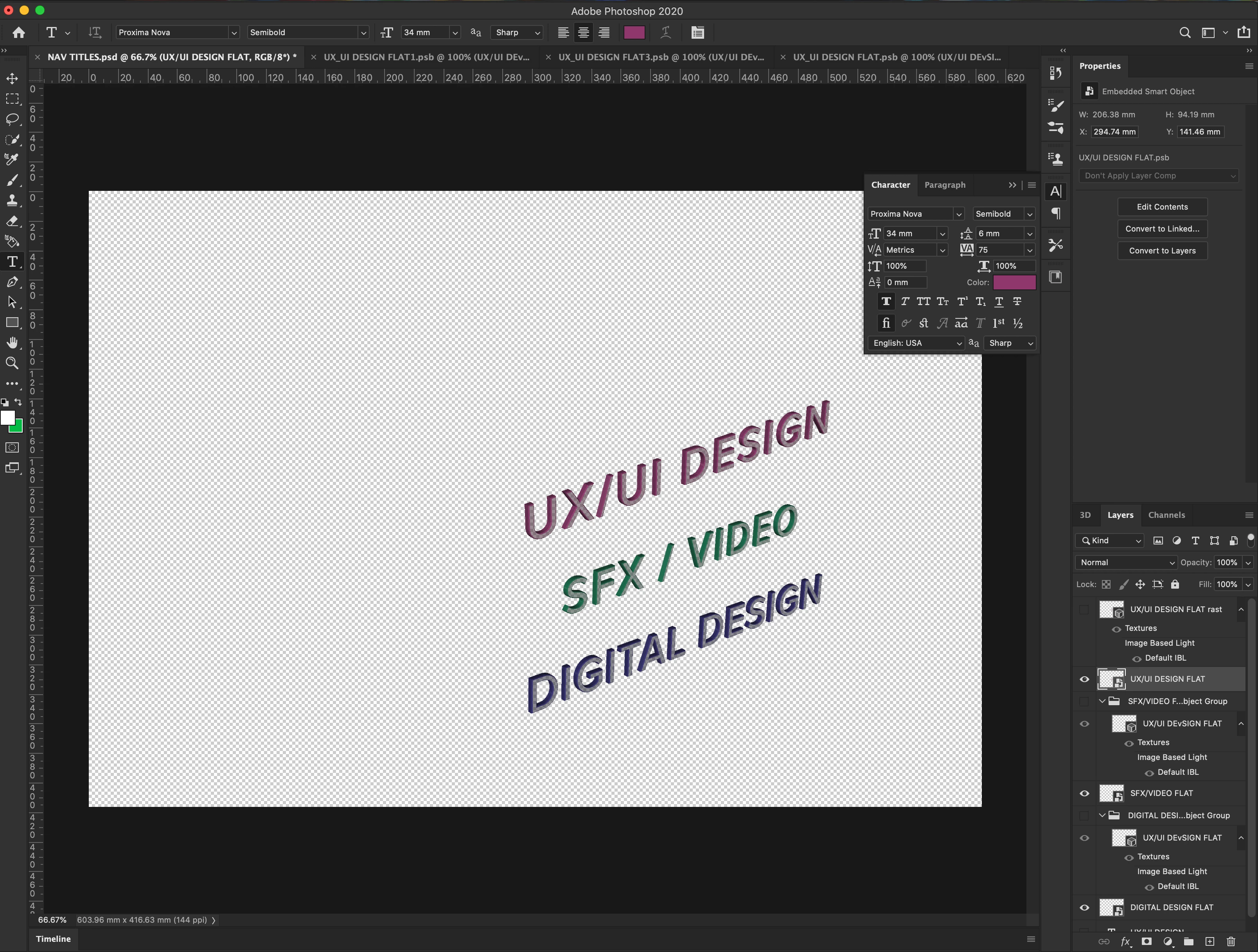
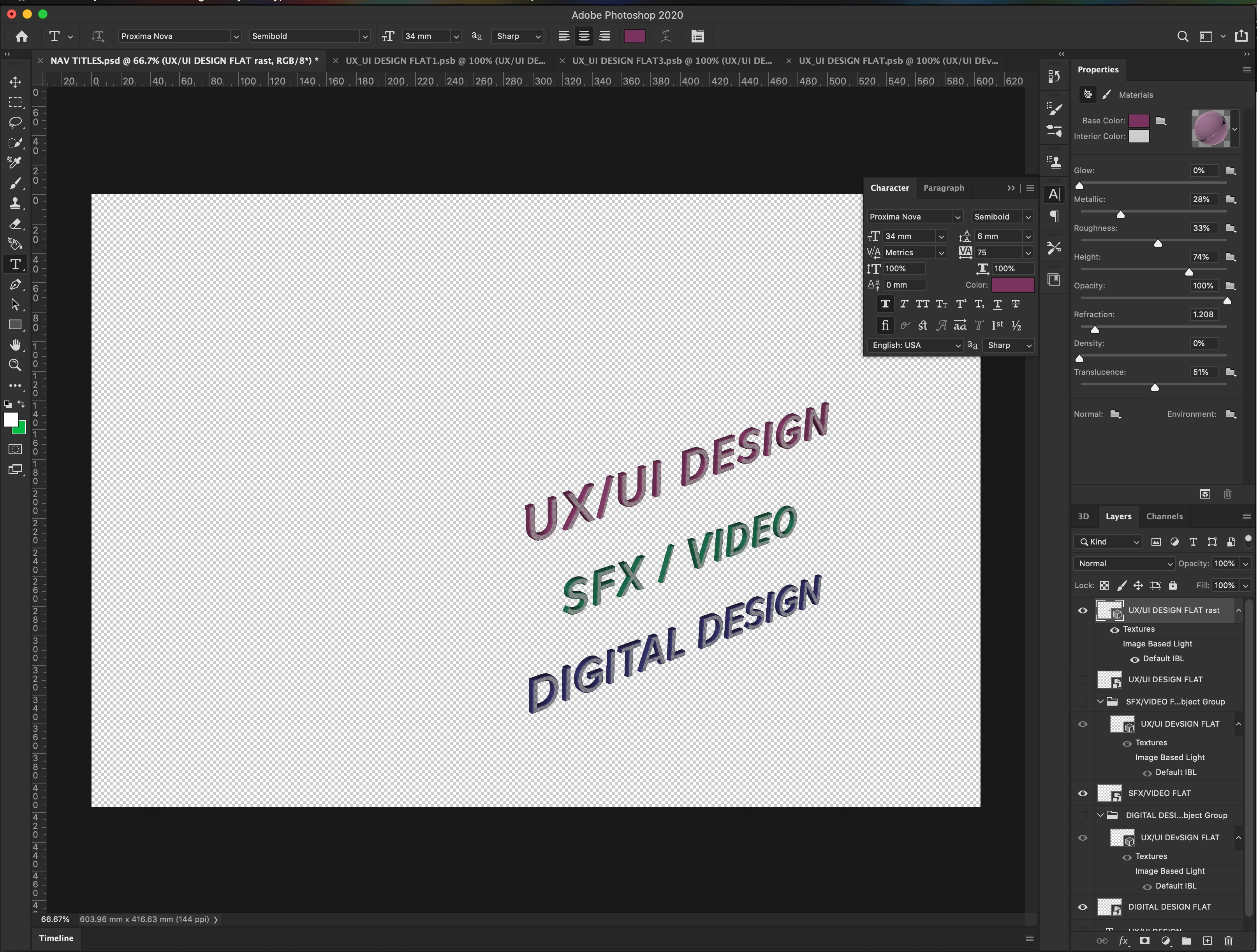
^This is how I want the text to look once rendered, I wasnt to maintain the transparency.
I'm using the latest version of Photoshop on an iMac os/Catalina
I set the color of my source text to be the same color because there wasn't an option to set the flat source text with a transparent fill. Could this be the issue? Any help would be greatly appreciated.
 AdChoices