

sailor842
Inspiring
April 28, 2020
Answered

3D with a text layer

  • April 28, 2020
  • 3 replies
  • 743 views

I get this error whenever I try to go 3D on a text layer. I have never used 3D before.

"Could not complete your request because the path is too complex."
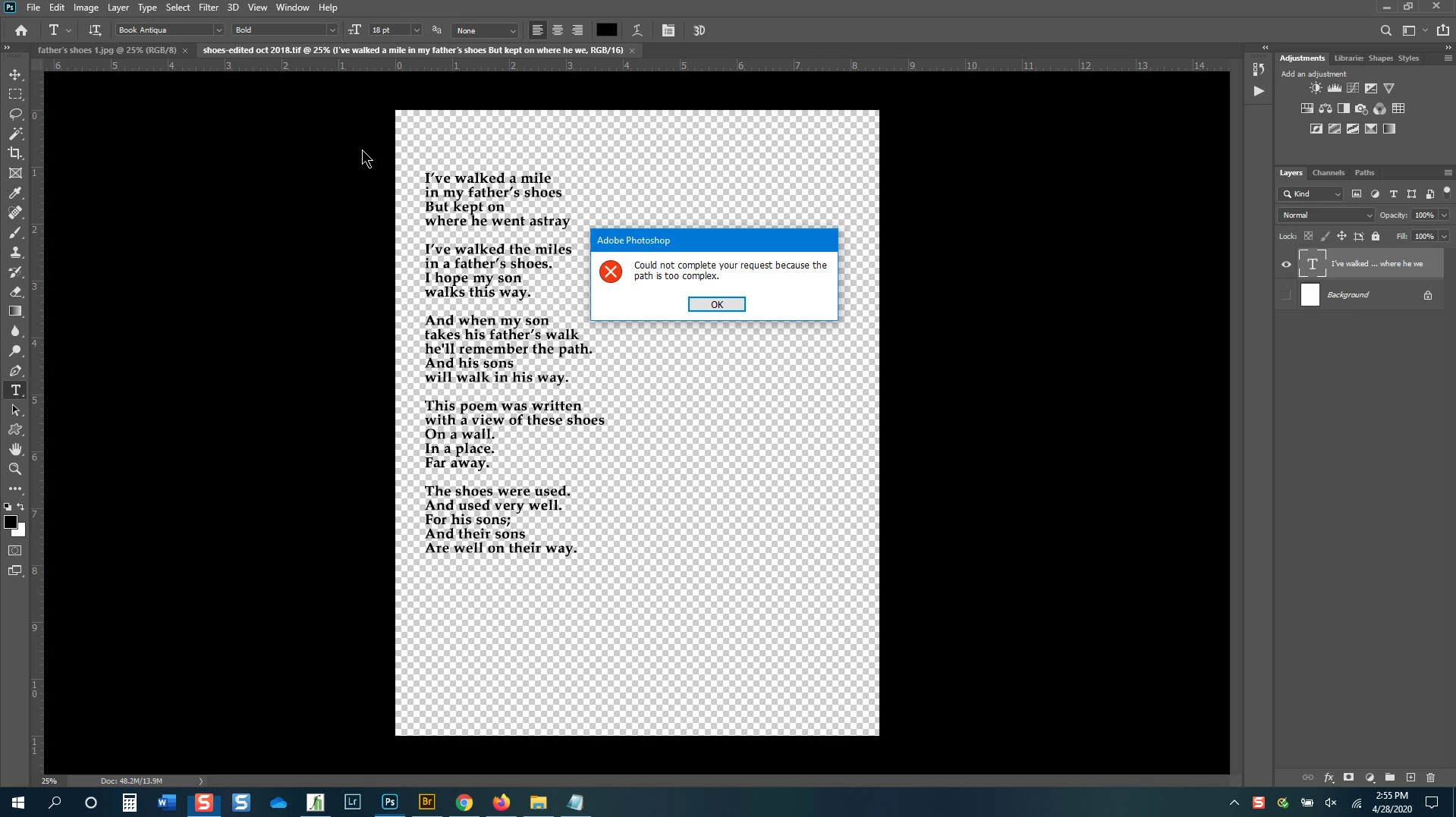
I have typed the poem in multiple times. What am I doing wrong?

photoshop CC & it is up to date.

This topic has been closed for replies.
Correct answer davescm

The 3D extrusion function can deal with fairly simple shapes including a few words of type. However it cannot deal with very complex shapes including those formed by many words of type. If you want to try the 3D function try it on a single word so you can see what it does and how it works.


Dave

3 replies

sailor842
sailor842Author
Inspiring
April 29, 2020

After reading replies I decided to play. I rasterized the text layer & then went into 3D. It seems to work that way. As I await the results I find the rendering is taking forever. I can't see the rendering progress even though it says I should.

I have a reasonably fast computer.

davescm
Community Expert
davescmCommunity ExpertCorrect answer
Community Expert
April 28, 2020

The 3D extrusion function can deal with fairly simple shapes including a few words of type. However it cannot deal with very complex shapes including those formed by many words of type. If you want to try the 3D function try it on a single word so you can see what it does and how it works.


Dave

sailor842
sailor842Author
Inspiring
April 29, 2020

OK. Thanks for the info

Chuck Uebele
Community Expert
Community Expert
April 28, 2020

Pretty much what it says, there is too much type, which PS needs to make I to a path.