

Joe Cross
Participating Frequently
July 14, 2024
Question

A color band across my photo

  • July 14, 2024
  • 2 replies
  • 504 views

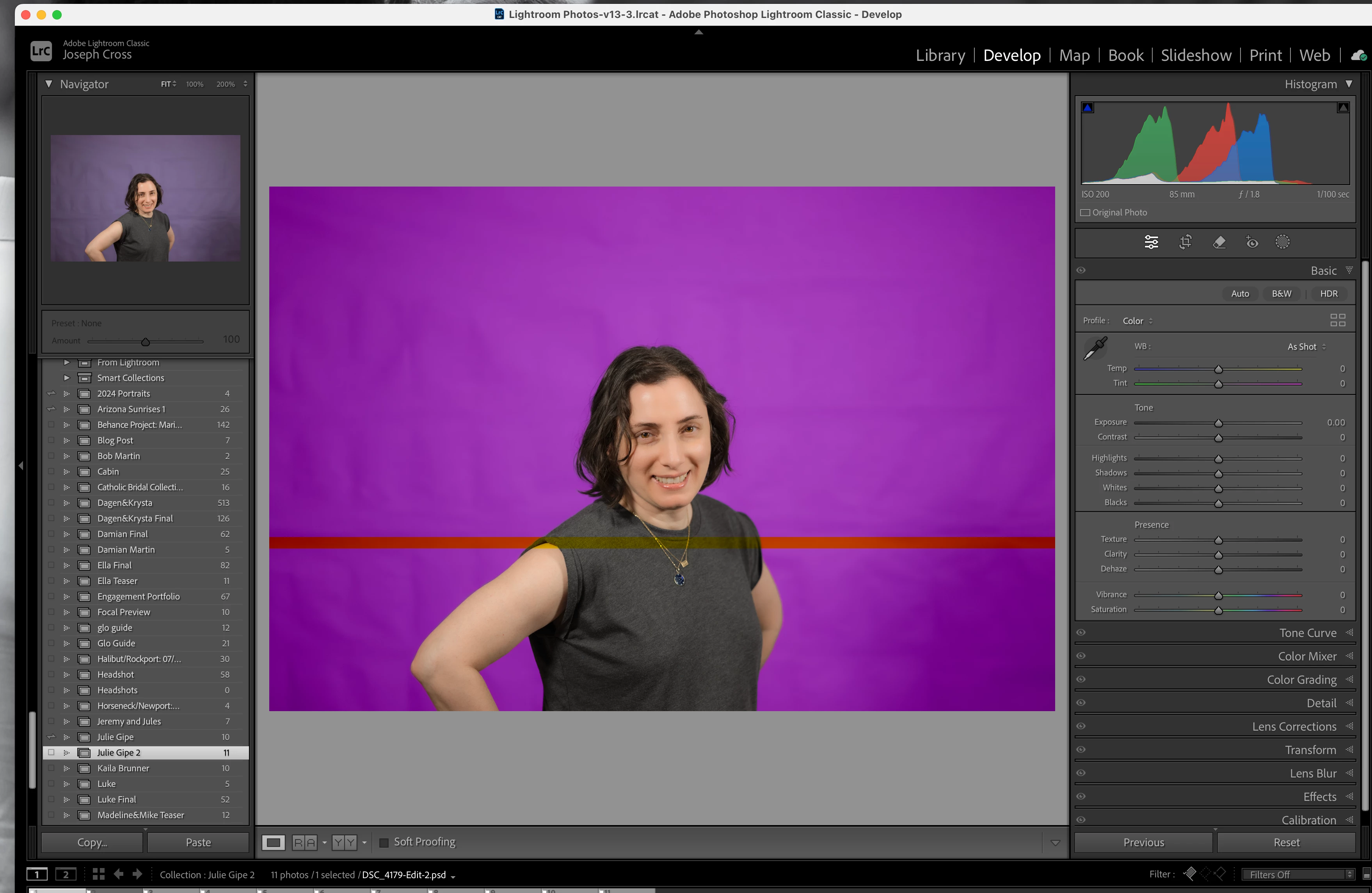
I was editting a photo in photoshop ( specifically I was changing the color of the background) and after doing initial editting in lightroom and when I finished in photoshop and saved the photo it came back into lightroom it had a red color band across the photo. Does anyone know why this is happening? I have attached a photo. 
This topic has been closed for replies.

2 replies

Stephen Marsh
Community Expert
Community Expert
July 15, 2024

I'm curious, in Photoshop, manually open the file that shows the band in the PSD (don't open from Lr). When opening, hold down the Alt/Opt + Shift key to access the flattened composite and not the layers. Do you see the band? Don't save this file though as it's flattened!


Preferences > File Handling has a dropdown menu for "Maximise PSD and PSB File Compatibility", which controls whether the flattened composite is created. This should usually be set to on for compatibility with other Adobe apps.

Joe Cross
Joe CrossAuthor
Participating Frequently
July 19, 2024

So I waited until the file competely saved, and when I opened it back up in Lightroom the band was not there. I guess I was closing photoshop before the file was being saved, which was causing the banding. Don't know why that is the case, but regardless the banding is no longer happening. Thanks for all your help! Appreciate it!

D Fosse
Community Expert
Community Expert
July 19, 2024

If you close the application in mid-save, it will obviously not save correctly.

Semaphoric
Community Expert
Community Expert
July 14, 2024

Do you see the band if you open image back into in Photoshop?

Joe Cross
Joe CrossAuthor
Participating Frequently
July 14, 2024

It does not show up back in Photoshop. It is only in Lightroom. 

D Fosse
Community Expert
Community Expert
July 14, 2024

This looks like it could be a corrupt flattened composite, which is what Lightroom works with since it doesn't support layers.


Layer compositing is performed in the GPU by default, so it could be a GPU bug. IIRC there should be a "GPU compositing" checkbox in Preferences (I'm travelling without Photoshop access, so can't check now).


Try to resave.