
A very convoluted problem...
Ok so this might be a little hard to follow, But I will try my best to explain. I had what I thought was a bright idea... turns out it doesn't really work... or atleast I cannot get it to work the way I want.
The idea.
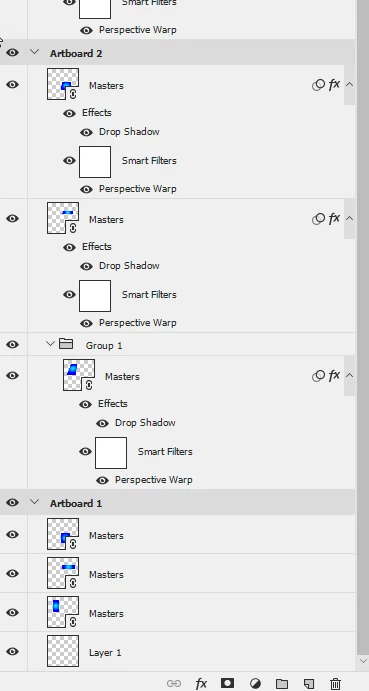
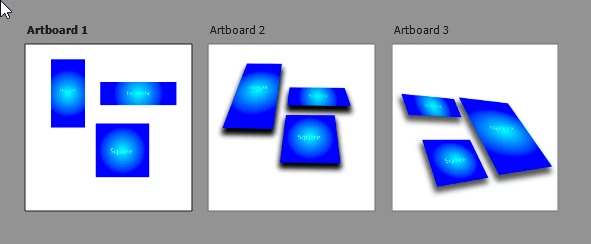
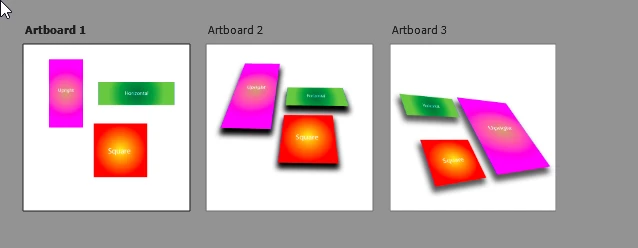
I have a master illustrator file with several artboards that have various designs on them for graphics and design work (branding). I have a couple of Master Photoshop files that each have several artboards with Mock up stationary setups. Say 1 artboard has some stationary in one view another artboard has a different angle. Now I had the bright idea to link the various different smart objects that nest inside the photoshop files to the master AI file each element to the artboard it draws from. My theory was that when I create a design I only have to edit the AI master file then save it. And when I open up the Master PSD the new designs will populate in the right areas and all I have to do is save out the renders for the different artboards.
The problem I'm finding though is once I link one element to the correct artboard on the AI file and save, the next element on the PSD file has the little error icon. So this means that even if I edit the Master AI file it wouldn't populate the PSD artboard elements with the correct if indeed any of the new design. This in theory would have been a great idea as the same design can be used several times across the various PSD artboards without having to change them all individually each time.
So I guess my question would be, is what I am trying to do even possible by using one master file?
 AdChoices