
Participant
June 5, 2024
Answered

A white circular background with swirl effect

  • June 5, 2024
  • 4 replies
  • 1270 views

I would like to create an effect like this in photoshop basically like a swirl shape in 3d , can anyone please guide me with the steps to acheive this effect ? 

This topic has been closed for replies.
Correct answer c.pfaffenbichler

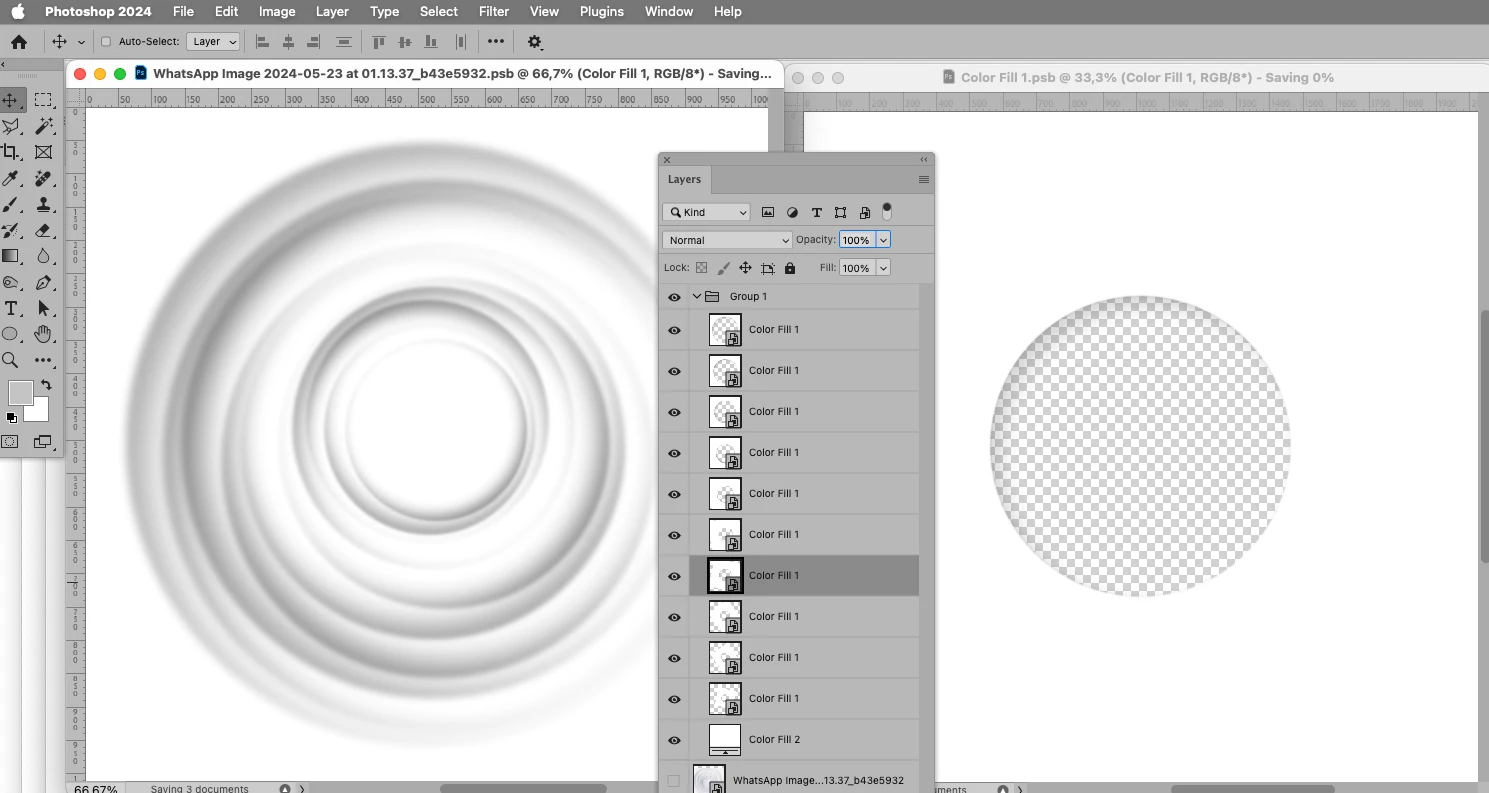
Another option might be multiple scaled and rotated instances of a Smart Object with a »hole«. 
4 replies

c.pfaffenbichler
Community Expert
Community Expert
June 9, 2024

A Brush with some randomization and a Size Fade might provide another option. 

c.pfaffenbichler
Community Expert
Community Expert
June 7, 2024

Further from the sample image, but maybe something to play around with: 

c.pfaffenbichler
Community Expert
c.pfaffenbichlerCommunity ExpertCorrect answer
Community Expert
June 7, 2024

Another option might be multiple scaled and rotated instances of a Smart Object with a »hole«. 

Participant
June 7, 2024

Thanks , this one seems to be closer look to the image , how did you acheive that ? 


c.pfaffenbichler
Community Expert
Community Expert
June 8, 2024

The image on the right in the screenshot is the Smart Object – white with a circular hole in which a Drop Shadow exists. 

Duplicate that SO in the containing document multiple times and scale down and rotate the lower ones »randomly«.  

didiermazier
Community Expert
Community Expert
June 7, 2024

You could try to draw a spiral shape (here from inherited ones)

Then apply filters like distort or blur. here blur…


Will have to experiment…