
Copy link to clipboard
Copied
Hi,
I'm working on a digital art project that has a step which involves deforming a face. Specifically, blurring or smudging the image so what's left is almost a gradient effect - say "silver-surfer-esque". OR this:
: 
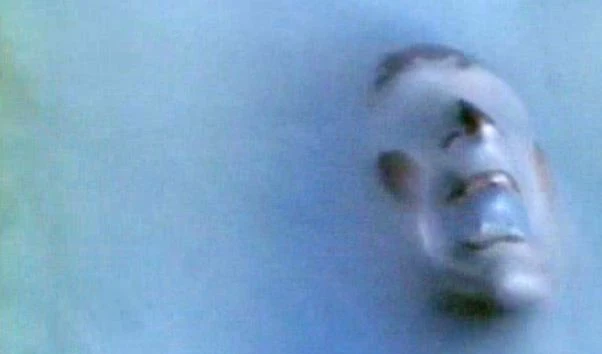
As you can see, almost unrecognizable and very smooth. My next step is to use the displace command to wrap a pattern over the face w/ blend tools, but getting this part right is important. The more abstract the better. any suggestions?
Copy link to clipboard
Copied
HI!
So sorry for the delay in getting to your question! Are you still looking for some ideas on how to distort the face image? I have a couple of ideas for you. What version of Photoshop are you running?
You can use the Warp feature (Edit>Transform>Warp) to distort the image:
By dragging the bottom corner anchor lines in and the top corner anchor lines out you get a mild distortion of your image.
or you can use one of the Filters to make a dramatic change to your image--Filters>Distort>Ripple:

Using the large Ripple option set to right around 300 gives you the image above.
Another of the Distort filters is the Spherize filter--Filter>Distort>Spherize set to 100% gives you this:

I made several copies of your layer and played with the filters under the Distort Filter menu--have some fun experimenting!
You can also play with my favorite filter...the Liquify tool! I call this the make-eyes-bigger and take-off-50 lbs tool because it's amazing!
Check it out and have some fun!

If you need help with the Displacement map, let us know!
Michelle
Copy link to clipboard
Copied
I may not have been clear enough. I used the sample image (from The Prisoner, great TV show from the 60s) as an example of a result I am looking for -- I'm not trying to manipulate that one specifically. I'm looking to take a normal photographed face and manipulate it the point where is becomes anonymous/smooth/un-identifiable.
Copy link to clipboard
Copied
Hello samueld6911674, Here are some of my favorite tools for distortion of stuff - and a few samples of the fun you can have with one or all of these filters. ENJOY! JH
Get ready! An upgraded Adobe Community experience is coming in January.
Learn more