
Participant
October 13, 2022
Answered

Accidentally changed the color of the currently selected layer in Layers panel

  • October 13, 2022
  • 1 reply
  • 345 views

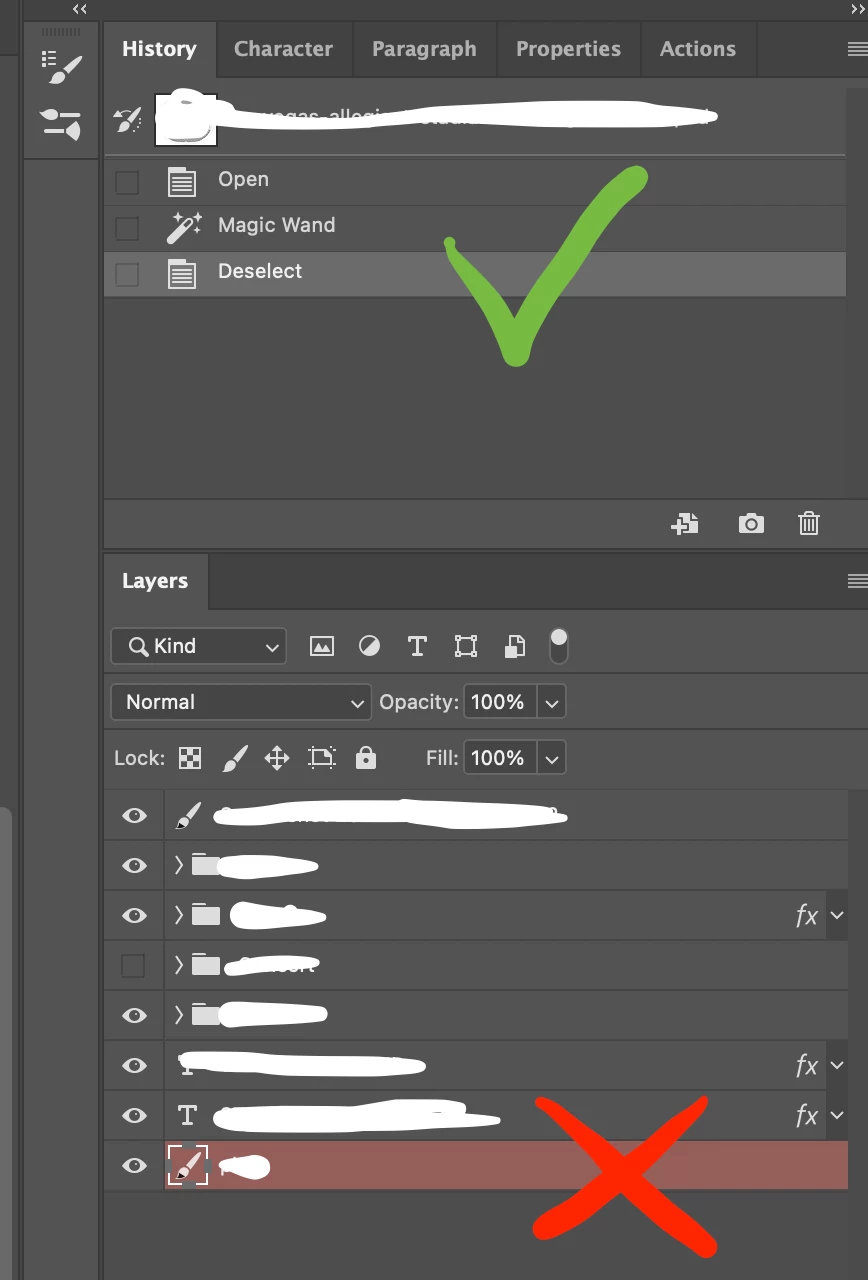
I accidentally changed the color of the currently selected layer in Layers panel to red, so every layer I select now is highlighted with this red color instead of light grey.

Would you know how to return to the previous light grey color as seen in the Panel for example?


Red color appear only on this particular file, other files are OK.
 

This topic has been closed for replies.
Correct answer peteb80349941

OK, I've just sorted it out. It happened because I pressed the "q" key which is the shortcut to enter the the quick mask mode.

1 reply

peteb80349941AuthorCorrect answer
Participant
October 13, 2022

OK, I've just sorted it out. It happened because I pressed the "q" key which is the shortcut to enter the the quick mask mode.