
Inspiring
October 11, 2018
Question

Adding saving to an action and into my droplet

  • October 11, 2018
  • 2 replies
  • 2278 views

Hi there,

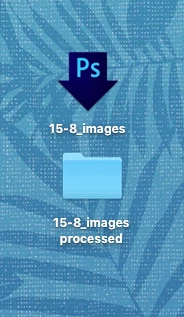
I have created a droplet with a processed images folder through photoshop. Works great on my computer. But I want to share it with other computers too. When a different computer runs it, there is an error of "could not complete the action, since the destination folder does not exist"

Makes total sense because it's looking for my desktop where the folder is located.

What can I do so that whoever copies the droplet and the folder to their desktop, the file will save in the processed images folder that goes with the droplet?

Thanks!
This topic has been closed for replies.

2 replies

Inspiring
October 12, 2018

Not sure if this answers your question, but I have copied a script I made to create low res PNG files. As you can see it looks for a folder called "low res" and if it does not exist, it creates one. You can probably use a similar argument to ensure the folder you need is always available.

#target photoshop


var doc = app.activeDocument;

var dName = doc.name;

var pngOptions = new PNGSaveOptions();

with (pngOptions) {

    embedColorProfile = true;

    compression = 6

    interlaced = false

    };

try{var dPath = doc.path;}

catch(e){var dPath = Folder.selectDialog( "Where would you like to save the image?");};

var lowResFolder = Folder (dPath + "/low res/")

if (!lowResFolder.exists) lowResFolder.create();

doc.saveAs((File(lowResFolder+ "/" + dName)),pngOptions,true);  

JJMack
Community Expert
Community Expert
October 12, 2018

The OP want to do it in a droplet. If the action the droplet is made from uses a script step to do the save.  The op would  most likely also need to distribute the script and install it in ever install version of Photoshop  on the machines they want to use the droplet on. The scripts code would most likely not be embedded in the droplet executable. Just a an Action Script step would be in the doplete embedded action.

JJMack
JJMack
Community Expert
Community Expert
October 12, 2018

I think it is possible to include running Applescript and/or JavaScript code when assembling the Action for the Droplet. This would then allow to create the necessary folders in /Users/Shared/


If the are running on Mac they would still need to distribute the  apple script and install the script in all Photoshop installs on all the mac machine involved.   If the script was a JavaScript it could be used on both platforms.   The output file must be saved into a folder all user can write into on all machines,  It need not be a remote shared network folder.   The folders could be a local folder each machine has that is public.

JJMack
JJMack
Community Expert
Community Expert
October 11, 2018

Expand the action the Droplet was created with so you can read all the setting recorded in all the step.  Look at all steps like Open, save and Place to see what folders are being used. Make sure all those folder exist on all the machine you want to use the droplet on. It may not be your desktop is may be recorded relative to the current user desktop.  If it is your desktop.  Change the Action and use an a folder on a drive the like C:\Folder where C: exist  on all machines,

JJMack
umagurl77Author
Inspiring
October 11, 2018

Thank you!

So the action says the location of the processed folder is: /Users/jackie.smith/Desktop/15-8_images processed/

When it's on another computer it's looking for the desktop of Jackie Smith which is not there, because it's someone else's desktop, so the automation stops and gets an error.

And tips to make it work on anyones machine?

JJMack
Community Expert
Community Expert
October 11, 2018

Then use a folder outside the user space like C:\xxx\  If you use a script in the action to save into the current uers desktop you would need to distribute that script  and install it in all the machines in every Photoshop versions installed. Way more complex than distributing a droplet.exe

JJMack