Answered
adjust line drawings
I have a scan from a pencil drawing on grey drafting film. Any way to make that grey background white or transparent?

I have a scan from a pencil drawing on grey drafting film. Any way to make that grey background white or transparent?
I am not a fan of Blend if. It rarely produces nice results, even when splitting the sliders you tend to lose the antialiasing leading to nasty jaggies.
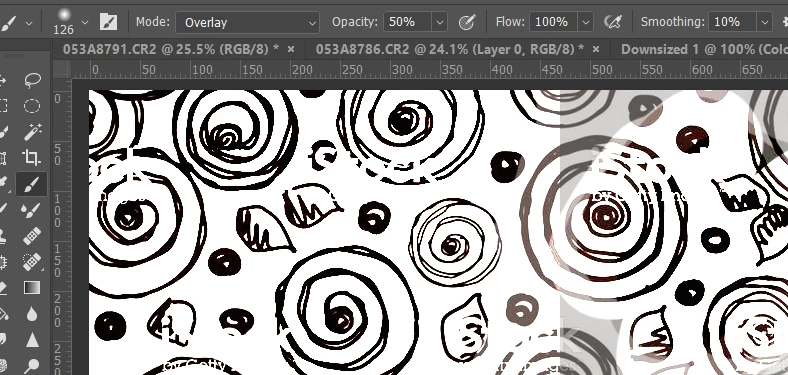
My preferred method of tidying up after using curves or levels is to use the brush with it set to Overlay in the options bar (as below). Then paint with white to bring up the whites, and black to harden up the blacks. Note this needs black and white on the same layer, so you'd need to either merge the curve and design layers, or add a copy merged layer to the top of the stack with Shift Ctrl Alt E — which is how I would do it. This is the usual method we use to clean up Alpha Channels and line art.
Already have an account? Login
Enter your E-mail address. We'll send you an e-mail with instructions to reset your password.
 AdChoices