
bobsaidwzob
Known Participant
July 17, 2018
Answered

Adjust perspective on image

  • July 17, 2018
  • 2 replies
  • 908 views

I have some images I need to adjust. Basically I was to adjust the perspective so it looks like i'm look at it straight on and not flat down on a table. I want the super cross disc to have the same perspective as the other disc. I'm not sure which steps to take and just need some pointers as to how to get that done. Thanks

    This topic has been closed for replies.
    Correct answer Chuck Uebele

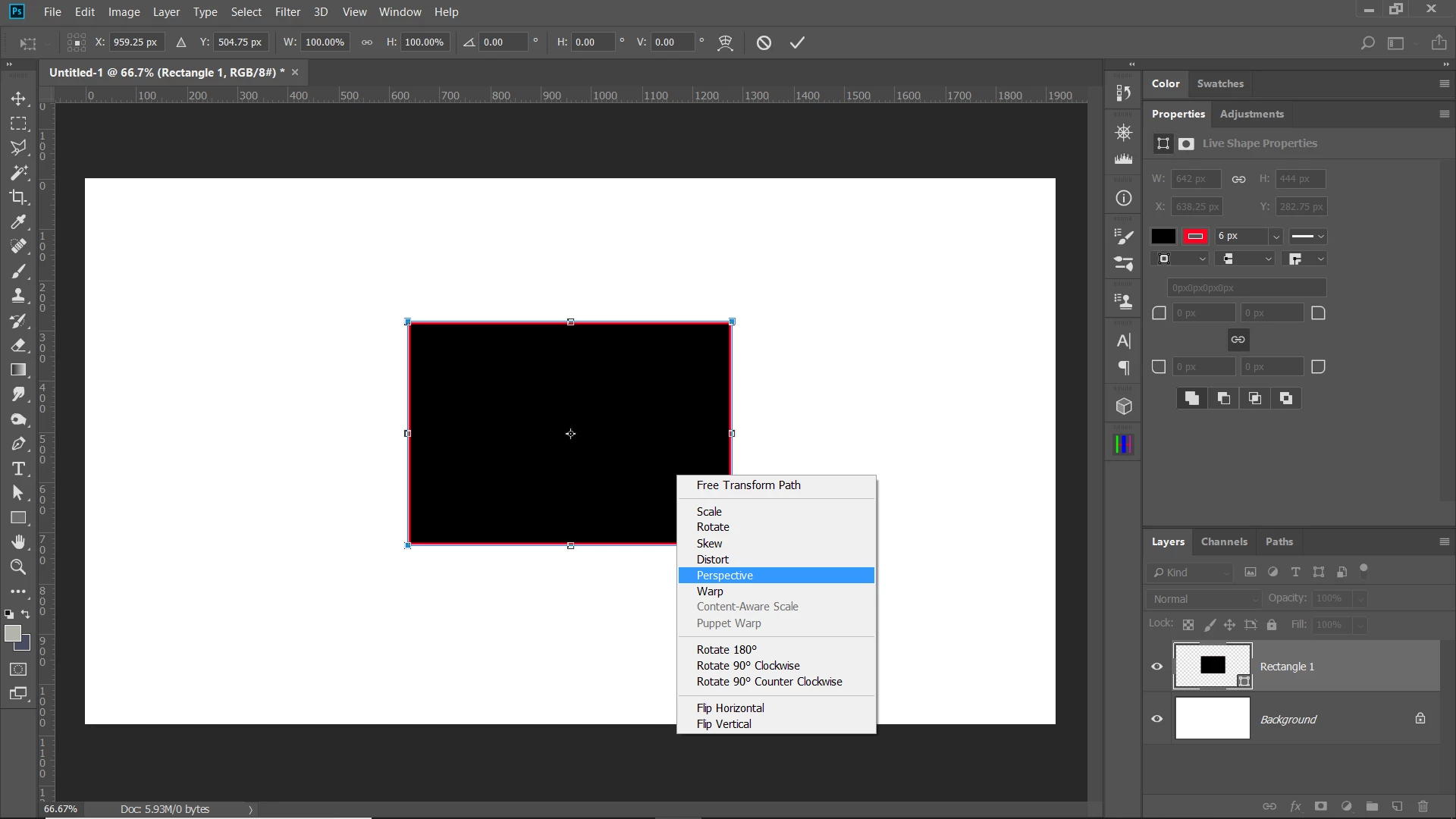
    You should have perspective transform in CS5. It's been in PS for a long time. Ctrl/cmd-T, then right click to select perspective.

    2 replies

    Chuck Uebele
    Community Expert
    Chuck UebeleCommunity ExpertCorrect answer
    Community Expert
    July 17, 2018

    You should have perspective transform in CS5. It's been in PS for a long time. Ctrl/cmd-T, then right click to select perspective.

    bobsaidwzob
    Known Participant
    July 17, 2018

    Thank you! I was looking under the edit tab up top and wasn't sure if they were the same thing.

    Chuck Uebele
    Community Expert
    Community Expert
    July 17, 2018

    Scale it up to the height of the other CD, then use perspective warp to round it out to make the top bigger:

    bobsaidwzob
    Known Participant
    July 17, 2018

    is there a way to do it without perspective warp? I don't have that as an option in cs5.