stefanocps
Inspiring
November 6, 2020
Answered

adjust text in image after magic wand

  • November 6, 2020
  • 2 replies
  • 871 views

hello after using the magic wand tool to delete background, i have some text (handwriting) not totally clear

Is there a way to make these tect more deep in intensity of color?

i attach the image

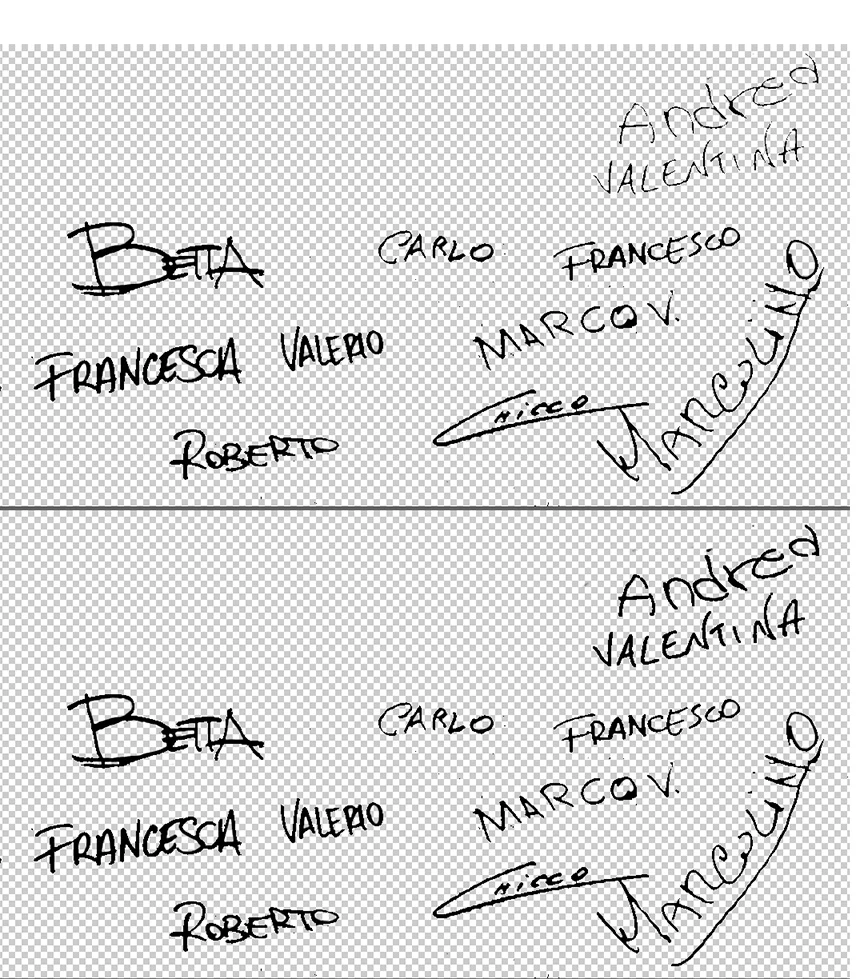
This topic has been closed for replies.
Correct answer Norman Sanders


  1. Rectangular selection of the two names, and put them on a separate layer. Turn off bottom layer
  2. Top layer. Use Magic Wand to select the transparent area, then Select> Inverse 
  3. Select > Modify > Expand …1 pixel
  4. Edit > Fill with Black and turn on bottom layer

2 replies

Norman Sanders
Norman SandersCorrect answer
Legend
November 7, 2020


  1. Rectangular selection of the two names, and put them on a separate layer. Turn off bottom layer
  2. Top layer. Use Magic Wand to select the transparent area, then Select> Inverse 
  3. Select > Modify > Expand …1 pixel
  4. Edit > Fill with Black and turn on bottom layer
stefanocps
Inspiring
November 7, 2020

great!!

thank you

Nancy OShea
Community Expert
Community Expert
November 6, 2020

1. Go to Image > Mode and select RGB.

2. Copy layer with Crl+J.

3. Use the Spot Healing Brush Tool to remove artifacts.

4. Use Burn tool to increase exposure.


Nancy O'Shea— Product User & Community Expert
stefanocps
Inspiring
November 6, 2020

sorry

can t find the BURN tool

Nancy OShea
Community Expert
Community Expert
November 6, 2020

To edit Toolbar, click the 3 dots icon.

Burn tool is with Dodge and Sponge.


Nancy O'Shea— Product User & Community Expert