OzPhotoMan
Inspiring
July 2, 2022
Answered

Adjusting exposure in ACR/PS

  • July 2, 2022
  • 1 reply
  • 2251 views

Hi all,


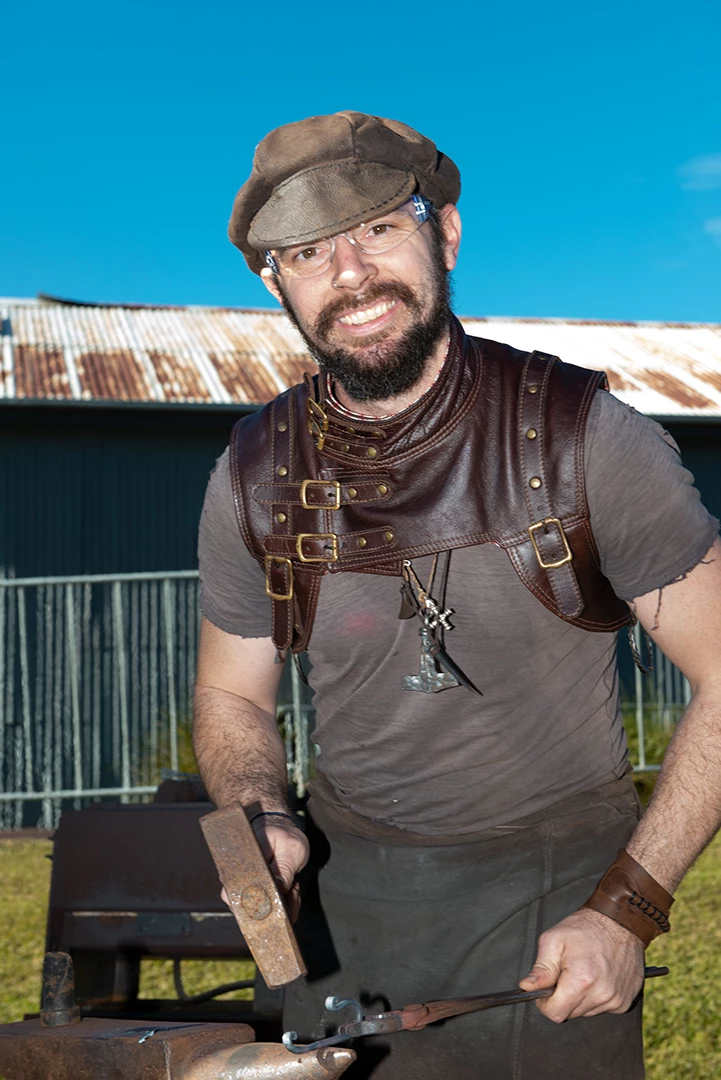
I accidentally overexposed a shot by about 2 stops. When adjusted in ACR using the exposure slider, I can correct it OK. However, when using an exposure adjustment layer in PS, it gives me terrible resuilts. Please see attached images. Why?  Similar issue although not as bad, if I open in PS with no ACR adjustment then use ACR filter from within PS.
This topic has been closed for replies.
Correct answer Stephen Marsh

Adjusting exposure in ACR is using the linear raw camera data where "latent" data exists for remapping.


In Photoshop, you have already rendered and mapped the tonal values, there is nothing to work with except what is there in 8 or 16 bpc.


The exposure slider in Photoshop is for 32 bpc HDR images, again where "latent" usable data may exist.


Perhaps these PDF whitepapers will help:


https://pdf4pro.com/vendor/pdfjs-1.9.426/web/viewer-dark-blue.html?file=https%3A%2F%2Fpdf4pro.com%2Fcdn%2Fraw-capture-linear-gamma-and-exposure-adobe-5ae270.pdf


https://www.adobe.com/digitalimag/pdfs/understanding_digitalrawcapture.pdf


1 reply

Stephen Marsh
Community Expert
Stephen MarshCommunity ExpertCorrect answer
Community Expert
July 2, 2022

Adjusting exposure in ACR is using the linear raw camera data where "latent" data exists for remapping.


In Photoshop, you have already rendered and mapped the tonal values, there is nothing to work with except what is there in 8 or 16 bpc.


The exposure slider in Photoshop is for 32 bpc HDR images, again where "latent" usable data may exist.


Perhaps these PDF whitepapers will help:


https://pdf4pro.com/vendor/pdfjs-1.9.426/web/viewer-dark-blue.html?file=https%3A%2F%2Fpdf4pro.com%2Fcdn%2Fraw-capture-linear-gamma-and-exposure-adobe-5ae270.pdf


https://www.adobe.com/digitalimag/pdfs/understanding_digitalrawcapture.pdf


OzPhotoMan
Inspiring
July 2, 2022

Thanks

Participating Frequently
November 21, 2022

Further to my previous reply, the following example uses a HDR EXR file. This is similar to a raw camera file in the sense that "there is more data than one can see". Just as raw camera files need to be manipulated in the Adobe Camera Raw plug-in to take advantage of the original raw data (not rendered into Photoshop), one should make extreme exposure adjustments to the EXR file and not a derivative file such as PNG.


Screenshot of original EXR image with no adjustments:


Screenshot of EXR -3 exposure adjustment:


Screenshot of 8 bpc -3 exposure adjustment:


Screenshot of 16 bpc -3 exposure adjustment:


Hi Stephen,


I had no doubt that the exposure tool is doing what you are demonstrating. As I guessed it is linearly scaling the bit values which is exactly what you want an EV adjustment to do if you are in a linear (gamma = 1) space as HDR 32bit is.  


 In a "gamma'd" space the pix value is pix =  pix_in**gamma.  When the exposure slider is doings linearly  scaling you get non-usuable results. If K is the adjust then pix_adj = K pix_in**gamma. That  is equivalent to pix_adj=pix_in**(log(K)*gamma).  So it is equivalent to channing gamma and leads to the strange results we saw.

Exposure pretty much universaly means one thing. Changing the amount of light hitting the sensor. To do this in a gamma space is  trivial. Just un-gamma the pixel, scale,  then re-gamma. 


So here are my thoughts and observations and would like your thoughts. 

1. As I mentioned to most peopel I think exposure means exposure. Same as exposure on your camera

2. Is it good user interface to have a menu that says "exposure" when it is not (with except being linear space that I suspect majority don't use).

3. That menu works differently that all other menues labeled exposure in PS/Lightroom. 

4. If it an HDR adjustment should it be under the  HDR menu?  Actually it is all ready there under HDR toning. 

5.  I mentioned that I had no recollection of this working this way having used ps since CS2.  Though I could be wrong. I don't use exposure often. Almost alway curves.  But I found it odd that I came across this last month and was pretty  confused. That is when I spent several hours and figured out what it was really doing. 

6- I just looked on web a little more. I happened across an 11/15/2022 Adobe article on 'adjusting exposure'.  It is about the Brightness/Contrast setting not this menu. It showed that there is a "legacy" button.  I played with that and it just switches it from true exposure adjustment, accounting for gamma,  doing  what the exposure menue is doing.  If they made a change there could they have made a change to the regular exposure menu and forgot the legacy button? 


I don't know. This has been interesting.  But one thing I feel pretty confident about is from UI standpoint that is not good.  If it is  only for HDR it should be under that menu. 


Like to hear your thoughts,,

Thanks, 


Jay  


Thoughts?  Should it be as is.  How would I know except maybe taking a class.  I don't  need that for the exposure sliders in LR/RAQ