OzPhotoMan
Inspiring
July 2, 2022
Answered

Adjusting exposure in ACR/PS

  • July 2, 2022
  • 1 reply
  • 2251 views

Hi all,


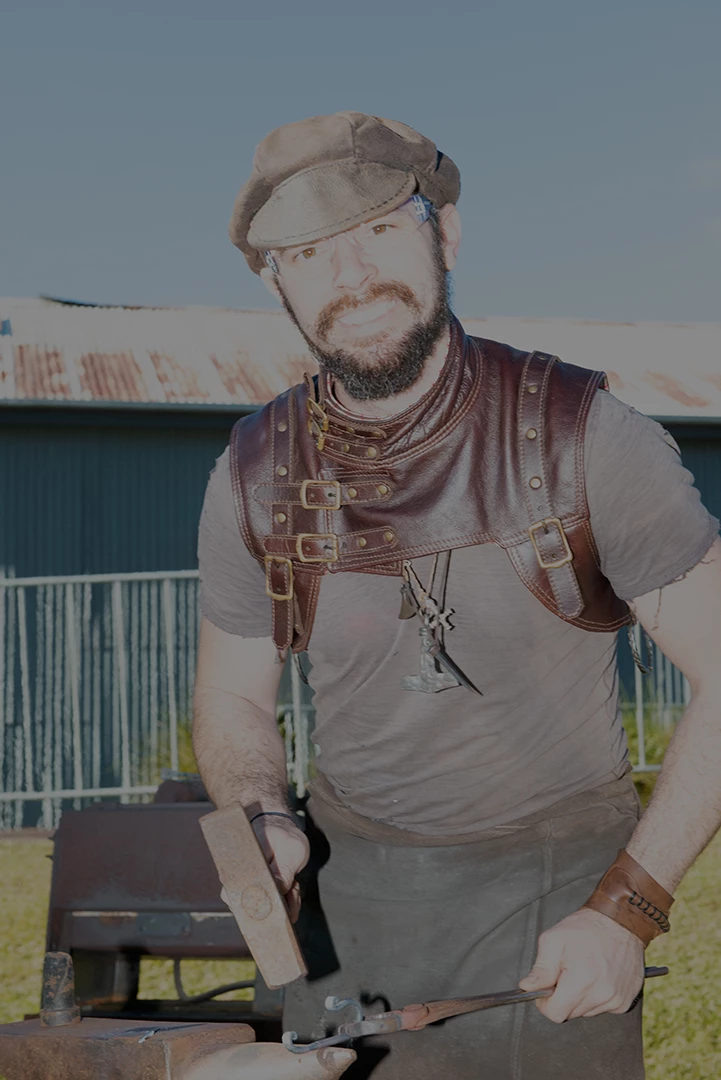
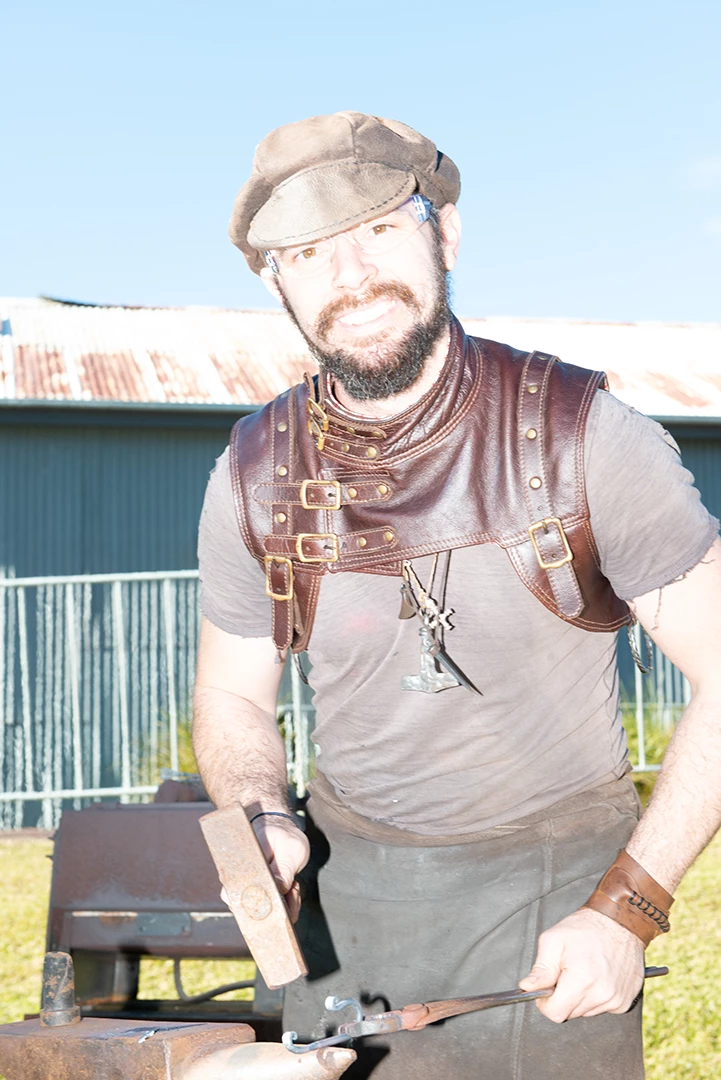
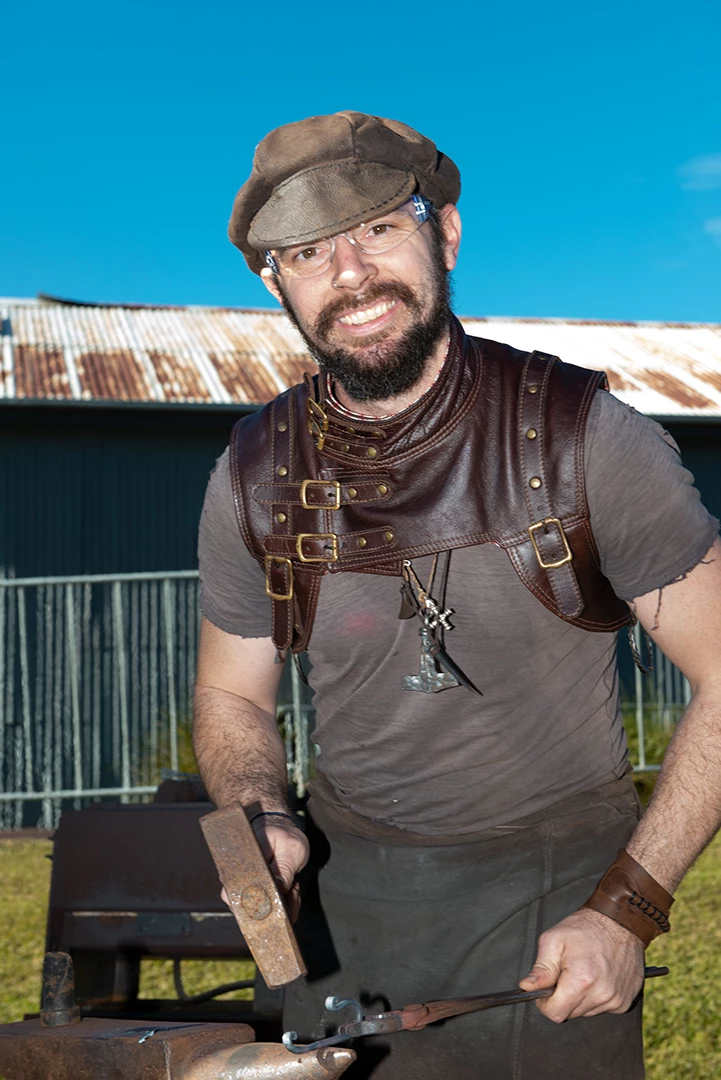
I accidentally overexposed a shot by about 2 stops. When adjusted in ACR using the exposure slider, I can correct it OK. However, when using an exposure adjustment layer in PS, it gives me terrible resuilts. Please see attached images. Why?  Similar issue although not as bad, if I open in PS with no ACR adjustment then use ACR filter from within PS.
This topic has been closed for replies.
Correct answer Stephen Marsh

Adjusting exposure in ACR is using the linear raw camera data where "latent" data exists for remapping.


In Photoshop, you have already rendered and mapped the tonal values, there is nothing to work with except what is there in 8 or 16 bpc.


The exposure slider in Photoshop is for 32 bpc HDR images, again where "latent" usable data may exist.


Perhaps these PDF whitepapers will help:


https://pdf4pro.com/vendor/pdfjs-1.9.426/web/viewer-dark-blue.html?file=https%3A%2F%2Fpdf4pro.com%2Fcdn%2Fraw-capture-linear-gamma-and-exposure-adobe-5ae270.pdf


https://www.adobe.com/digitalimag/pdfs/understanding_digitalrawcapture.pdf


1 reply

Stephen Marsh
Community Expert
Stephen MarshCommunity ExpertCorrect answer
Community Expert
July 2, 2022

Adjusting exposure in ACR is using the linear raw camera data where "latent" data exists for remapping.


In Photoshop, you have already rendered and mapped the tonal values, there is nothing to work with except what is there in 8 or 16 bpc.


The exposure slider in Photoshop is for 32 bpc HDR images, again where "latent" usable data may exist.


Perhaps these PDF whitepapers will help:


https://pdf4pro.com/vendor/pdfjs-1.9.426/web/viewer-dark-blue.html?file=https%3A%2F%2Fpdf4pro.com%2Fcdn%2Fraw-capture-linear-gamma-and-exposure-adobe-5ae270.pdf


https://www.adobe.com/digitalimag/pdfs/understanding_digitalrawcapture.pdf


OzPhotoMan
Inspiring
July 2, 2022

Thanks

Participating Frequently
November 24, 2022

Hi, 

Is it D Fosse who just posted a follow up.? Hi.  The post may have been longer than need be. But did you see my opening line?  I have no technical question or confusion at all. I actually work on photosensor, not the ones in camers, miniture single bit ones. I do HDR all the time. Have for years. I've used photoshop since CS2...

To boild it down I really had two thoughts

  -  Seemed odd to me that in 20 years of using PS i would get triped up by that.  And concidently I was not the only one.   And I found that post this month about legacy in the  exposure menu.  So it was only wondering if something had changed.  Maybe not.  I don't use sliders very often. 

-  The other question was if this struck any of you as a UI problem for the reasons I mentioned.  It is not exposure in a gamma space, which is probably 95% off what people use.  It is not what  the exactly same name slider in LR or in RAW.  Yes, I know raw there is underlying technical reason why. That is irrelevent to UI.   Finally the exact same slider is all ready in the HDR menues.  That is what really confuses me.  Did some one intentionally duplicate that in the main front/center exposure that will probably be the first place most new people go? 

Seems it must be a mistake.  But for how long I have no idea. 

But please, if you have good reason why it should be there front and center and no hint that it is meant for HDR only let me know. 

Jay 


Fosse and Stephon,

I did have another technical thought  you can  comment on.  I have always been unsuer about was how photoshop was handling 16 bit data.  In this exposre thing used Python scripts to generate  files, either tif or JPEG.  That way I could do experiments writing different bit lengths, I could put linear or gammed data in. I could also  assign profiles or not. Then I could read them in PS, view them, change or assign profiles, read the pixels values in PS and then save the files and re-read them in Python. 

OK, that confirmed for me what the slider was do exactly as you two were explaining.  It appears to me that  hotoshop applies gamma when you read the file into a color manage color space.  If you leave unmanage or use custom space with gamma=1 it stays linear. 

The problem sensors and the raw is usually less than 16 bits. Was twelve and now I think most are 14. I think my R5 is fourteen but not even sure. 

The problem is if you you apply gamma you loose information and add noise when you don't need to. If that isn't clear I can give you two lines of simple arithmatic example that shows.


Now converting from 16 to 8 for JPEG you do want gamma. Your are throwing away huge amounts of information  and gamma takes advantage of human percept to shape that loos to minimize  visual impact. 

The anser is not that you are converting raw into a color space that has a gamma like virtually all do. It is trivial to apply transorm to convert that space to a tempory linear space that you  worrk in.  You can then work in that space all you want.  Then at only last possible instant convert that linear space back to the gamma space. 

I have one thought on why may want to pay the price of going straight to a gamma space at the  price of adding some noise up front.  But I would like your thoughts first..

Jay