
Known Participant
April 5, 2023
Question

Adobe Application Manger
  • April 5, 2023
  • 1 reply
  • 1155 views


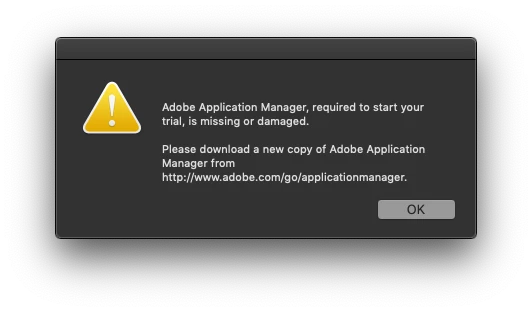
Getting this error box when trying to run Photoshop for the first time after a fresh install. I read a thread in these forums about removing a AAMDetect internet plugin and followed those instructions but I am still getting this error.


The link in the error box just takes me to the CC page, so I have also uninstalled and reinstalled Creative Cloud app.


Which is strange as I've never had any issue installing Photoshop in over 30 years.


MacPro 3,1 2x4 Xeon 2.88 32GB RAM

MacOS 10.14 Mojave

Photoshop CC19 offline installer


Thanks

This topic has been closed for replies.

1 reply

Kevin Stohlmeyer
Community Expert
Community Expert
April 5, 2023

Hi @influxxmedia where did you get the installer? It might help to read this page from ProDesign Tools on using the offline installers:

https://prodesigntools.com/adobe-cc-2015-direct-download-links.html#download-instructions


Known Participant
April 20, 2023

Downloaded and installed directly from the current Creative Cloud app

Known Participant
April 20, 2023

Okay, ne vermind, different thread. Trying to install CC22 via the CC app and that is giving me a different error.


In this case, regarding the CC19 offline installer, I got it from the site you link to above - ProDesignTools.com