Exit
  • Global community
    • Language:
      • Deutsch
      • English
      • Español
      • Français
      • Português
  • 日本語コミュニティ
  • 한국 커뮤니티
0

Adobe Color Themes in Prophoto RGB

Community Beginner ,
Oct 17, 2020 Oct 17, 2020

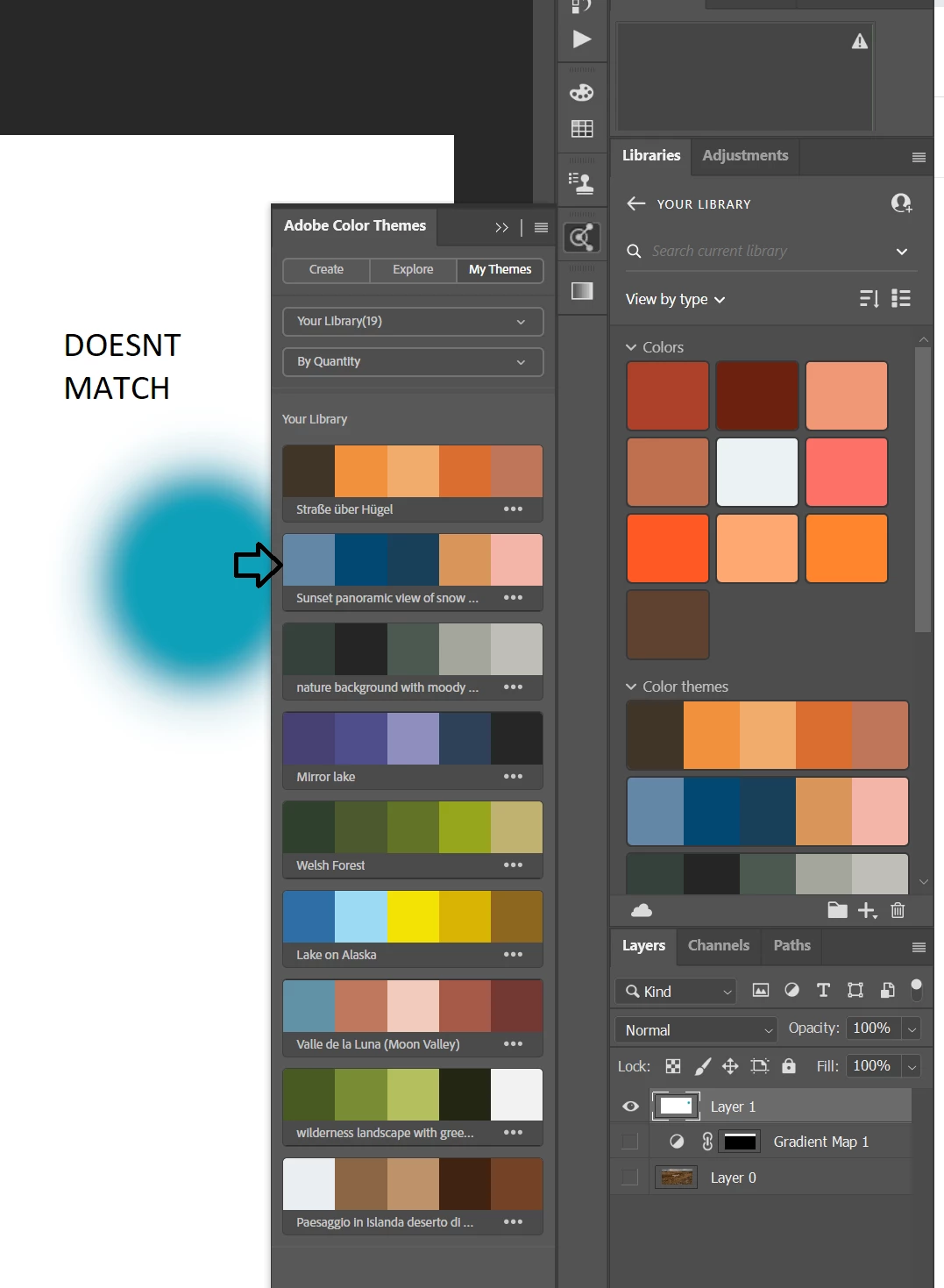
I have several color themes that I want to use in my ProPhoto RGB workspace. However, I notice when I use the colors that they are off compared to the color swatch found in the color themes under the libraries tab and Adobe Color Themes tab (Photo for example).  When I assign a color profile of sRGB the color matches the color swatch. Is it possible to get the Adobe Color themes to update the swatch to match the color space I'm working in? image.png
TOPICS
Windows
536
Translate
Report
Community guidelines
Be kind and respectful, give credit to the original source of content, and search for duplicates before posting. Learn more
community guidelines

correct answers 1 Correct answer

Community Expert , Oct 17, 2020 Oct 17, 2020

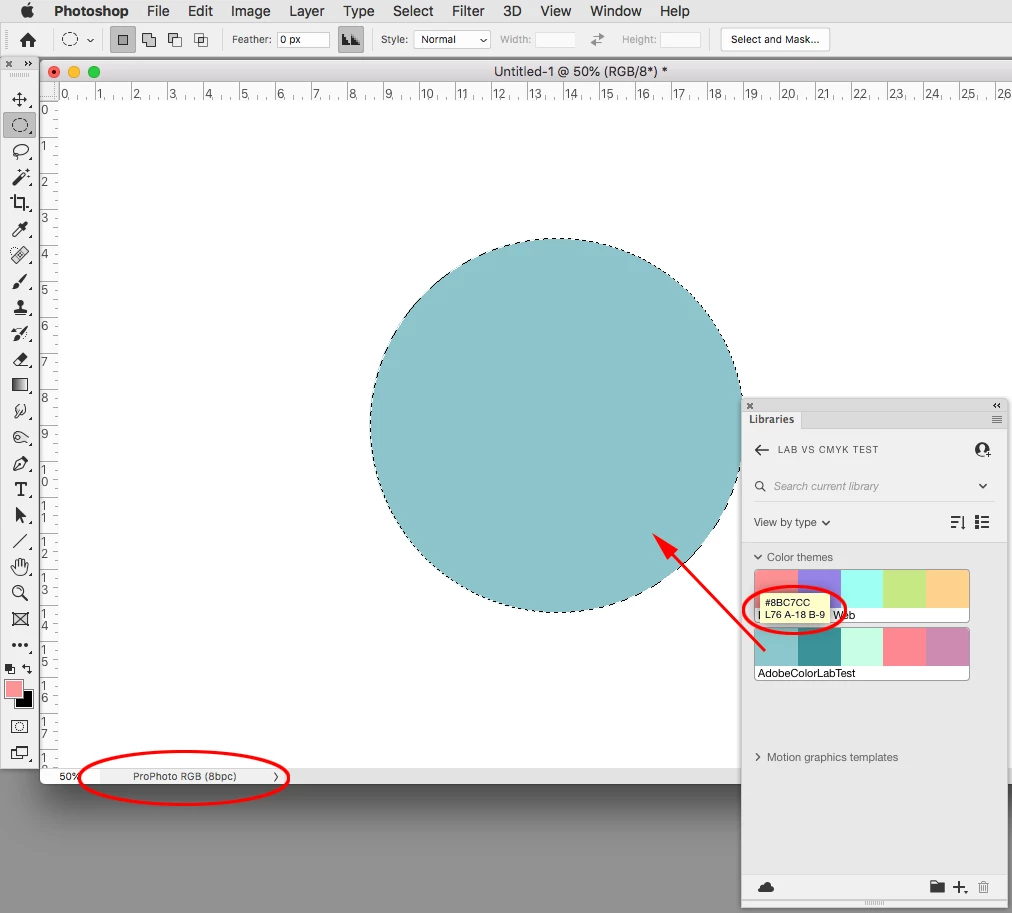
When you create your theme make sure the theme swatches are set as Lab, then the conversion from the Library swatch color into your ProPhoto RGB document will produce a matching color appearance:


Screen Shot 17.png


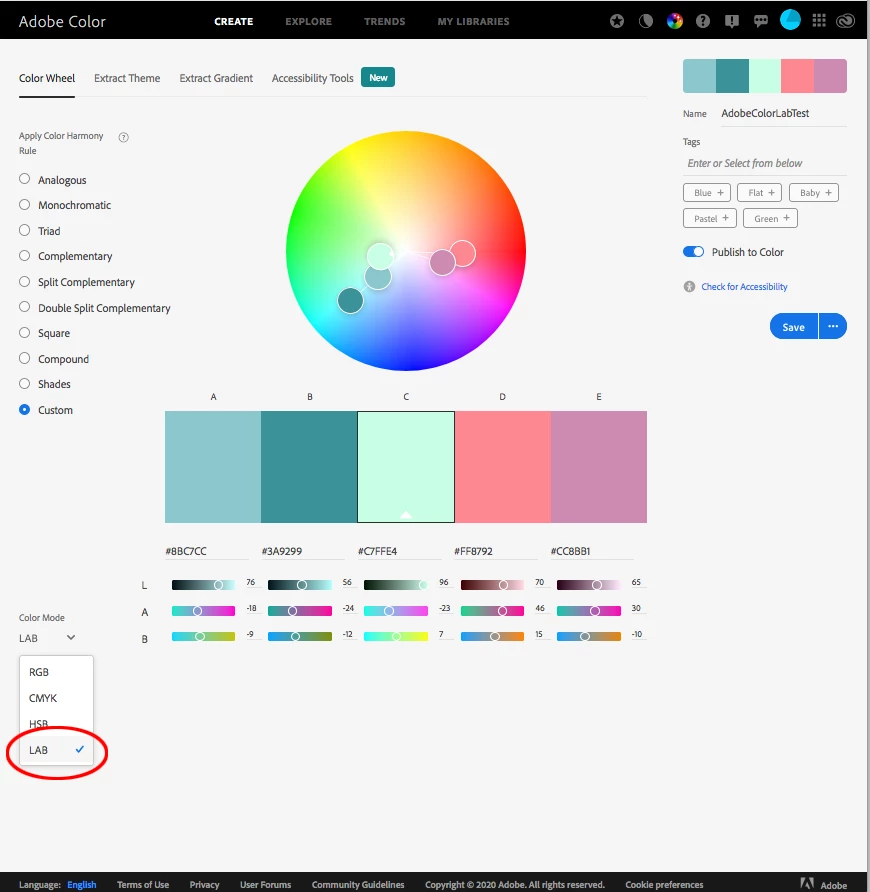
Edit the theme at AdobeColor and set its Color Mode to Lab:


Screen Shot 18.png

Translate
Adobe
Community Expert ,
Oct 17, 2020 Oct 17, 2020

When you create your theme make sure the theme swatches are set as Lab, then the conversion from the Library swatch color into your ProPhoto RGB document will produce a matching color appearance:


Screen Shot 17.png


Edit the theme at AdobeColor and set its Color Mode to Lab:


Screen Shot 18.png

Translate
Report
Community guidelines
Be kind and respectful, give credit to the original source of content, and search for duplicates before posting. Learn more
community guidelines
Community Beginner ,
Oct 17, 2020 Oct 17, 2020
LATEST

Thank you!!! 

Translate
Report
Community guidelines
Be kind and respectful, give credit to the original source of content, and search for duplicates before posting. Learn more
community guidelines