
Adobe Crash Processor.exe doesn't stop after I exit photoshop and it locks up my files and/or folder
Description:
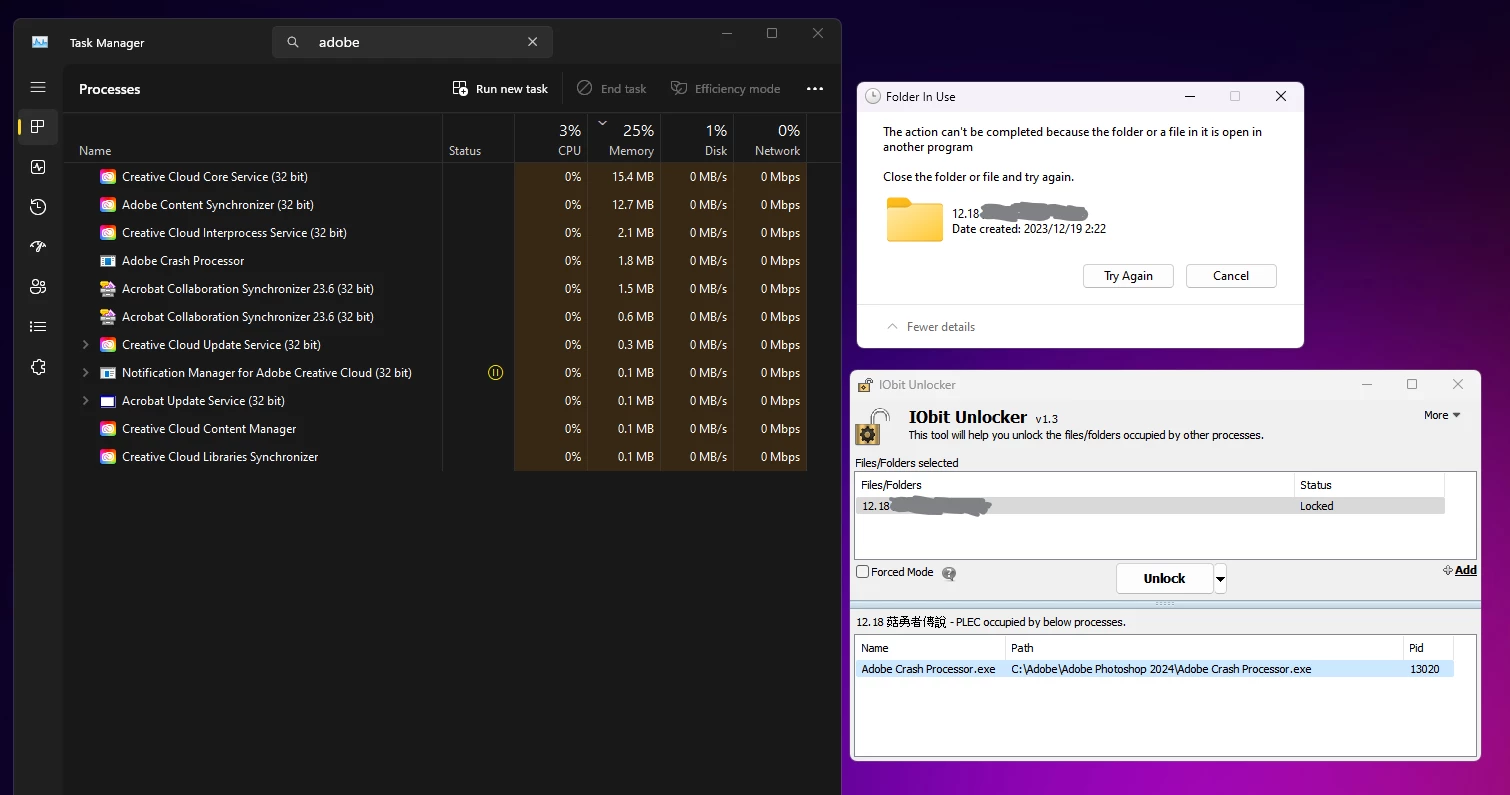
When I exit Adobe Photoshop, the Adobe Crash Processor.exe process doesn't stop running. This process locks up my files and/or folders, so I can't delete or move them.
Steps to Reproduce:
- Open Adobe Photoshop via Create Reference Frame in Adobe After Effects
- Do some editing that includes Generative features.
- Exit Adobe After Effects and Adobe Photoshop
- The Adobe Crash Processor.exe process is still running
Expected Result:
The Adobe Crash Processor.exe process should stop running after I exit Adobe apps.
Actual Result:
The Adobe Crash Processor.exe process doesn't stop running and locks up my files and/or folders.
Screenshot:
Configuration:
- Operating System: Windows 11 Pro, 64-bit [Version 10.0.22621.2715]
- Adobe Version: Adobe CC 2024, all updates installed to date of post on stable branch
Workaround:
I can stop the Adobe Crash Processor.exe process by using Task Manager or Unlocker, but this is not a permanent solution.
Recommendation:
Please fix the issue with the Adobe Crash Processor.exe process so that it stops running after I exit Adobe Photoshop.
Additional Information:
I am using the latest version of Adobe and Windows on the stable branch. I have tried restarting my computer, but the issue persists.
I hope this bug report is helpful. Please let me know if you have any questions.
Thank you for your time and attention to this matter.
 AdChoices