Participant
December 25, 2022
Question

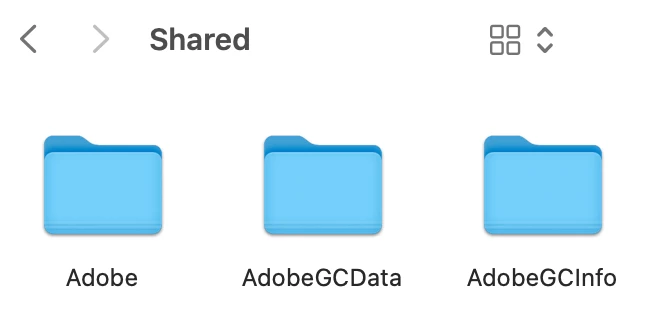
Adobe folders folders located in /Users/Shared (MacOS 13.1)

  • December 25, 2022
  • 3 replies
  • 641 views

What are these folders located in /Users/Shared (Adobe, AdobeGCData, AdobeGCInfo)? Are they normal? Can I delete them or remove them from the shared folder?

 

This topic has been closed for replies.

3 replies

Legend
December 25, 2022

/Users/Shared is specially created by Apple for sharing files between users (only editable by the original user). Presumably, then, Adobe apps use these files for each logged in user, and they each want to see the work done when other users are logged in. Normal. Remove at your peril. Apple details: Share files with others who use your Mac – Apple Support (UK)

D Fosse
Community Expert
Community Expert
December 25, 2022

Anything in your user account is associated with user-specific app configurations. To put it simply, these folders start to get populated as you start using the application.


Unless you have a specific reason, I'd just leave them. That said, I don't know why they appear at the root of the user account and not inside the Adobe folder. What's inside the "Adobe" folder? Do you have any Adobe software installed?

JohanElzenga
Community Expert
Community Expert
December 25, 2022
user30Author
Participant
December 25, 2022

Do you have these folders in your /Users/Shared folder?