
Participant
February 23, 2021
Answered

Adobe photoshop 2021 randomly locks up

  • February 23, 2021
  • 5 replies
  • 1963 views

recently updated versions.

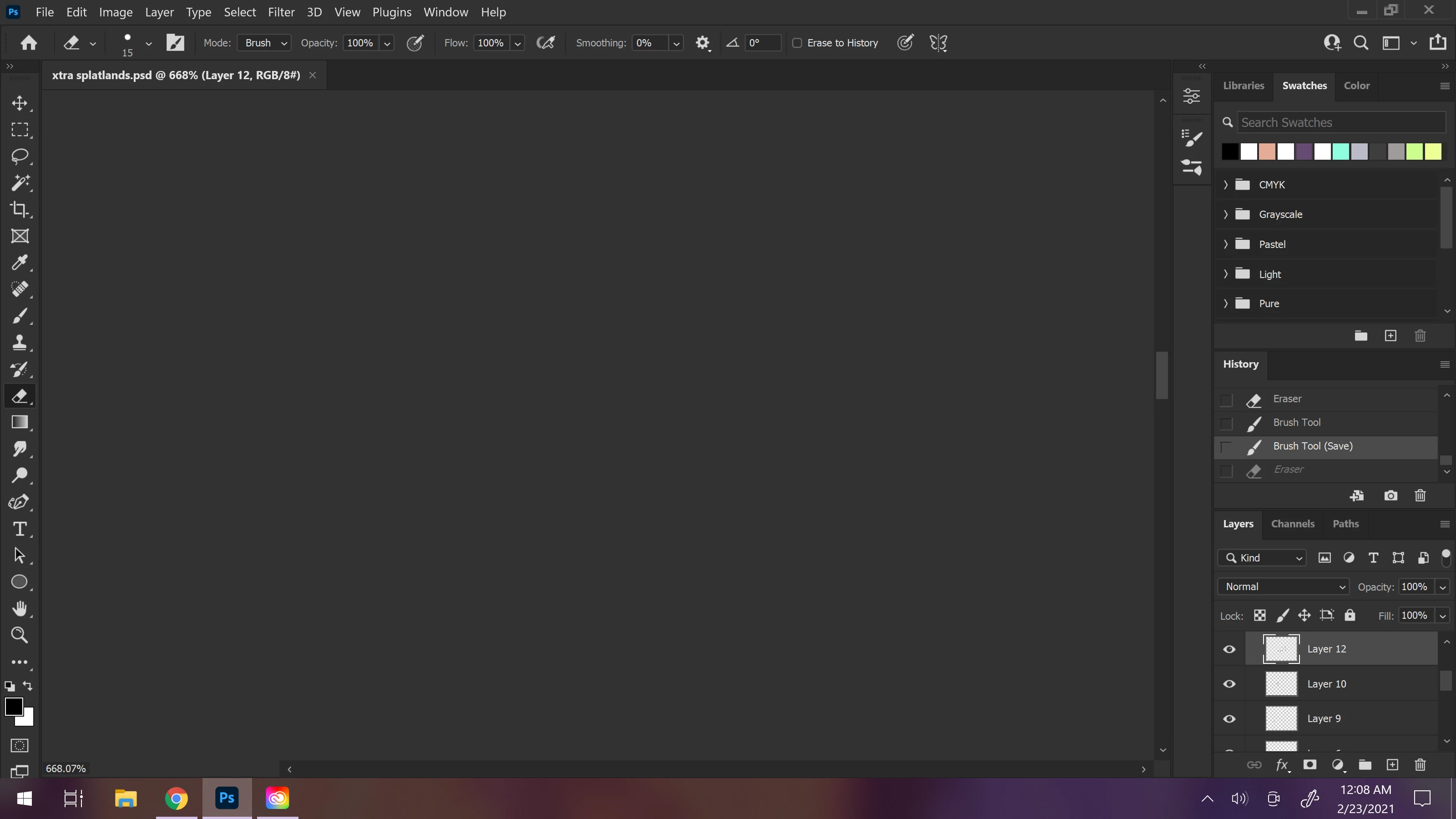
when in the middle of doing lineart on a simple piece. the interface completely locks up and progress cannot continue. oddly enough i can still access the top menu and save my work but everything else on the picture itself is inaccessable (only a normal mouse cursor shows up on the screen as opposed to whichever tool would be set). other visible quirks include, when minimizing and then re-maximizing the app, the workspace is no longer visible or accesable (i included a visual on this). this has NEVER happened as long as i have been using photoshop for the past few years i have used this, nor am i currently working on a project larger or more complicated than i normally do.
 

This topic has been closed for replies.
Correct answer Kevin Stohlmeyer

8 GB total is not enough and is not what is available.

Photoshop alone has a minimum of 8 GB.

5 replies

Participant
August 17, 2021

this is what i am also experiencing hopefully the new update helps.

Derek Cross
Community Expert
Community Expert
August 17, 2021

What is the problem – details please, such as which version of InDesign and OS, how much RAM and spare disk capacity, any error messages, what activity are you undertaking when the problem occurs?

Participant
August 17, 2021

Hello , it was the photoshop version 2021 and i just updated it to the latest, hope this fixes the problem, just randomly while moving a layer it got stuck on the canvas rest eveything was working but nothing was showing on the screen where the main canvas is and the tools didnt change even when i selected different tools.

hee_chong
Participating Frequently
April 27, 2021

I have same problem. My PC got 32GB Ram, 2XXGB hardisk space,  CPU i7 9700 3GHZ, RTX 2060Super with the last update driver....

Derek Cross
Community Expert
Community Expert
August 17, 2021

What is your problem?

Derek Cross
Community Expert
Community Expert
February 23, 2021

How much RAM and spare disk capacity do you have?

alexks375Author
Participant
February 24, 2021

8 gb ram and 56 gb remaining space

Kevin Stohlmeyer
Community Expert
Kevin StohlmeyerCommunity ExpertCorrect answer
Community Expert
February 24, 2021

8 GB total is not enough and is not what is available.

Photoshop alone has a minimum of 8 GB.

Kevin Stohlmeyer
Community Expert
Community Expert
February 23, 2021

Have you tried resetting preferences?

If that does not improve go to Photoshop preferences/performance and turn off "use graphics processor" and see if it stablizes.

If it does - that points to an issue with your graphics card.

Did you run all your driver updates after upgrading PS?

Bojan Živković11378569
Community Expert
Community Expert
February 23, 2021

Ensure that you have latest updates installed and try with preference reset what is general advice for all things strange in Photoshop https://helpx.adobe.com/photoshop/using/preferences.html

alexks375Author
Participant
February 23, 2021

i was in the most recent version, and that is when these problems started happening.

resetting my prefrences did nothing. 

i even went back to the version that was functioning just fine for me but that didnt fix the issue