Yujie_Qui
Participant
July 31, 2023
Answered

After I saved my file, the final result is different from what I see on the Photoshop screen. Why?

  • July 31, 2023
  • 1 reply
  • 638 views

Hello! I'm Yujie, and I'm using Photoshop 2022. I've been troubled by this issue for a while now.

Whenever I save the file as a JPEG or PNG, the effects on the image disappear. I tried merging the layers with (fx) icons with other layers, but the issue remains.

What should I do to fix this problem?

(Note: If this is a basic question I am really sorry, but I've searched for solution for a long time.)
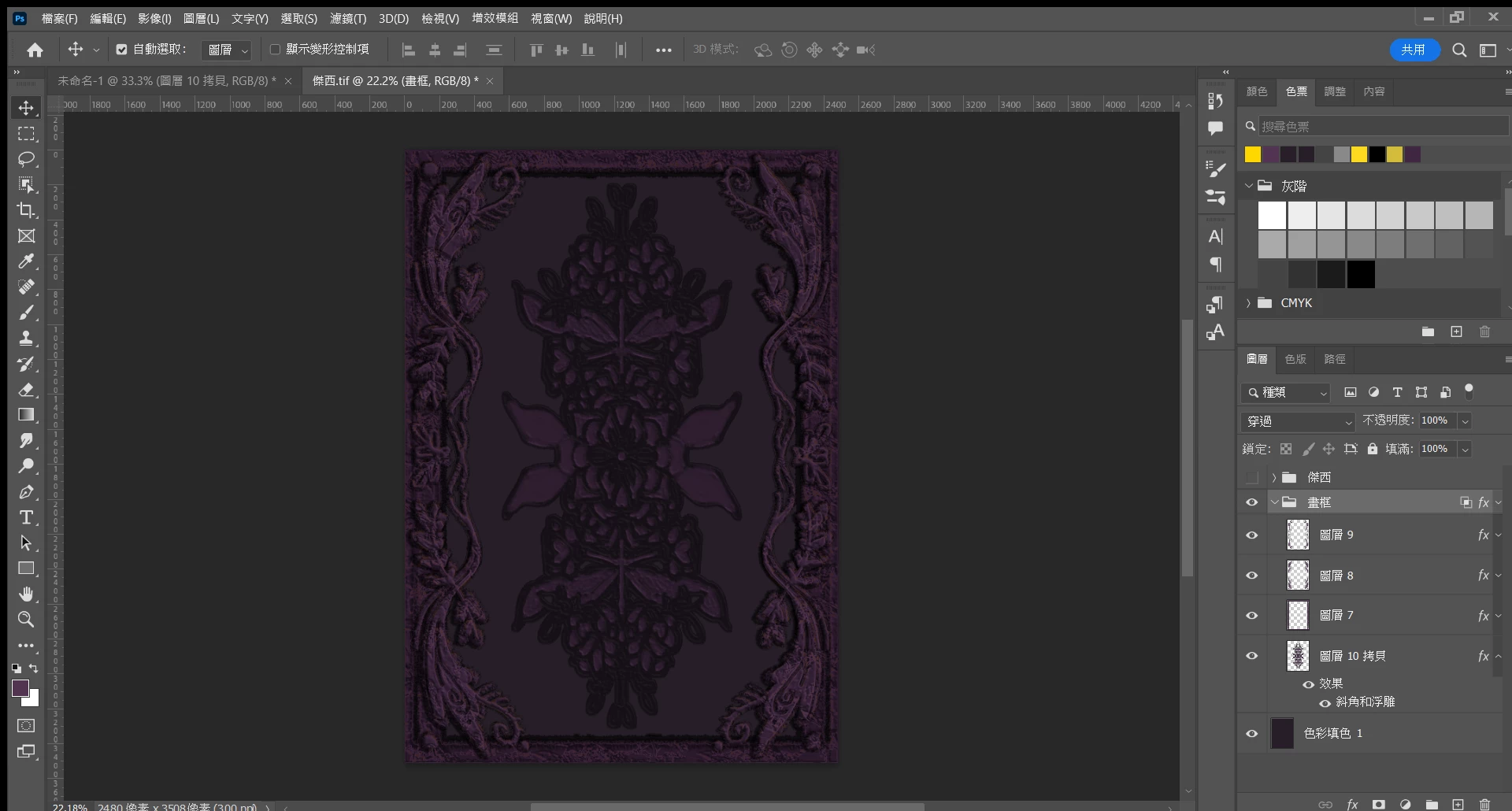
 ▲(The effect I want.)
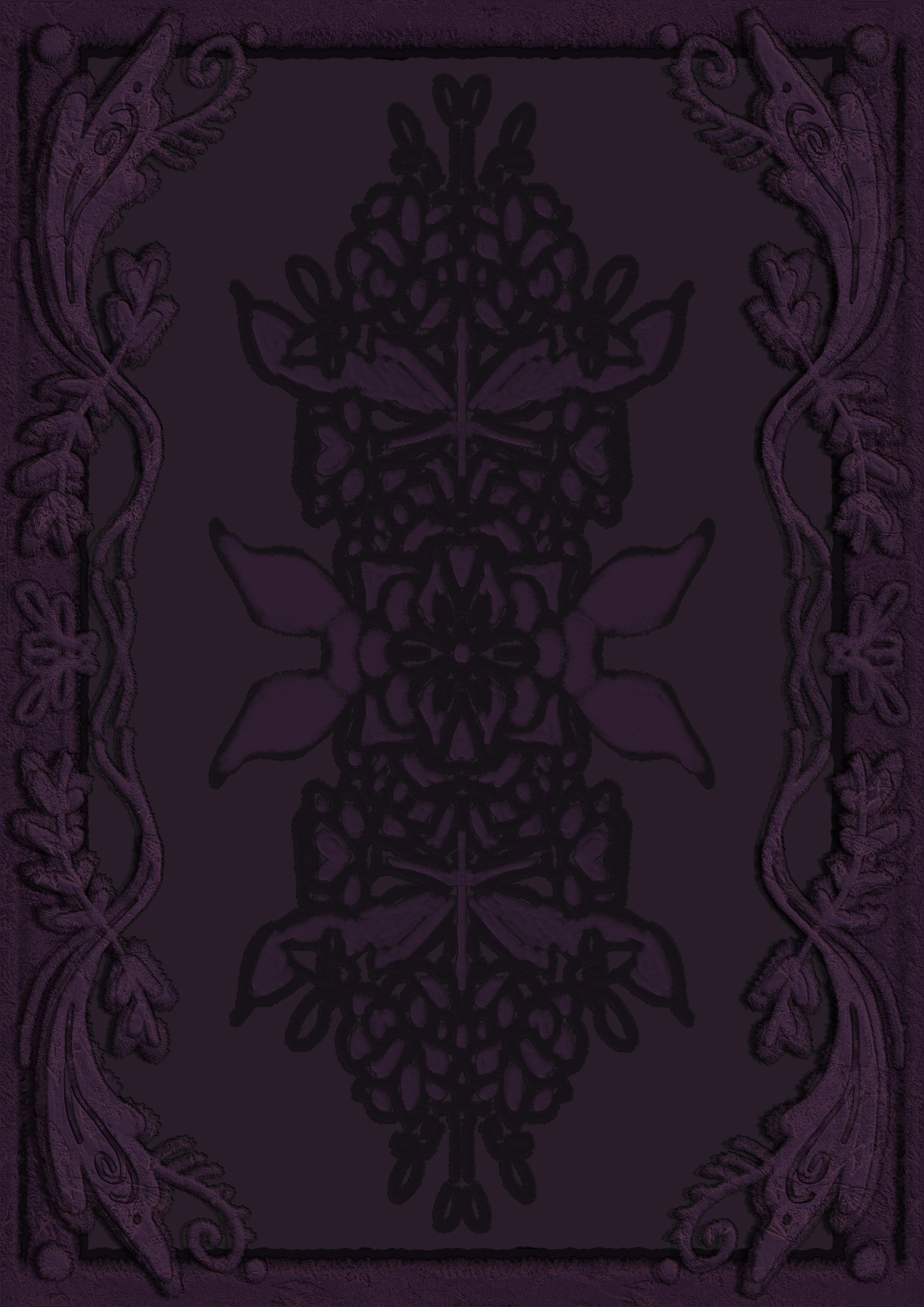
 ▲(The effect disappears after saving as a JPEG.)

 
This topic has been closed for replies.
Correct answer NB, colourmanagement

As @D Fosse wrote" only applications that support color management will actually use the monitor profile to display the image."

This means that to see a match to Photoshop [which gives you an accurate preview] you need to open and view images in a colour-managed application.

AND view at 100%


If you are using adjustment layers and blending effects, are you making a copy [archiving the original layered version] and flattening the before saving as a JPEG? 


I hope this helps
neil barstow, colourmanagement net - adobe forum volunteer - co-author: 'getting colour right'
google me "neil barstow colourmanagement" for lots of free articles on colour management

1 reply

Yujie_Qui
Yujie_QuiAuthor
Participant
July 31, 2023

I cropped the first photo a bit, so the contrast is clearer.

 ▲(The effect I want.)

  ▲(The effect disappears after saving as a JPEG.)

D Fosse
Community Expert
Community Expert
July 31, 2023

You need to view this at 100% to get a reliable preview. 100% is a significant number - it means one image pixel is represented by exactly one physical screen pixel. There is a lot of texture here, so any screen resampling will affect the result you see.


All adjustment and blending previews are calculated on the basis of the on-screen image, for performance reasons. With a zoomed out image, textures and noise are softened, producing intermediate values that aren't really there in the actual data. So the calculations are inaccurate, and what you see on screen inaccurate.


You avoid this by viewing at 100%.


Also, with dark images like this, color management is important, even for brightness and contrast. Most monitors have a native dip in the shadows, which is corrected and compensated in the monitor profile. But only applications that support color management will actually use the monitor profile to display the image.