
Answered
After Opening from Camera Raw - Banding in Dark Areas
Can someone explain why dark areas have banding after I click open from camera raw? (See sky in second picture compared to first). Both are on 16bits/channel.
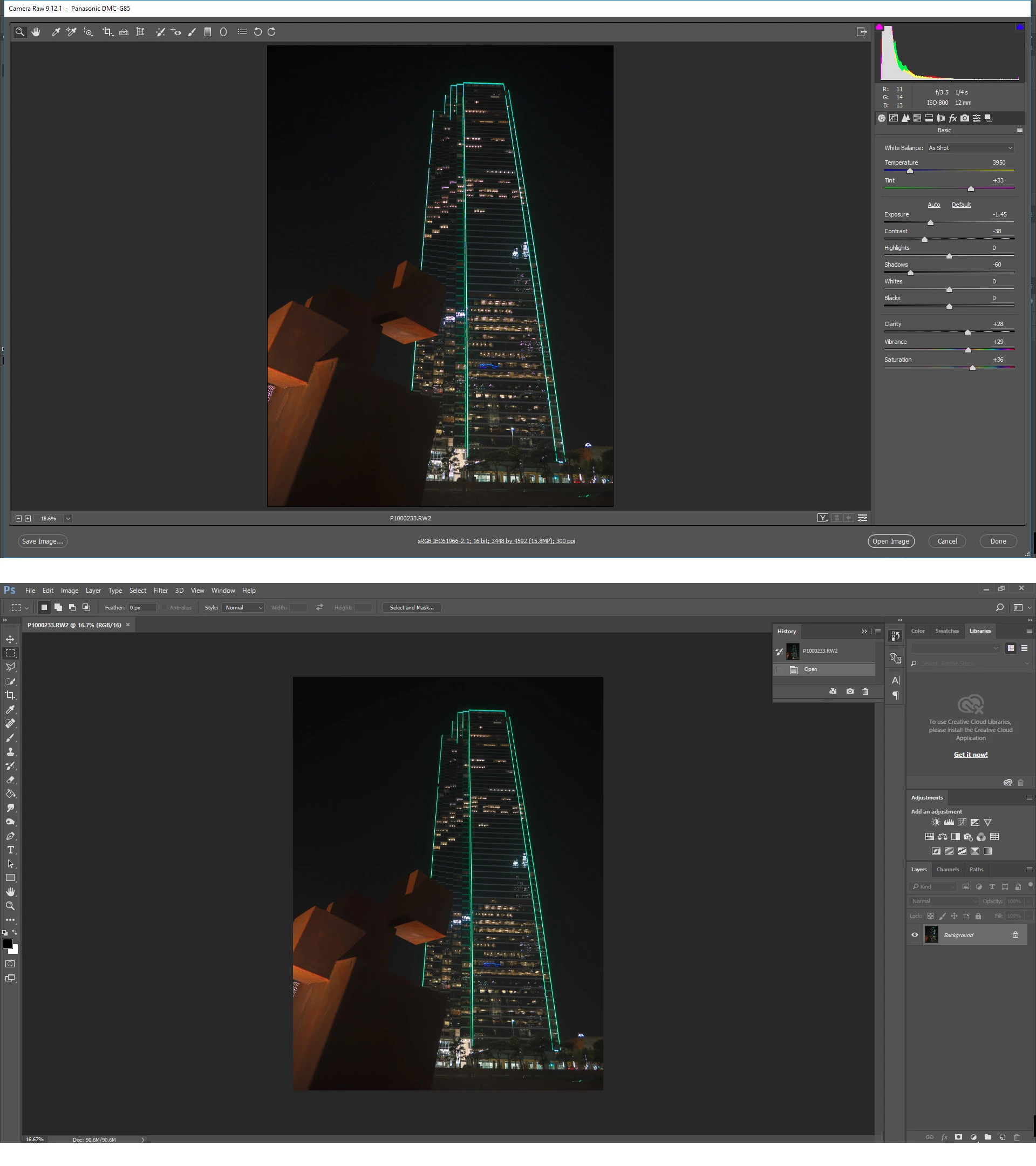

Can someone explain why dark areas have banding after I click open from camera raw? (See sky in second picture compared to first). Both are on 16bits/channel.
If it's a 16 bit file, any banding is always in the display system, not in the image data. If changing the monitor profile has no effect, try to turn off GPU in Photoshop preferences, or set it to "Basic" mode.
Keep in mind that a standard display pipeline is 8-bit, and close tonalities like here only have so many discrete values to distribute. I'm told that Lightroom uses dithering to break up banding in 8 bit output, so maybe ACR does too.
In most circumstances ACR should be much more susceptible to these problems than Photoshop, simply because the conversion from linear gamma ProPhoto (into the monitor profile) is a much more complex conversion than from a standard gamma 2.2 color space.
Already have an account? Login
Enter your E-mail address. We'll send you an e-mail with instructions to reset your password.
 AdChoices