nastyan58147438
Participant
June 24, 2017
Answered

After updates missing possibility quickly add new artboards to a document.

  • June 24, 2017
  • 1 reply
  • 2166 views

I can't add artboards by clicking the + . Plus icon don't appear alongside artboards in the document.

Before the upgrade, everything worked. Today I updated the CC and the icon was gone.
This topic has been closed for replies.
Correct answer davescm

OK if you are sure that you have the artboard tool and it is not working I would do the following - in this order.

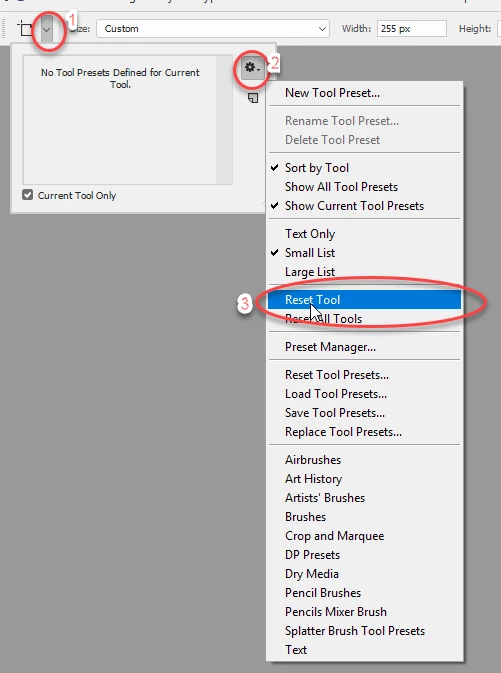
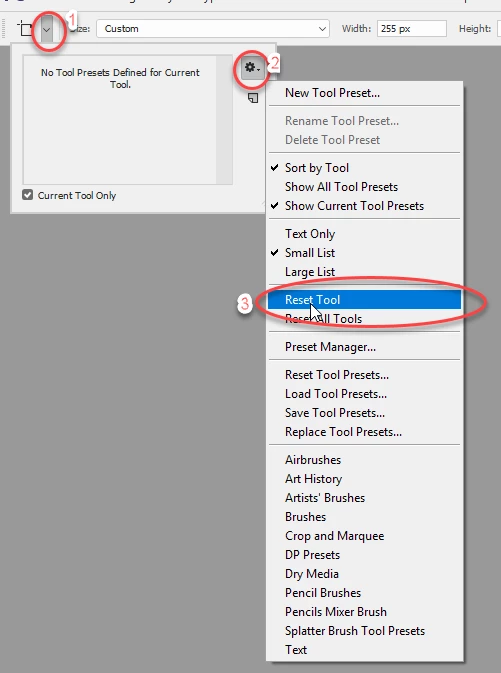
1. Try resetting the artboard tool

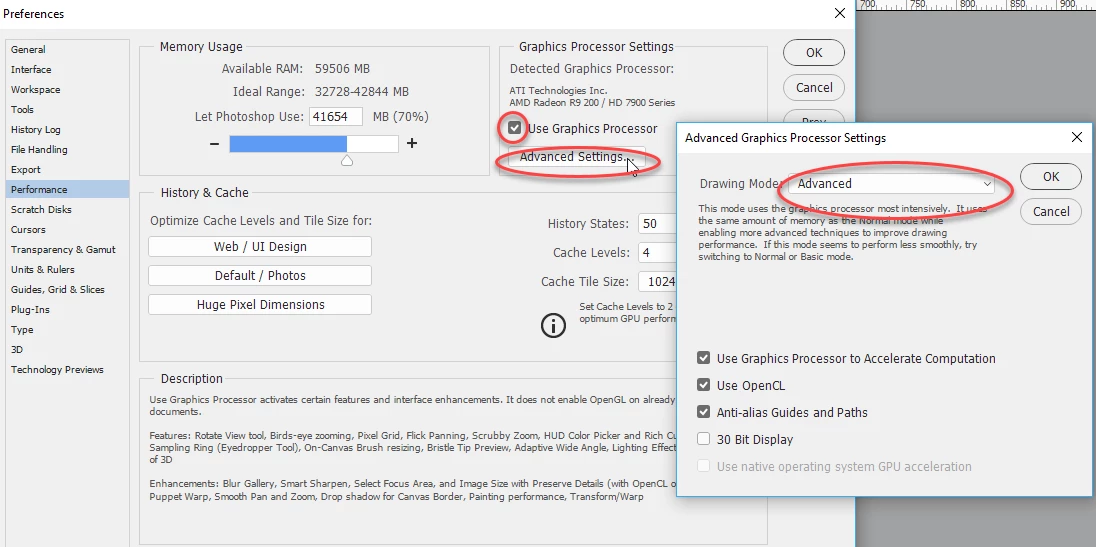
2. Check Preferences Performance GPU is on - artboards are optimised for the Advanced drawing mode

3. Try resetting preferences (you will need to quit and restart Photoshop)

1 reply

davescm
Community Expert
Community Expert
June 24, 2017

Do you have  an artboard (not layer ) selected in the layers panel:

and do you have the artboard tool selected (V)

If so the icons should appear:

Dave

nastyan58147438
Participant
June 26, 2017

Yes... But after the upgrade, it stopped working..  There are no hidden artboards on the sides also .  Adobe Photoshop CC 2017

davescm
Community Expert
davescmCommunity ExpertCorrect answer
Community Expert
June 26, 2017

OK if you are sure that you have the artboard tool and it is not working I would do the following - in this order.

1. Try resetting the artboard tool

2. Check Preferences Performance GPU is on - artboards are optimised for the Advanced drawing mode

3. Try resetting preferences (you will need to quit and restart Photoshop)