
Again the yellowish background issue...
Hello
Sorry English is not my language.
For a few days now, Adobe color management has changed (note : I am not sure but I TNINK it's dated from a very recent update for both Photoshop and Lightroom that might have changed something, setting or something else ? I don't use those on a daily basis so I can't tell for sure)
Please note I have the issue with both Photoshop and Lightroom. I haven't changed ANYTHING on my computer (graphics, settings, devices, monitor...).
The problem is quite "famous" but I'll describe it shortly : when opening a new blank file, white background in Photoshop, thebackground looks yellowish instead of white. All menus and other white stuff is white, only the image isn't.
Same with Lightroom : I just imported a bunch of pictures and they ALL look yellowish. see this set of examples : the background sky was perfectly blue with a bit of orange sunset : now it appears greenish and yellowish.

I tried all the stuff I could find on Google (videos and everything...) to solve this :
- uninstall monitor in device manager
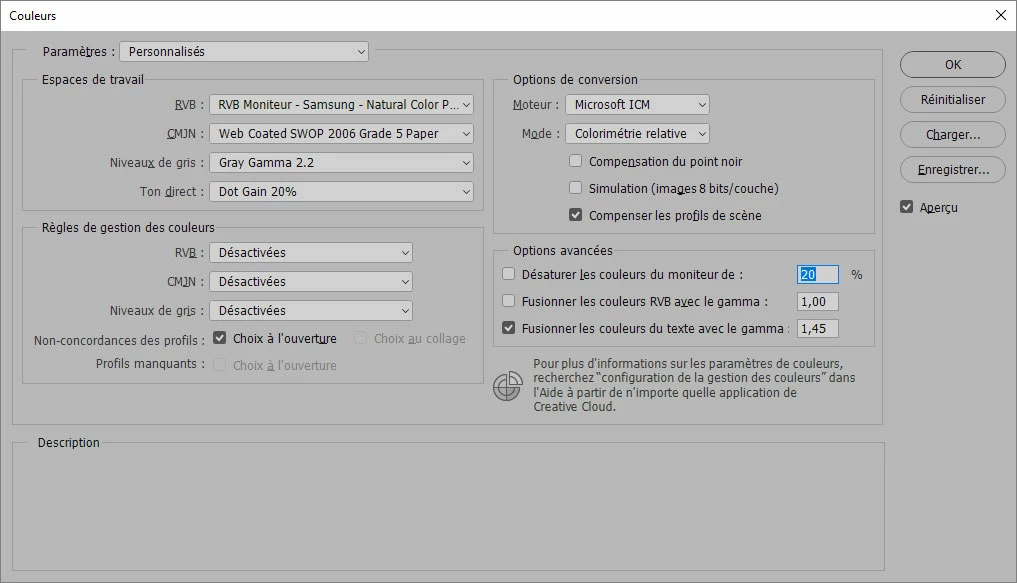
- change the settings in colors management in Photoshop (here are my actual settings - sorry it's in French) :
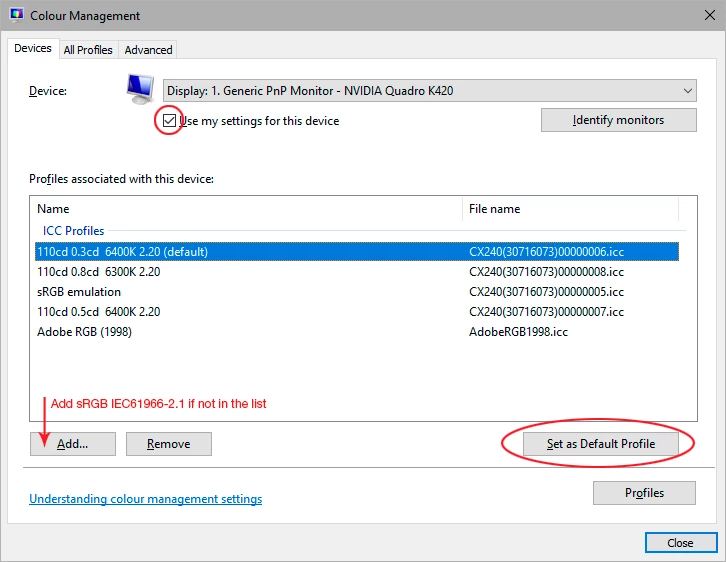
- change the windows color management options so that it used my personnal ICC profile
Nothing has changed.
Please note also it's not about exporting files.
Thank you for your help.
 AdChoices