Mohamed Hameed21513110
Inspiring
November 27, 2022
Answered

Align the image layers laterally through the group layer

  • November 27, 2022
  • 1 reply
  • 4347 views

Hello everyone and wonderful forum experts

- Sometimes I divide a number of image layers into groups

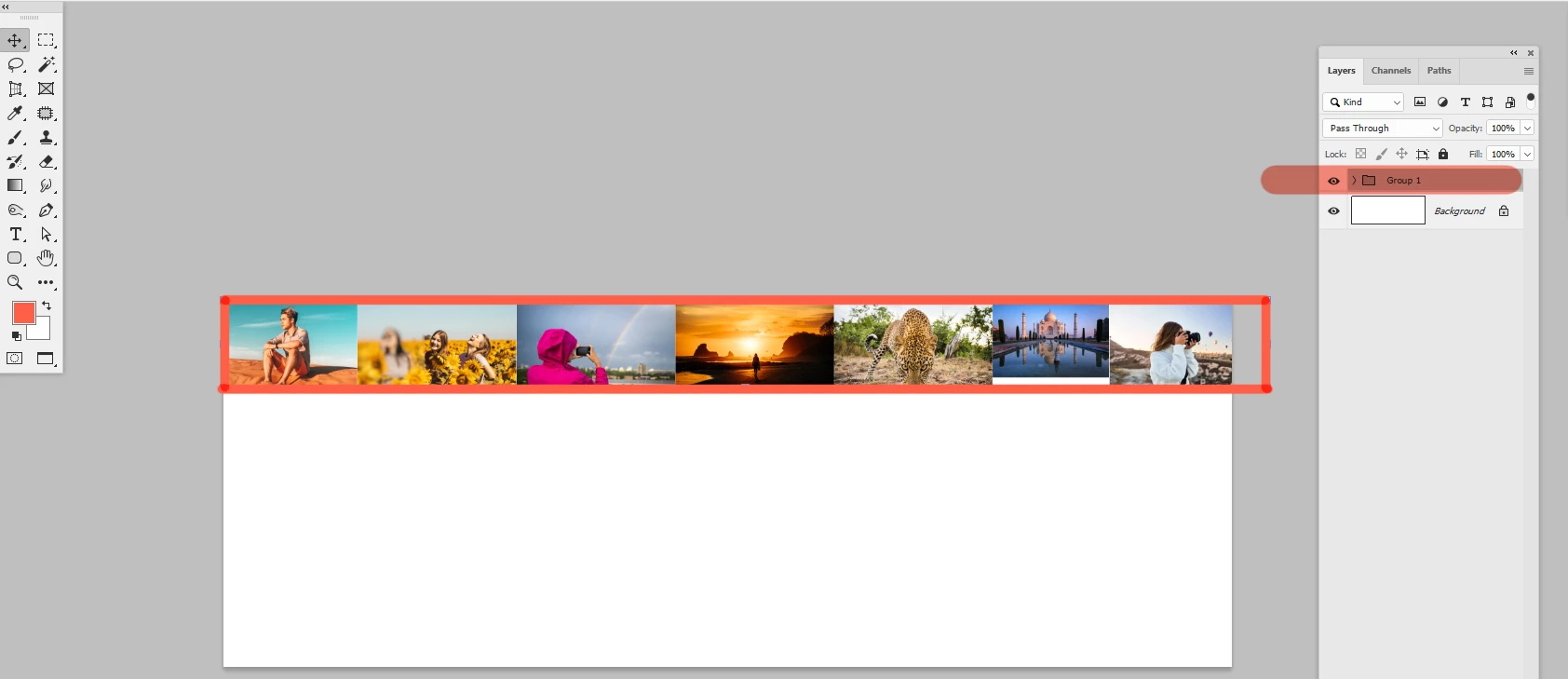
- I want a script that will align images sideways, as shown in the attached image
This topic has been closed for replies.
Correct answer Stephen Marsh

@Mohamed Hameed21513110 


I am not 100% happy with the following script, however, it has taken longer to get to this point than I expected. I believe that it works as required, let me know how you go.


/*
Distribute Grouped Layer Stack Horizontally From Left to Right.jsx
v1.0, 28th November 2022, Stephen Marsh
https://community.adobe.com/t5/photoshop-ecosystem-discussions/align-the-image-layers-laterally-through-the-group-layer/td-p/13375249
*/

#target photoshop

function main() {

    if (activeDocument.activeLayer.typename === "LayerSet") {

        var setName = activeDocument.activeLayer.name;
        var count = activeDocument.activeLayer.layers.length;

        activeDocument.activeLayer = activeDocument.layerSets[setName].layers[count - 1];
        var lyrRight = activeDocument.activeLayer.bounds[2].value;

        for (var i = count - 1; i >= 0; i--) {
            selectForwardORBackwardLayer(false, "forwardEnum");
            activeDocument.activeLayer.translate((lyrRight));
            var lyrRight = activeDocument.activeLayer.bounds[2].value;
        }

        // It's a hack, however, it will have to do for now!
        align2SelectAll('AdLf');

        //activeDocument.revealAll();

    } else {
        alert("Please select a layer group containing the layers to distribute from left to right!");
    }
}
activeDocument.suspendHistory("Undo script...", "main()");


// Functions

function selectForwardORBackwardLayer(makeVisible, forwardORbackward) {
    var s2t = function (s) {
        return app.stringIDToTypeID(s);
    };
    var descriptor = new ActionDescriptor();
    var list = new ActionList();
    var reference = new ActionReference();
    // "forwardEnum" or "backwardEnum"
    reference.putEnumerated(s2t("layer"), s2t("ordinal"), s2t(forwardORbackward));
    descriptor.putReference(s2t("null"), reference);
    // true or false
    descriptor.putBoolean(s2t("makeVisible"), makeVisible);
    list.putInteger(15);
    descriptor.putList(s2t("layerID"), list);
    executeAction(s2t("select"), descriptor, DialogModes.NO);
}

function align2SelectAll(method) {
   /* https://gist.github.com/MarshySwamp/df372e342ac87854ffe08e79cbdbcbb5 */
   
    /* 
    AdLf = Align Left
    AdRg = Align Right
    AdCH = Align Centre Horizontal
    AdTp = Align Top
    AdBt = Align Bottom
    AdCV = Align Centre Vertical
    */

    app.activeDocument.selection.selectAll();
    var desc = new ActionDescriptor();
    var ref = new ActionReference();
    ref.putEnumerated(charIDToTypeID("Lyr "), charIDToTypeID("Ordn"), charIDToTypeID("Trgt"));
    desc.putReference(charIDToTypeID("null"), ref);
    desc.putEnumerated(charIDToTypeID("Usng"), charIDToTypeID("ADSt"), charIDToTypeID(method));
    try {
        executeAction(charIDToTypeID("Algn"), desc, DialogModes.NO);
    } catch (e) {}
    app.activeDocument.selection.deselect();
}


1 reply

Stephen Marsh
Community Expert
Stephen MarshCommunity ExpertCorrect answer
Community Expert
November 28, 2022

@Mohamed Hameed21513110 


I am not 100% happy with the following script, however, it has taken longer to get to this point than I expected. I believe that it works as required, let me know how you go.


/*
Distribute Grouped Layer Stack Horizontally From Left to Right.jsx
v1.0, 28th November 2022, Stephen Marsh
https://community.adobe.com/t5/photoshop-ecosystem-discussions/align-the-image-layers-laterally-through-the-group-layer/td-p/13375249
*/

#target photoshop

function main() {

    if (activeDocument.activeLayer.typename === "LayerSet") {

        var setName = activeDocument.activeLayer.name;
        var count = activeDocument.activeLayer.layers.length;

        activeDocument.activeLayer = activeDocument.layerSets[setName].layers[count - 1];
        var lyrRight = activeDocument.activeLayer.bounds[2].value;

        for (var i = count - 1; i >= 0; i--) {
            selectForwardORBackwardLayer(false, "forwardEnum");
            activeDocument.activeLayer.translate((lyrRight));
            var lyrRight = activeDocument.activeLayer.bounds[2].value;
        }

        // It's a hack, however, it will have to do for now!
        align2SelectAll('AdLf');

        //activeDocument.revealAll();

    } else {
        alert("Please select a layer group containing the layers to distribute from left to right!");
    }
}
activeDocument.suspendHistory("Undo script...", "main()");


// Functions

function selectForwardORBackwardLayer(makeVisible, forwardORbackward) {
    var s2t = function (s) {
        return app.stringIDToTypeID(s);
    };
    var descriptor = new ActionDescriptor();
    var list = new ActionList();
    var reference = new ActionReference();
    // "forwardEnum" or "backwardEnum"
    reference.putEnumerated(s2t("layer"), s2t("ordinal"), s2t(forwardORbackward));
    descriptor.putReference(s2t("null"), reference);
    // true or false
    descriptor.putBoolean(s2t("makeVisible"), makeVisible);
    list.putInteger(15);
    descriptor.putList(s2t("layerID"), list);
    executeAction(s2t("select"), descriptor, DialogModes.NO);
}

function align2SelectAll(method) {
   /* https://gist.github.com/MarshySwamp/df372e342ac87854ffe08e79cbdbcbb5 */
   
    /* 
    AdLf = Align Left
    AdRg = Align Right
    AdCH = Align Centre Horizontal
    AdTp = Align Top
    AdBt = Align Bottom
    AdCV = Align Centre Vertical
    */

    app.activeDocument.selection.selectAll();
    var desc = new ActionDescriptor();
    var ref = new ActionReference();
    ref.putEnumerated(charIDToTypeID("Lyr "), charIDToTypeID("Ordn"), charIDToTypeID("Trgt"));
    desc.putReference(charIDToTypeID("null"), ref);
    desc.putEnumerated(charIDToTypeID("Usng"), charIDToTypeID("ADSt"), charIDToTypeID(method));
    try {
        executeAction(charIDToTypeID("Algn"), desc, DialogModes.NO);
    } catch (e) {}
    app.activeDocument.selection.deselect();
}


Mohamed Hameed21513110
Inspiring
November 28, 2022

@Stephen Marsh 

May I ask a simple query

I would like to add a small modification to the code if possible

I want to align the images inside the group to the left and also to the top before the process of distributing the images
Because sometimes the group contains layers of images in different places

Is this available
If it is not available, you do not have to, this is enough


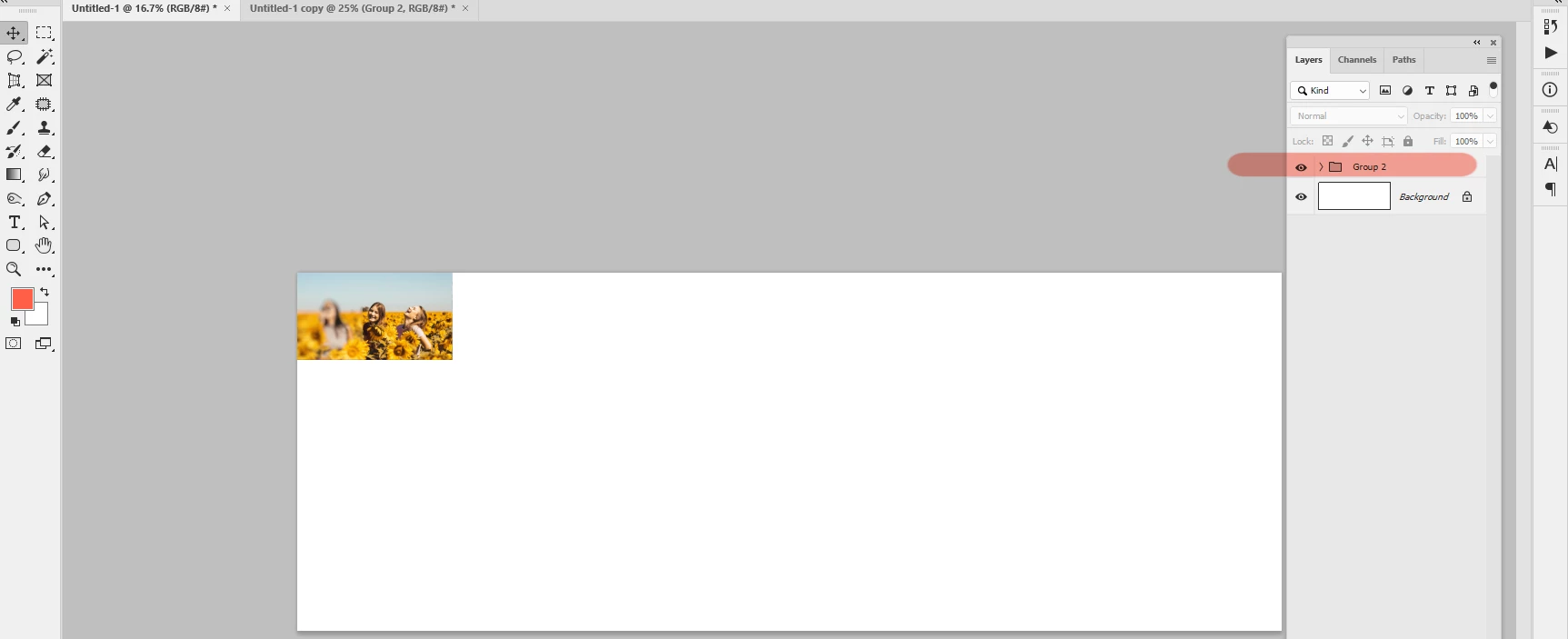
Also, I have a problem that I encounter when the group has a large number of image layers.. When distributing the image layers, some images come out outside the borders of the design
Is there a solution to this problem so that the image layers are distributed within the design or file?

Mohamed Hameed21513110
Inspiring
December 1, 2022

Did you also remove the lines 

			if (repeat == false) {
//var repeat = confirm("repeat images to fill format?", false, "repeat");
				var repeat = true;
				};
			if (repeat == true) {theNumber = 0}

in this version? 


@c.pfaffenbichler 

The problem was solved when I modified this part of the code

But I see that the implementation of the procedure may be relatively slow, but the code is working fine now

Thank you very much for your effort