

bartonlew
Legend
January 19, 2022
Answered

Aligning layers after image size adjustment

  • January 19, 2022
  • 1 reply
  • 261 views

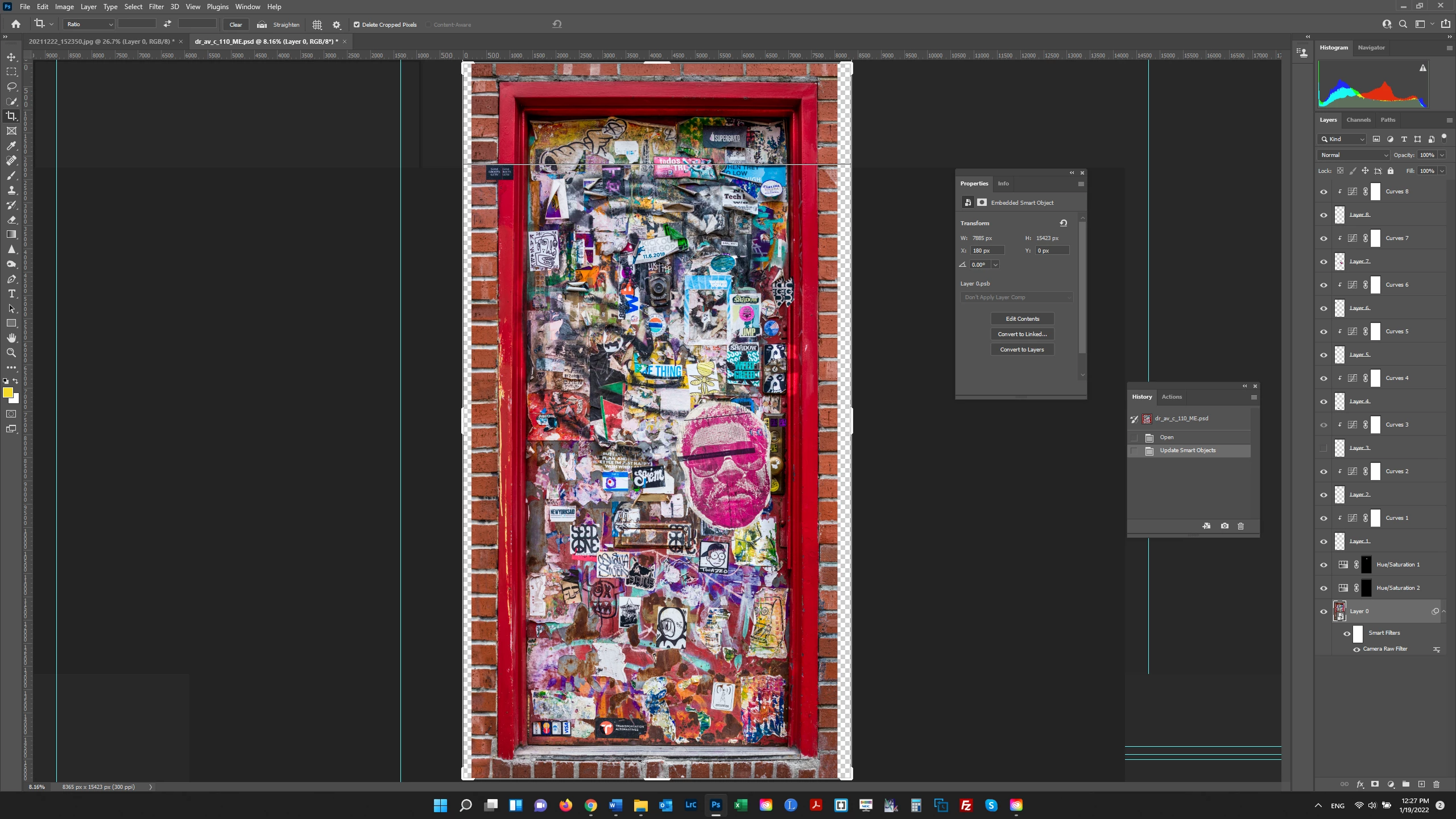
I have a document which was assembled from multiple RAW files, and subsequently discovered that I got the aspect ratio wrong - the door is wider than it should be.  The main layer is a Smart Object, with separate Layers above it where adjustments needed to be made individually.  I opened the SO and made the image 2" narrower, but the layers became unaligned with the main Layer.  Do I need to flatten the document so that the individual Layers are made part of the Smart Object Layer?  Ideally, it would be nice to retain the adjustments, both in the SO and in the individual layers.  Also, when I opened the SO and made the image narrower, after closing the SO, the canvas kept its original size (see screenshot).  Since there is no other Layer below the SO, where is the canvas and - independently of my other issues - would I need to access Canvas Size to conform the Canvas to the Image?  Thanks.  


This topic has been closed for replies.
Correct answer S_Gans

Have you tried resizing the actual smart object, instead of opening it up? If you do that, it SHOULD retain the appropriate locations and aspect ratios of the enclosed images. Smart objects are made so that you can manipulate them and the quality of the contents aren't negatively affected.

1 reply

S_Gans
Community Expert
S_GansCommunity ExpertCorrect answer
Community Expert
January 19, 2022

Have you tried resizing the actual smart object, instead of opening it up? If you do that, it SHOULD retain the appropriate locations and aspect ratios of the enclosed images. Smart objects are made so that you can manipulate them and the quality of the contents aren't negatively affected.

Adobe Community Expert / Adobe Certified Instructor
bartonlew
bartonlewAuthor
Legend
January 20, 2022

That worked.  Very interesting - I assumed that in order to do anything to the pixels of a SO you had to open it.  But I guess resizing the image isn't really doing anything to the pixels ??   Why did the canvas not shrink when I resized the image inside the SO, but it did shrink when I resized the SO?  I don't understand its relationship to the image or its function.  Thank you.