When did this start?
Can you correlate the issue to other changes like Photoshop or other driver change?
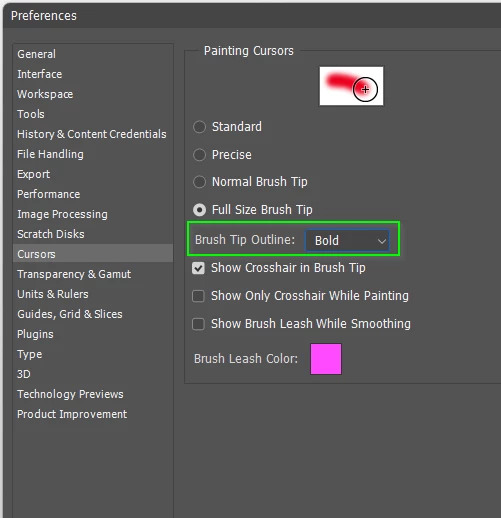
What are your cursor settings in Preferences?
Have you tried changing the Brush Outline setting? This feature was introduced not too far back becuse of complaints about the cursor being difficult to see.
Do you have Lazy Nezumi Pro installed, and if yes, does closing or turning it off make a difference?
I ask because it has a setting that turns off the cursor when painting.
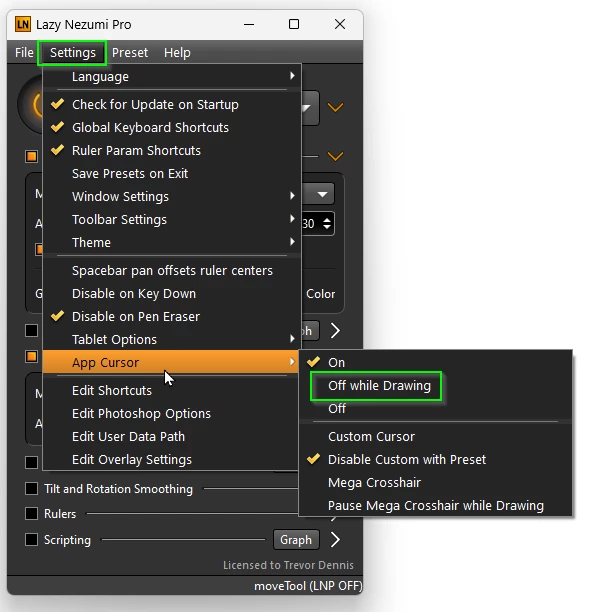
Even if not using LNP (and as a Windows user you shoulf totally check it out) it has probably the best tablet and cursor help page on the Internet.
Speaking of tablets, are you using the Windows Ink or Wintab API? I am not so sure how relevant it would be to your description of the issue, but it might come down to this.
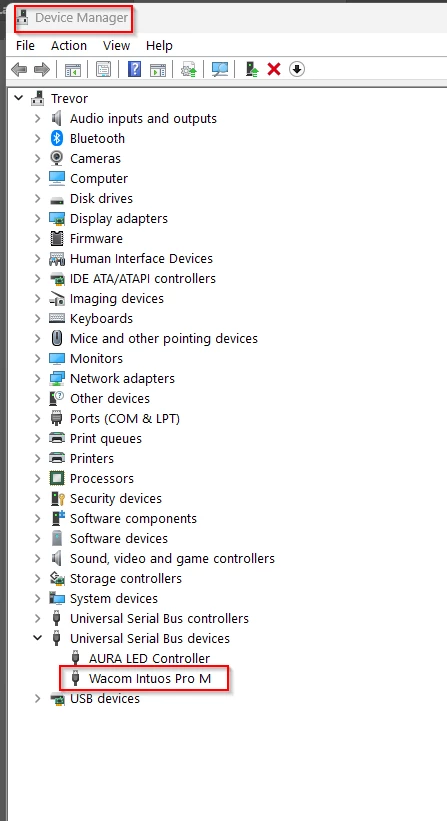
If you are using a Wacom tablet, I have a vague memory of a recent driver update causing issues. Seeing as your issue persists with the mouse, it might be worth opening Device Manager and disabling the Wacom driver. That would be heaps easier than uninstalling, or rolling back the driver, to test it. If it does fix the issue, then maybe roll back the driver.
Pleas let us know how you get on either way.

 AdChoices