Participating Frequently
February 24, 2024
Question

Anchor point

  • February 24, 2024
  • 1 reply
  • 397 views

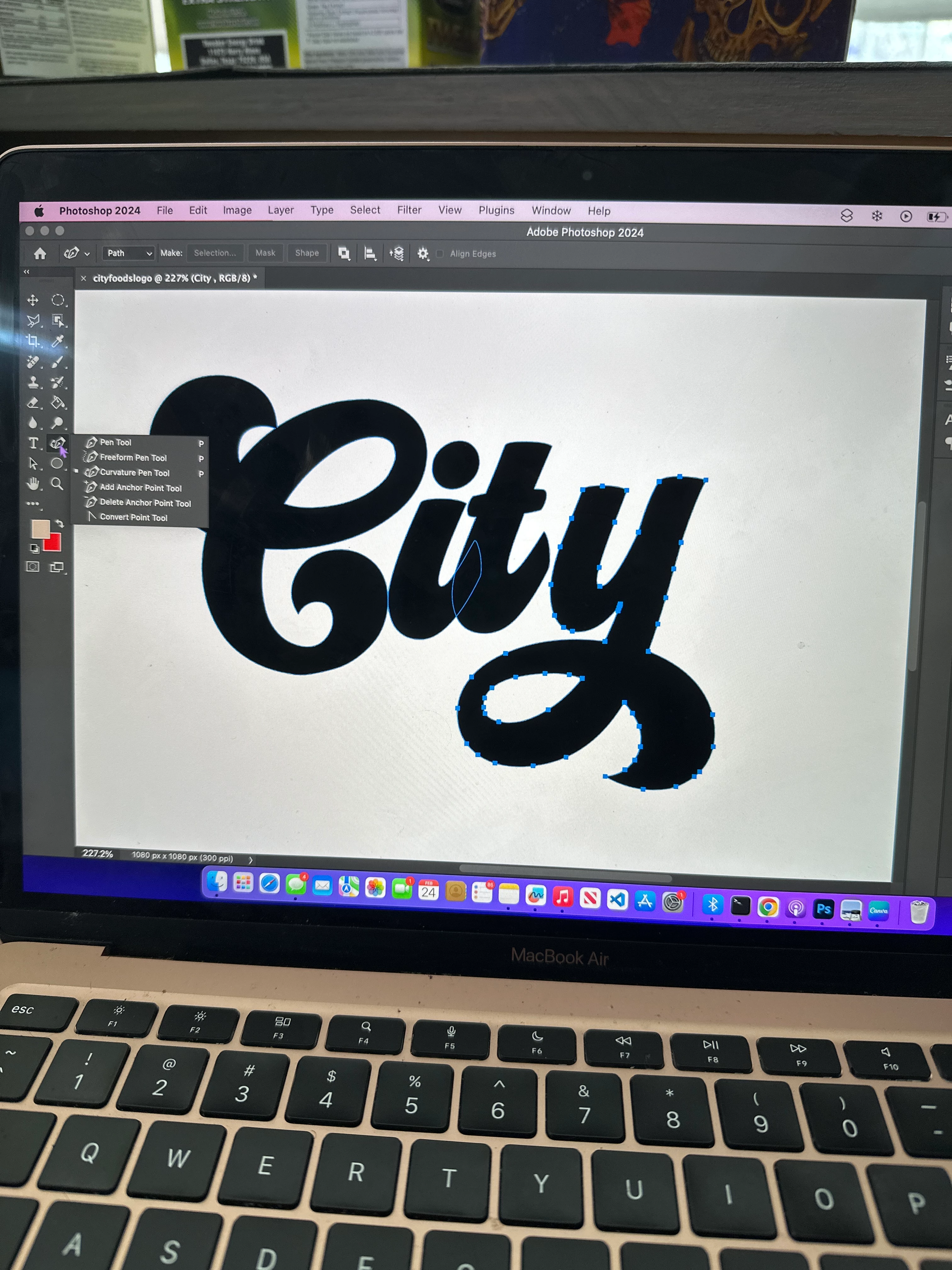
How can i move multiple anchor points at the same time? I don't want to move them one by one 
This topic has been closed for replies.

1 reply

D Fosse
Community Expert
Community Expert
February 24, 2024

Use the Direct Select tool, the white arrow, and shift-click to select multiple anchor points. These will move together, leaving the unselected anchor points.


The Path Select tool, the black arrow, will select the whole path.

Participating Frequently
February 24, 2024

that made extra points. i tried to shift click and select multiple points, but it made more points and lines

c.pfaffenbichler
Community Expert
Community Expert
February 25, 2024

https://www.take-a-screenshot.org/

Could you please post screenshots with the pertinent Panels (Toolbar, Layers, Paths, Options Bar, …) visible? 


With the Pen Tool selected one can spring-load the Direct Selection Tool by holding the cmd-key pressed, then by additionally pressing the shift-key one can select the pathpoints consecuitively.